Ever find yourself battling buffering videos, dropped video calls, or frustrating WiFi dead zones in your own home? It’s a common modern predicament, but it doesn’t have to be your reality. As your trusted experts at Xzike.com, we’re here to tell you that the solution lies in upgrading to a Wifi 6 Mesh Router system. This isn’t just another incremental upgrade; it’s a fundamental shift in how your home network performs, delivering unparalleled speed, coverage, and reliability to every corner of your connected world.
What Exactly is a WiFi 6 Mesh Router System?
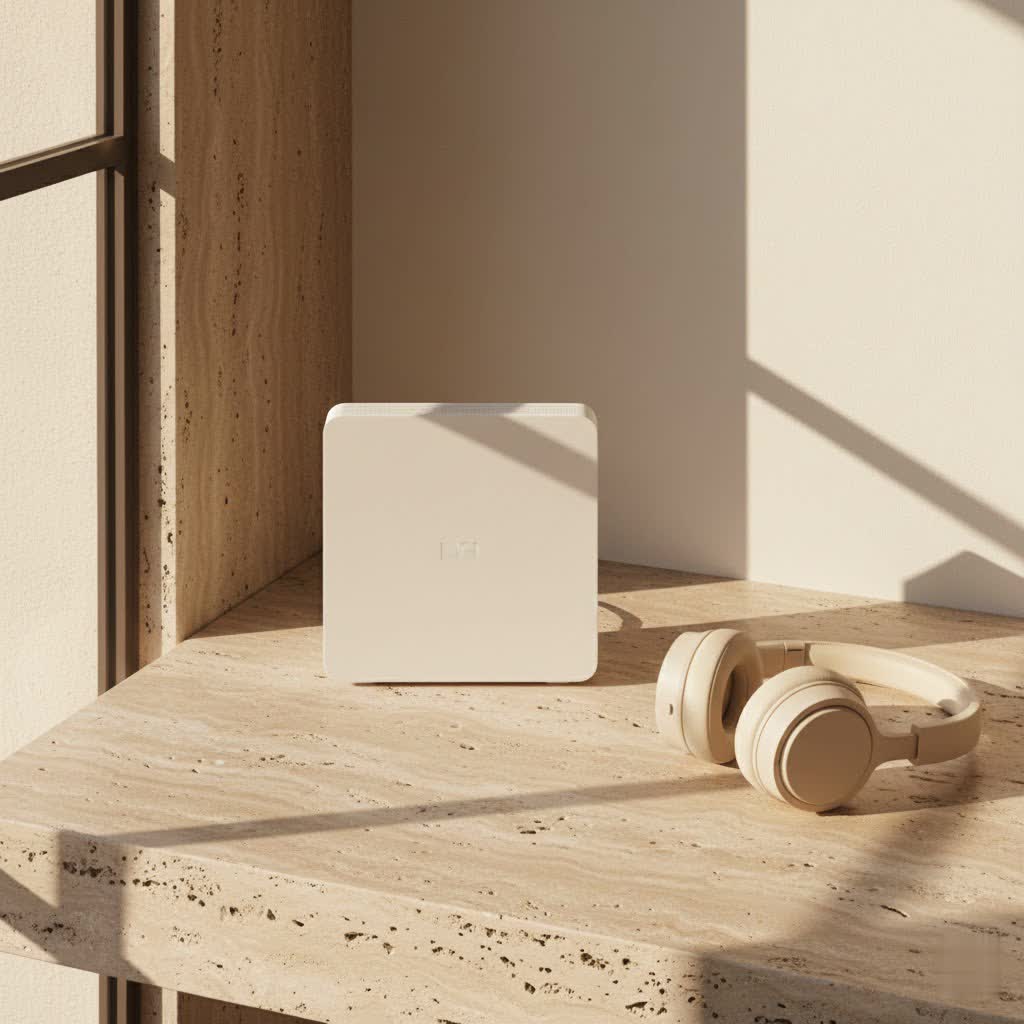
At its core, a WiFi mesh system is designed to eliminate the limitations of a single, traditional router. Instead of one device struggling to blanket your entire home with a signal, a mesh network employs multiple units, or “nodes,” that work together harmoniously. One node connects to your modem, acting as the main router, while other satellite nodes are strategically placed throughout your home. These nodes communicate with each other to create a single, unified wireless network with one network name and password, ensuring seamless roaming for your devices.
Now, layer on WiFi 6 (802.11ax), the latest generation of wireless technology, and you have a truly formidable networking solution. WiFi 6 isn’t just about raw speed; it’s about intelligence and efficiency, especially in homes brimming with smart devices. It’s like upgrading from a single-lane road to a multi-lane highway, even during rush hour.
Beyond Basic WiFi: The Power of WiFi 6 Technology
WiFi 6 mesh routers aren’t just an improvement; they’re a revolution for demanding home networks. They harness advanced technologies to deliver a truly superior wireless experience.
Faster Speeds & Higher Capacity: The Multi-Lane Highway for Your Data
One of the most compelling advantages of WiFi 6 is its ability to deliver significantly faster speeds and handle more devices simultaneously without breaking a sweat. This is thanks to two key innovations:
- OFDMA (Orthogonal Frequency-Division Multiple Access): Think of OFDMA as a super-efficient postal service. Instead of sending one large package at a time (like previous WiFi standards), OFDMA can split a single WiFi channel into smaller sub-channels. This allows the router to communicate with multiple devices at once, delivering data to each more efficiently. It’s particularly beneficial for low-bandwidth devices like smart plugs or sensors, as they don’t have to wait their turn.
- MU-MIMO (Multi-User Multiple-Input, Multiple-Output): While OFDMA optimizes how data is sent to multiple devices on a single channel, MU-MIMO allows your router to communicate with several devices at the same time across different spatial streams. Combined, these technologies dramatically increase network capacity and reduce latency, making simultaneous 4K streaming, online gaming, and video conferencing smoother than ever.
|
Our Picks for the Best WiFi Router in 2026
As an Amazon Associate I earn from qualifying purchases.
|
||
| Num | Product | Action |
|---|---|---|
| 1 | Amazon eero 6+ mesh wifi router with 1 month free eero Plus (auto-renews) - Coverage up to 1,500 sq. ft., Connect 75+ devices, 1-pack |

|
| 2 | TP-Link AC1200 WiFi Router (Archer A54) - Dual Band Wireless Internet Router, 4 x 10/100 Mbps Fast Ethernet Ports, EasyMesh Compatible, Support Guest WiFi, Access Point Mode, IPv6 & Parental Controls |
|
| 3 | Amazon eero 6 mesh wifi router with 1-month free eero Plus (auto-renews) - Supports internet plans up to 900 Mbps, Coverage up to 1,500 sq. ft., Connect 75+ devices, 1-pack |
|
| 4 | RBLHGG-5acD-US LHG 5 ac - 5GHz 802.11ac Wireless Device with 24.5 dBi Dual-Pol Grid Antenna - 716 MHz CPU, 256MB RAM, Gigabit Port, RouterOS L3, PoE, US Version |
|
| 5 | TP-Link AX1800 WiFi 6 Router (Archer AX21) – Dual Band Wireless Internet, Gigabit, Easy Mesh, Works with Alexa - A Certified for Humans Device, Free Expert Support |
|
| 6 | TP-Link Tri-Band BE9300 WiFi 7 Router (Archer BE550) - 6-Stream, Full 2.5G Ports w/ 6 Internal Antennas, Up to 2,000 Sq Ft, Add Easy-Mesh Device for Extended Coverage, VPN Support, Free Expert Support |
|
| 7 | TP-Link AC1200 Gigabit WiFi Router (Archer A6) - Dual Band MU-MIMO Wireless Internet Router, 4 x Antennas, OneMesh and AP Mode, Long Range Coverage |
|
| 8 | TP-Link Archer BE6500 Dual-Band Wi-Fi 7 Router (Archer BE400) - Dual 2.5 Gbps Ports USB 3.0 - Covers up to 2,400 Sq. ft and 90 Devices - Quad-core CPU- HomeShield, Private IoT, Free Expert Support |
|
| 9 | TP-Link Dual-Band BE3600 Wi-Fi 7 Router Archer BE230 - 4-Stream - 2×2.5G + 3×1G Ports, USB 3.0, 2.0 GHz Quad Core, 4 Antennas - VPN, EasyMesh, HomeShield, MLO, Private IOT - Free Expert Support |
|
| 10 | TP-Link AXE5400 Tri-Band WiFi 6E Router (Archer AXE75), 2025 PCMag Editors\' Choice, Gigabit Internet for Gaming & Streaming, New 6GHz Band, 160MHz, OneMesh, Quad-Core CPU, VPN & WPA3 Security |
|
Beyond this, WiFi 6 leverages 1024-QAM (Quadrature Amplitude Modulation), which packs more data into each signal, leading to a theoretical speed increase of up to 40% over WiFi 5.
Eliminating Dead Zones with Expanded Coverage: A Blanket of Connectivity
The core benefit of any mesh system is its ability to blanket your entire home with a strong, consistent WiFi signal. WiFi 6 mesh systems take this to the next level. The multiple nodes work together to extend coverage, intelligently routing your connection through the strongest available path. This means you can move from your living room to your home office, or even out to the patio, without experiencing frustrating signal drops or needing to manually switch networks. Your devices automatically connect to the closest, strongest node, ensuring a continuous and stable connection.
Enhanced Stability for a Connected Life: Less Interference, More Reliability
Beyond raw speed and coverage, WiFi 6 mesh systems offer superior network stability. In congested environments, older WiFi standards can suffer from interference, leading to slower speeds and unreliable connections. WiFi 6 employs a feature called BSS (Basic Service Set) Coloring, which helps differentiate traffic from neighboring networks, reducing interference and boosting performance.
Another clever feature is Target Wake Time (TWT). This allows devices to schedule check-ins with the router, rather than constantly competing for airtime. By reducing unnecessary communication, TWT not only improves network efficiency but also extends the battery life of your connected devices, from smartphones to smart home sensors.
Fortified Security with WPA3: Protecting Your Digital Home
In an increasingly connected world, network security is paramount. WiFi 6 mandates the use of WPA3 encryption, the latest and most robust security protocol. WPA3 offers stronger encryption and more resilient protection against brute-force attacks compared to its predecessor, WPA2. This means your home network is better shielded from unauthorized access and cyber threats, giving you greater peace of mind.
Why Upgrade to WiFi 6 Mesh? WiFi 5 Just Can’t Keep Up
If you’re still relying on an older WiFi 5 (802.11ac) router, you’re likely experiencing the growing pains of a network struggling to keep pace with modern demands. WiFi 5 was groundbreaking in its time, bringing gigabit speeds to wireless connections. However, it wasn’t designed for the sheer volume and diversity of devices we now have in our homes.
Consider this: most households today have dozens of connected devices – smartphones, tablets, laptops, smart TVs, gaming consoles, smart speakers, security cameras, smart thermostats, and more. A WiFi 5 router often bottlenecks under this load, leading to reduced speeds, increased latency, and frustrating disconnects.
“In today’s hyper-connected homes, where every family member is streaming, gaming, working remotely, and managing smart devices, a WiFi 5 system simply can’t provide the seamless, high-performance experience users expect,” notes our chief network architect, Dr. Elara Vance. “WiFi 6 mesh isn’t just about faster download speeds; it’s about a fundamentally smarter and more resilient network that truly keeps up with your digital life.”
The real-world difference an upgrade makes is palpable. Imagine smooth, uninterrupted 4K streaming even when multiple people are online, lag-free online gaming, and crystal-clear video calls without any frozen screens. This is the everyday reality that WiFi 6 mesh delivers, a significant leap over the limitations of aging WiFi 5 technology.
Setting Up Your WiFi 6 Mesh Network: A Simple Journey
One of the great advantages of modern WiFi 6 mesh systems is their user-friendliness. Gone are the days of complex configurations and arcane settings. Most systems are designed for a straightforward, app-driven setup that anyone can follow.
Here’s a general step-by-step guide:
- Choose Your System & Download the App: Select your preferred WiFi 6 mesh system and download its dedicated mobile app to your smartphone or tablet.
- Connect the Main Node: Unbox your primary mesh router (often called the gateway or main node). Connect it to your internet modem using an Ethernet cable. Then, plug it into a power outlet and switch it on.
- Initial Setup via App: Open the app and follow the on-screen instructions. You’ll typically create an account, name your network (SSID), and set a password. The app will guide you through connecting to your new main node.
- Add Satellite Nodes: Once the main node is configured, it’s time to add the satellite nodes. Plug in each satellite node one by one in different areas of your home. The app will usually detect them automatically and guide you through the pairing process. Place them roughly halfway between the main router and any WiFi dead zones you want to cover.
- Optimize Placement & Test: Experiment with node placement to achieve optimal coverage. Avoid placing nodes behind large objects, in enclosed cabinets, or near sources of interference (like microwaves). Use the app’s signal strength indicators or perform speed tests in various rooms to ensure robust connectivity everywhere. Many advanced systems also offer “AI-driven mesh” capabilities, automatically optimizing connections between nodes for you.
For those with larger homes or a need for absolute peak performance, consider systems that offer a dedicated wireless backhaul band, often a third band (like a 5GHz or even 6GHz on WiFi 6E systems) used exclusively for communication between the mesh nodes. Alternatively, if your home is wired with Ethernet, you can use a “wired backhaul” by connecting your satellite nodes to your main router via Ethernet cables. This offers the most stable and fastest connection between nodes, freeing up wireless bands for your devices.
Choosing the Right WiFi 6 Mesh System for Your Home
With a growing number of excellent WiFi 6 mesh systems on the market, selecting the right one depends on your specific needs and home environment. Here are key factors to consider:
- Home Size and Layout: This is crucial for determining how many nodes you’ll need and the overall system coverage. Most manufacturers specify the square footage a system can cover. For multi-story homes or those with thick walls, more nodes or a system with stronger range is beneficial.
- Internet Speed: Ensure your mesh system can support your internet service provider’s (ISP) speed. If you have a gigabit internet plan, you’ll want a WiFi 6 mesh system that can handle those speeds to fully utilize your bandwidth.
- Number of Connected Devices: If your home is packed with smart devices, gaming consoles, and streaming gadgets, a system with higher capacity and efficient traffic management (like those with advanced OFDMA and MU-MIMO) is essential.
- Budget: WiFi 6 mesh systems vary in price. While some budget-friendly options offer excellent core performance, higher-end systems often come with advanced features like dedicated backhaul, more Ethernet ports, and robust security suites.
- Key Features to Look For:
- Tri-band Support: While all WiFi 6 operates on 2.4 GHz and 5 GHz, tri-band systems add another 5 GHz band, often dedicated for backhaul. WiFi 6E systems take this further by adding the new 6 GHz band, which is less congested and offers even more bandwidth for backhaul and compatible devices.
- Ethernet Ports: Consider how many wired devices you have. Some nodes offer multiple Gigabit Ethernet ports for connecting PCs, gaming consoles, or smart hubs directly.
- Advanced Security & Parental Controls: Look for systems that offer robust built-in security features (beyond WPA3) and intuitive parental controls to manage screen time and content access for younger users.
- Ease of Use: A well-designed mobile app for setup and management is a huge plus, simplifying network oversight and troubleshooting.
Reputable brands like TP-Link Deco, Eero, ASUS ZenWiFi, and Netgear Orbi consistently produce high-quality WiFi 6 mesh systems, each with their own strengths and feature sets.
The Future of Home Networking: Beyond WiFi 6
While WiFi 6 mesh routers represent the pinnacle of current home networking, technology never stands still. We’re already seeing the emergence of WiFi 6E, which extends the capabilities of WiFi 6 by adding access to the 6 GHz frequency band. This band is largely uncongested, providing a super-highway for compatible devices and an ideal dedicated backhaul for mesh systems, resulting in even faster speeds and lower latency.
Looking further ahead, WiFi 7 (802.11be) is on the horizon, promising “Extremely High Throughput (EHT)” with even wider 320 MHz channels and advanced features like Multi-Link Operation (MLO), which allows devices to use multiple WiFi bands simultaneously for unprecedented performance and reliability. While WiFi 7 systems are still premium offerings, it underscores the continuous evolution of wireless technology. Investing in a WiFi 6 mesh system today ensures you’re well-equipped for the demands of the modern home and ready for a smooth transition to future standards.
Frequently Asked Questions
What is a mesh WiFi system?
A mesh WiFi system uses multiple interconnected access points, or “nodes,” to create a single, unified wireless network that provides seamless coverage throughout your entire home, eliminating dead zones often found with traditional single routers. Your devices automatically switch to the strongest signal as you move around.
Do I need special devices for WiFi 6?
To fully benefit from WiFi 6 speeds and features, your client devices (smartphones, laptops, tablets) should also support WiFi 6. However, WiFi 6 routers are backward compatible, meaning your older WiFi 5 devices will still connect, though they won’t experience the full advantages of the new standard.
Can I use a wired connection with a mesh system?
Absolutely. Most mesh nodes include Ethernet ports, allowing you to connect wired devices like desktop PCs, gaming consoles, or smart home hubs directly. This also allows for “wired backhaul,” where the nodes communicate with each other via Ethernet cables, providing the fastest and most stable connection between them.
How many mesh nodes do I need?
The number of nodes depends on the size and layout of your home, as well as the building materials. Manufacturers typically provide coverage estimates (e.g., “up to 5,000 sq ft”). For larger or multi-story homes, or those with dense walls, you may need a 3-pack or more to ensure comprehensive coverage.
Is WiFi 6 mesh good for gaming?
Yes, WiFi 6 mesh is excellent for gaming. Its increased capacity, lower latency, and improved efficiency (thanks to OFDMA and MU-MIMO) ensure a more stable and responsive connection, even when other devices are active on the network. This minimizes lag and provides a smoother online gaming experience.
The Smart Move for a Smarter Home
In an era where our lives are increasingly digital, a robust and reliable home network is no longer a luxury – it’s a necessity. Upgrading to a WiFi 6 mesh router system is one of the smartest investments you can make for your home. It promises not just faster speeds, but a truly seamless, stable, and secure internet experience that empowers every device and every family member. Say goodbye to dead zones and hello to uninterrupted connectivity, from your basement to your backyard. Take control of your home network today and unlock its full potential. Explore the possibilities and find the perfect WiFi 6 mesh system for your needs right here on Xzike.com.
