In the dynamic world of home networking, a reliable and efficient WiFi system is no longer a luxury, but a fundamental necessity. As an expert with over 15 years in the field and the lead content creator for xzike.com, I’ve witnessed firsthand the evolution of home WiFi. Today, we’re putting a spotlight on a popular contender that’s made waves for its blend of performance and simplicity: the Google Nest Wifi Router. This system promises to blanket your home with fast, consistent internet, but how well does it truly deliver? Let’s explore everything you need to know, from initial setup to advanced features and whether it’s the right choice for your connected life.
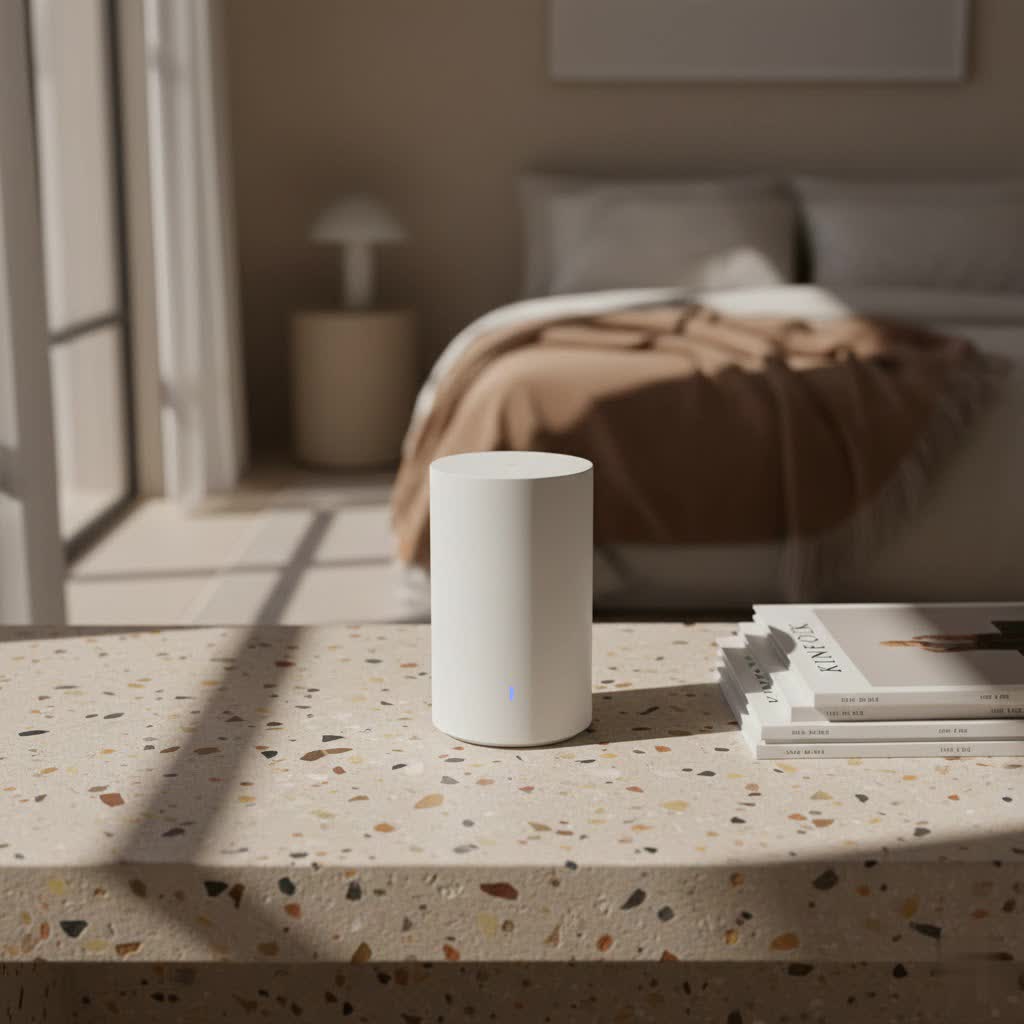
The Google Nest Wifi system is more than just a typical router; it’s a mesh networking solution designed to eliminate dead zones and deliver strong, stable WiFi throughout your entire home. Unlike traditional routers that broadcast a signal from a single point, a mesh system uses multiple “nodes” (the main router and additional “points”) that communicate with each other to create a unified, seamless network. This approach ensures your devices automatically connect to the strongest signal as you move around your home, providing a consistent experience whether you’re streaming in the living room or working in the attic.
Over the years, Google has introduced different iterations of its mesh WiFi system. The original Google Nest Wifi, launched in 2019, built upon the foundation of the earlier Google Wifi, adding integrated Google Assistant speakers to its “Points” for added smart home functionality. More recently, the Google Nest Wifi Pro, released in 2022, brought significant upgrades, including support for the latest Wi-Fi 6E standard and a focus on raw performance and smart home integration without the built-in speaker.
Effortless Setup: Getting Your Google Nest Wifi Router Up and Running
One of the most frequently praised aspects of the Google Nest Wifi Router is its remarkably straightforward setup process. Google has meticulously designed the experience to be accessible even for those who consider themselves less tech-savvy, typically taking under 15 minutes to get your network online.
To begin, you’ll need the Google Home app on your smartphone or tablet. Simply plug in your main Nest Wifi Router to your modem and a power outlet. The app will usually detect the new device automatically. From there, you’ll follow intuitive on-screen prompts, which guide you through naming your network, setting a password, and adding any additional Nest Wifi Points you might have. The app performs a mesh test to ensure optimal connectivity between your devices, offering advice on placement if needed.
For the best performance, remember that placement is key. Nest Wifi devices should be placed out in the open, away from large obstructions like thick walls, large appliances, or metal objects that can interfere with the signal. Google generally recommends placing additional Points no more than two rooms or walls apart from each other or the main router to maintain a strong mesh connection. This strategic positioning ensures a robust “Wi-Fi blanket” that covers every corner of your home.
Unlocking Features: Smart Control and Enhanced Connectivity
Beyond simply providing internet, the Google Nest Wifi Router system offers a suite of smart features designed to give you greater control over your home network and integrate seamlessly with your smart home ecosystem.
Family Wi-Fi: Taking Control of Screen Time
|
Our Picks for the Best WiFi Router in 2026
As an Amazon Associate I earn from qualifying purchases.
|
||
| Num | Product | Action |
|---|---|---|
| 1 | TP-Link Tri-Band BE9300 WiFi 7 Router (Archer BE550) - 6-Stream, Full 2.5G Ports w/ 6 Internal Antennas, Up to 2,000 Sq Ft, Add Easy-Mesh Device for Extended Coverage, VPN Support, Free Expert Support |

|
| 2 | TP-Link Dual-Band BE3600 Wi-Fi 7 Router Archer BE230 - 4-Stream - 2×2.5G + 3×1G Ports, USB 3.0, 2.0 GHz Quad Core, 4 Antennas - VPN, EasyMesh, HomeShield, MLO, Private IOT - Free Expert Support |
|
| 3 | Amazon eero 6 mesh wifi router with 1-month free eero Plus (auto-renews) - Supports internet plans up to 900 Mbps, Coverage up to 1,500 sq. ft., Connect 75+ devices, 1-pack |
|
| 4 | TP-Link Archer BE6500 Dual-Band Wi-Fi 7 Router (Archer BE400) - Dual 2.5 Gbps Ports USB 3.0 - Covers up to 2,400 Sq. ft and 90 Devices - Quad-core CPU- HomeShield, Private IoT, Free Expert Support |
|
| 5 | Amazon eero 6+ mesh wifi router with 1 month free eero Plus (auto-renews) - Coverage up to 1,500 sq. ft., Connect 75+ devices, 1-pack |
|
| 6 | TP-Link AC1200 Gigabit WiFi Router (Archer A6) - Dual Band MU-MIMO Wireless Internet Router, 4 x Antennas, OneMesh and AP Mode, Long Range Coverage |
|
| 7 | RBLHGG-5acD-US LHG 5 ac - 5GHz 802.11ac Wireless Device with 24.5 dBi Dual-Pol Grid Antenna - 716 MHz CPU, 256MB RAM, Gigabit Port, RouterOS L3, PoE, US Version |
|
| 8 | TP-Link AX1800 WiFi 6 Router (Archer AX21) – Dual Band Wireless Internet, Gigabit, Easy Mesh, Works with Alexa - A Certified for Humans Device, Free Expert Support |
|
| 9 | TP-Link AC1200 WiFi Router (Archer A54) - Dual Band Wireless Internet Router, 4 x 10/100 Mbps Fast Ethernet Ports, EasyMesh Compatible, Support Guest WiFi, Access Point Mode, IPv6 & Parental Controls |
|
| 10 | TP-Link AXE5400 Tri-Band WiFi 6E Router (Archer AXE75), 2025 PCMag Editors\' Choice, Gigabit Internet for Gaming & Streaming, New 6GHz Band, 160MHz, OneMesh, Quad-Core CPU, VPN & WPA3 Security |
|
For families, the “Family Wi-Fi” feature is a game-changer. Accessible through the Google Home app, it allows you to group together your children’s devices and set internet pauses, block access to certain adult websites, and even schedule internet off-times for bedtime or homework sessions. This empowers parents to manage screen time effectively and ensure a healthier digital environment without constant supervision.
Device Prioritization: Boosting Crucial Connections
Ever experienced lag during an important video call while someone else is streaming 4K video? The device prioritization feature lets you temporarily allocate more bandwidth to a specific device for one, two, or four hours. This ensures that your most critical activities – whether it’s gaming, a work meeting, or a movie night – receive the lion’s share of your internet speed when it matters most.
Guest Network: Simple and Secure Sharing
Creating a separate guest network is incredibly easy with the Google Nest Wifi Router. This allows visitors to connect to your internet without having access to your main network or personal devices, enhancing your home network’s security and privacy. You can even share the guest network password directly from the Google Home app.
Network Speed Tests: Keeping Tabs on Performance
The Google Home app includes built-in speed tests, allowing you to quickly check the internet speed coming into your router and the speeds reaching individual devices. This is invaluable for troubleshooting and ensuring you’re getting the performance you pay for from your Internet Service Provider (ISP).
Unique Integrations: Google Assistant and Matter
A standout feature of the original Nest Wifi Points (not available in the Pro models) is the integrated Google Assistant speaker. This transforms each Point into a smart speaker, allowing you to play music, get answers, control smart home devices, and manage your WiFi network with voice commands – all from the same device extending your WiFi coverage. Imagine saying, “Hey Google, pause the kids’ WiFi” and seeing it happen instantly.
The newer Google Nest Wifi Pro takes smart home integration in a different direction by including a Matter border router. Matter is the latest universal standard for smart home devices, and with it built into the Nest Wifi Pro, your router acts as a central hub, enabling seamless connectivity and control for a wide array of Matter-compatible devices, from smart lights to locks and thermostats.
Performance and Coverage: How Well Does Google Nest Wifi Blanket Your Home?
The primary purpose of any WiFi router is to deliver fast, reliable internet across your living space. The Google Nest Wifi Router system generally excels in this regard, though there are key differences between the original and Pro models worth noting.
The original Google Nest Wifi (2019) utilizes Wi-Fi 5 (802.11ac) technology. While capable of theoretical speeds up to 2.2 Gbps, its practical throughput often tops out around 250-300 Mbps, meaning if you have a blazing-fast internet plan exceeding 300 Mbps, this model might not fully utilize it. It operates on a dual-band system (2.4GHz and 5GHz) and shares these bands for both device connections and the “backhaul” – the communication link between your router and Points. For most average-sized homes and internet plans, this is perfectly adequate, providing a significant upgrade over a single router.
Enter the Google Nest Wifi Pro (2022) with its support for Wi-Fi 6E. This tri-band system adds a new 6GHz band, offering much faster speeds and significantly less interference than the crowded 2.4GHz and 5GHz bands. The Pro model can utilize this 6GHz band for its backhaul, which often results in faster and more efficient communication between the mesh nodes, ultimately improving speeds for connected devices. In real-world tests, the Nest Wifi Pro can deliver speeds in the mid-400 Mbps range wirelessly and close to 500 Mbps with an Ethernet backhaul. Each Nest Wifi Pro node offers coverage for approximately 2,200 square feet, often requiring fewer nodes than the original system for the same area.
It’s important to understand the concept of backhaul. While some high-end mesh systems feature a dedicated wireless backhaul band, the Nest Wifi Pro intelligently uses its 6GHz band for this purpose. This is a smart approach, as currently, most devices don’t support Wi-Fi 6E’s 6GHz band, keeping it relatively free for backhaul traffic. However, as more devices adopt Wi-Fi 6E in the future, this band may experience more congestion.
Pros and Cons: Weighing Your Options
Like any technology, the Google Nest Wifi Router system comes with its own set of advantages and considerations.
Advantages:
- Exceptional Ease of Use: Both generations are incredibly simple to set up and manage via the Google Home app.
- Elegant, Discreet Design: The devices are designed to blend seamlessly into modern home decor, encouraging optimal placement without being an eyesore.
- Smart Features: Family Wi-Fi controls, device prioritization, and guest networks offer valuable network management tools.
- Google Assistant Integration (Original Nest Wifi): The built-in smart speaker functionality in the original Nest Wifi Points adds convenience and expands your smart home reach.
- Wi-Fi 6E and Matter Support (Nest Wifi Pro): The Pro model offers future-proofing with the latest Wi-Fi standard and acts as a central hub for Matter-enabled smart home devices.
- Reliable Coverage: Mesh technology effectively eliminates dead zones, ensuring consistent WiFi throughout your home.
Considerations:
- No Wi-Fi 6 Support (Original Nest Wifi): The 2019 model lacks the latest Wi-Fi standard, which might be a drawback for those seeking cutting-edge performance or future compatibility.
- Limited Ethernet Ports (Original Nest Wifi): The main router has only two Ethernet ports, and the Points have none, often necessitating an Ethernet switch for wired devices. The Nest Wifi Pro addresses this by including Ethernet ports on each node.
- No Google Assistant in Pro Points: The newer Nest Wifi Pro Points do not include a built-in speaker, removing a popular feature from the original.
- Potential 6GHz Congestion (Nest Wifi Pro): While currently beneficial, the shared 6GHz band for backhaul and future device connections could lead to congestion as Wi-Fi 6E adoption grows.
- Range Comparison: While good for its size, some larger, more expensive mesh systems from other brands might offer greater range per node.
- Not a Quad-Band System (Nest Wifi Pro): The use of 6GHz for backhaul means it’s a tri-band system, not a quad-band with a truly dedicated backhaul.
Is an Upgrade Worth It? Google Nest Wifi vs. Nest Wifi Pro
If you’re currently using the original Google Nest Wifi Router, deciding whether to upgrade to the Nest Wifi Pro depends on your specific needs and internet plan.
- Stick with the Original if: Your internet plan is 300 Mbps or less, you value the integrated Google Assistant speakers in your WiFi Points, and you don’t have many Wi-Fi 6E devices. The original system still provides reliable coverage and smart features for many households, especially if you can find it at a discounted price.
- Upgrade to the Nest Wifi Pro if: You have a high-speed internet plan (over 300 Mbps), you’re investing in Wi-Fi 6E compatible devices, you prioritize the latest Wi-Fi technology and Matter smart home integration, or you need Ethernet ports on your mesh points. The Pro offers a significant performance boost and improved future-proofing.
For new buyers, the Google Nest Wifi Pro is generally the recommended choice due to its superior performance, Wi-Fi 6E support, and Matter integration. While the original Nest Wifi can be found cheaply, its aging technology and lack of Wi-Fi 6 support make it a less ideal long-term investment in 2025.
Troubleshooting Common Issues
While generally reliable, you might occasionally encounter common WiFi issues. If you experience intermittent drops or connectivity problems, start by restarting your modem and Nest Wifi Router. Check the Google Home app for any diagnostic alerts or network status messages. Ensure your Nest Wifi devices are not too far apart and are free from obstructions. If issues persist, verifying your ISP connection and ensuring your Nest Wifi firmware is up to date are good next steps. Some users, particularly those with specific ISP setups, have reported needing more in-depth troubleshooting, sometimes involving direct contact with their internet provider.
“The key to a truly optimized home network isn’t just about raw speed, but consistent performance and seamless integration into your daily life,” says David Chen, a seasoned network architect and smart home enthusiast. “The Google Nest Wifi system, especially the Pro version, offers a compelling balance, delivering the latest Wi-Fi technology alongside user-friendly management tools that empower homeowners.”
Frequently Asked Questions (FAQ)
What is the difference between Google Nest Wifi and Google Nest Wifi Pro?
The original Google Nest Wifi (2019) uses Wi-Fi 5 and features Google Assistant speakers in its Points. The Google Nest Wifi Pro (2022) supports Wi-Fi 6E, offers faster speeds, includes a Matter border router, and has Ethernet ports on its nodes, but its Points do not have built-in Google Assistant speakers.
How many Google Nest Wifi points do I need for my home?
Google recommends one Nest Wifi Router and one Point for homes up to 2,200 sq ft, or a router and two Points for homes up to 3,800 sq ft. The Nest Wifi Pro typically covers about 2,200 sq ft per node, potentially requiring fewer devices for the same area.
Can I use the Google Nest Wifi Router without the Google Home app?
The Google Home app is essential for setting up and managing your Google Nest Wifi Router system. While the network will function once set up, you won’t be able to access features like parental controls, device prioritization, or network tests without the app.
Does the Google Nest Wifi Router support Wi-Fi 6?
The original Google Nest Wifi (2019) does not support Wi-Fi 6; it uses Wi-Fi 5. The newer Google Nest Wifi Pro (2022) supports the latest Wi-Fi 6E standard, which includes Wi-Fi 6 capabilities and an additional 6GHz band.
Can I connect devices via Ethernet to Google Nest Wifi?
With the original Google Nest Wifi, only the main router has Ethernet ports (two). The Nest Wifi Points do not have Ethernet ports. The Google Nest Wifi Pro, however, includes Ethernet ports on each of its nodes (both the router and points), allowing for wired connections throughout your mesh network.
Is the Google Nest Wifi Router compatible with my existing modem?
Yes, the Google Nest Wifi Router is designed to work with most existing modems provided by Internet Service Providers (ISPs). It connects to your modem via an Ethernet cable, creating its own WiFi network.
Does the Google Nest Wifi Router replace my internet provider’s router?
Yes, the Google Nest Wifi Router is designed to replace your ISP’s router, providing its own WiFi network. You will still need your ISP’s modem (or a compatible third-party modem) to bring the internet service into your home.
Conclusion
The Google Nest Wifi Router system continues to be a compelling option for anyone looking to upgrade their home network. Whether you choose the well-loved original for its integrated smart speaker points or the performance-driven Nest Wifi Pro for its Wi-Fi 6E and Matter capabilities, you’re investing in a system built for simplicity and expansive coverage. It’s an ideal solution for those seeking a balance of powerful WiFi, intuitive controls, and smart home integration.
At Xzike, we believe that understanding your network empowers you to create a safer, faster, and more reliable digital environment. By leveraging the insights we’ve shared, you can confidently set up, manage, and optimize your Google Nest Wifi Router, transforming your home network experience. Share your Nest Wifi experiences with us – we’re always eager to learn how our community is mastering their WiFi!
