When it comes to home networking, the term “Wifi 5 Router” often pops up, representing a cornerstone of wireless connectivity for many households worldwide. You might be wondering if this standard, once at the forefront, still holds its own in our increasingly connected lives. As your guide from Xzike.com, with over 15 years immersed in the world of WiFi technology, I’m here to unpack what makes a WiFi 5 router tick and help you determine its relevance for your current and future needs.
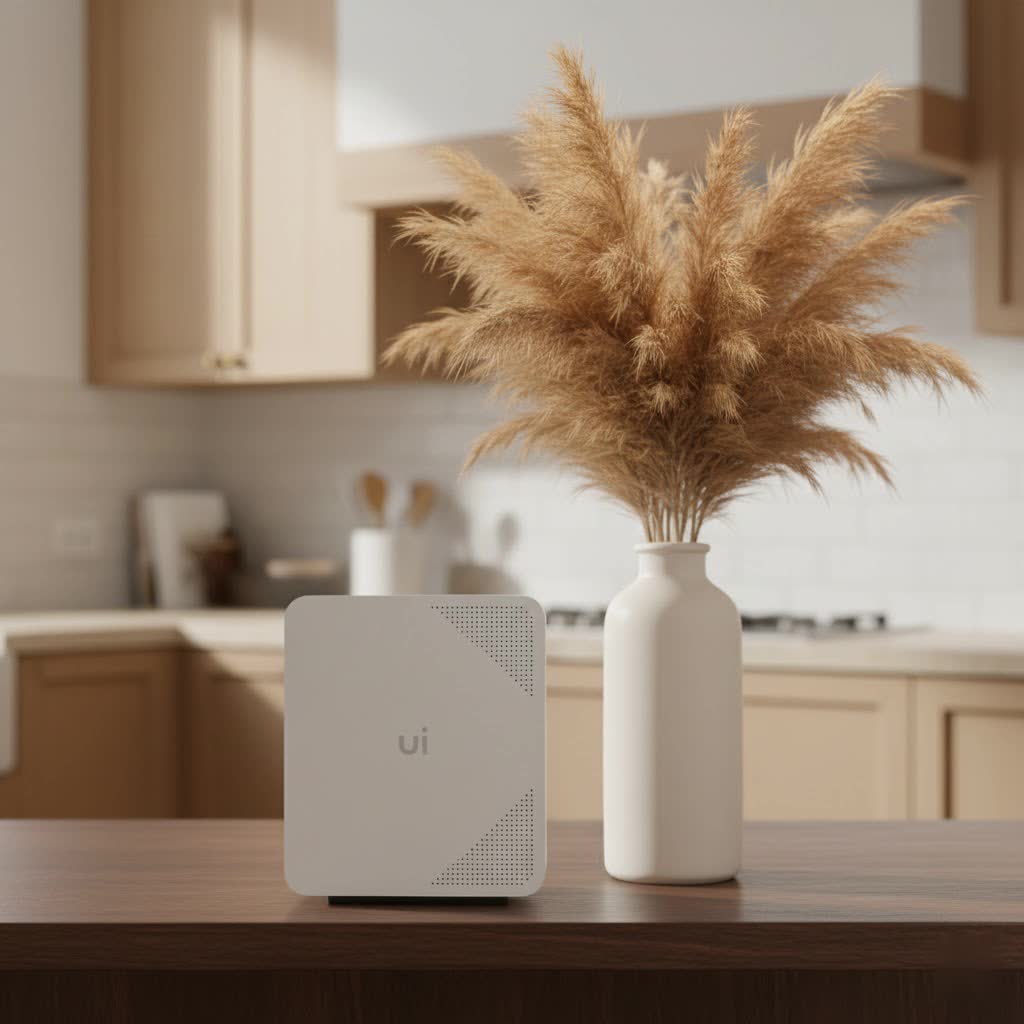
Released around 2013-2014, the WiFi 5 standard, also officially known as IEEE 802.11ac, marked a significant leap forward from its predecessors. It was designed to bring faster, more reliable wireless connections, particularly for the burgeoning number of devices demanding more bandwidth. While newer standards like WiFi 6 and WiFi 7 have emerged, understanding your WiFi 5 router is crucial for optimizing your existing setup or making informed decisions about future upgrades.
What Exactly is a WiFi 5 Router?
At its core, a WiFi 5 router utilizes the fifth generation of wireless networking standards, primarily operating on the 5 GHz frequency band. This focus on 5 GHz was a game-changer, offering distinct advantages over the more congested 2.4 GHz band. Think of it like a highway with fewer cars; less interference means cleaner, faster, and more stable connections, which was revolutionary at the time.
While a WiFi 5 router can often support the 2.4 GHz band for backward compatibility and longer range through walls, its true power lies in the 5 GHz spectrum. This band provides broader channel bandwidths, typically up to 80 MHz, with some models even supporting 160 MHz. This wider “pipe” allows for significantly higher data rates, enabling smoother experiences for high-bandwidth activities.
Key Features That Define WiFi 5 Performance
A WiFi 5 router brought several innovative technologies that greatly enhanced wireless performance:
Multi-User, Multiple-Input, Multiple-Output (MU-MIMO)
|
Our Picks for the Best WiFi Router in 2026
As an Amazon Associate I earn from qualifying purchases.
|
||
| Num | Product | Action |
|---|---|---|
| 1 | Amazon eero 6+ mesh wifi router with 1 month free eero Plus (auto-renews) - Coverage up to 1,500 sq. ft., Connect 75+ devices, 1-pack |

|
| 2 | TP-Link Tri-Band BE9300 WiFi 7 Router (Archer BE550) - 6-Stream, Full 2.5G Ports w/ 6 Internal Antennas, Up to 2,000 Sq Ft, Add Easy-Mesh Device for Extended Coverage, VPN Support, Free Expert Support |
|
| 3 | TP-Link AC1200 WiFi Router (Archer A54) - Dual Band Wireless Internet Router, 4 x 10/100 Mbps Fast Ethernet Ports, EasyMesh Compatible, Support Guest WiFi, Access Point Mode, IPv6 & Parental Controls |
|
| 4 | Amazon eero 6 mesh wifi router with 1-month free eero Plus (auto-renews) - Supports internet plans up to 900 Mbps, Coverage up to 1,500 sq. ft., Connect 75+ devices, 1-pack |
|
| 5 | RBLHGG-5acD-US LHG 5 ac - 5GHz 802.11ac Wireless Device with 24.5 dBi Dual-Pol Grid Antenna - 716 MHz CPU, 256MB RAM, Gigabit Port, RouterOS L3, PoE, US Version |
|
| 6 | TP-Link Dual-Band BE3600 Wi-Fi 7 Router Archer BE230 - 4-Stream - 2×2.5G + 3×1G Ports, USB 3.0, 2.0 GHz Quad Core, 4 Antennas - VPN, EasyMesh, HomeShield, MLO, Private IOT - Free Expert Support |
|
| 7 | TP-Link AXE5400 Tri-Band WiFi 6E Router (Archer AXE75), 2025 PCMag Editors\' Choice, Gigabit Internet for Gaming & Streaming, New 6GHz Band, 160MHz, OneMesh, Quad-Core CPU, VPN & WPA3 Security |
|
| 8 | TP-Link Archer BE6500 Dual-Band Wi-Fi 7 Router (Archer BE400) - Dual 2.5 Gbps Ports USB 3.0 - Covers up to 2,400 Sq. ft and 90 Devices - Quad-core CPU- HomeShield, Private IoT, Free Expert Support |
|
| 9 | TP-Link AC1200 Gigabit WiFi Router (Archer A6) - Dual Band MU-MIMO Wireless Internet Router, 4 x Antennas, OneMesh and AP Mode, Long Range Coverage |
|
| 10 | TP-Link AX1800 WiFi 6 Router (Archer AX21) – Dual Band Wireless Internet, Gigabit, Easy Mesh, Works with Alexa - A Certified for Humans Device, Free Expert Support |
|
Before WiFi 5, routers communicated with devices one by one. This standard introduced Multi-User MIMO (MU-MIMO) technology, a breakthrough that allowed a WiFi 5 router to communicate with multiple devices simultaneously. Imagine a barista serving several customers at once instead of one at a time; that’s the essence of MU-MIMO, significantly boosting overall network efficiency and reducing buffering for connected smartphones, laptops, and smart TVs.
Channel Bandwidth and Modulation
WiFi 5 routers support wider channel bandwidths of 80 MHz, and some even up to 160 MHz. This is like adding more lanes to our data highway, allowing for larger volumes of data to pass through at once. Coupled with higher-order 256-QAM modulation, which packs more data into each signal, these features collectively contributed to the impressive speeds WiFi 5 was capable of.
Beamforming Support
Another clever feature often found in a WiFi 5 router is beamforming. This technology enables the router to intelligently detect where your devices are and direct a stronger, focused WiFi signal towards them, rather than broadcasting it uniformly in all directions. This enhances signal strength and overall performance, especially for devices further away or in tricky spots.
Theoretical vs. Real-World Speeds
The theoretical maximum data rate for a WiFi 5 router can go up to 3.5 Gbps (or even 6.9 Gbps, depending on the specific configuration and number of antennas). However, it’s essential to set realistic expectations. In real-world scenarios, factors like your internet service provider’s bandwidth, the number of connected devices, and environmental interference mean that actual speeds typically range from 200 Mbps to 430 Mbps. This is still ample for many demanding tasks, but it’s important to understand the distinction.
The Sweet Spot: When a WiFi 5 Router Excels
Despite newer technologies, a WiFi 5 router remains a perfectly capable and often cost-effective solution for many homes. Here’s where it truly shines:
- High-Definition Streaming and Moderate Gaming: If your family enjoys streaming 1080p or even 4K videos, or engages in online gaming without intense competitive demands, a WiFi 5 router typically provides ample speed and stability. Its 5 GHz band is excellent for these bandwidth-intensive tasks, reducing lag and ensuring a smooth experience.
- Smaller to Medium-Sized Homes: For apartments or homes up to around 2,000 square feet with a moderate number of connected devices (say, up to 10-15), a well-placed WiFi 5 router can deliver excellent coverage and performance, minimizing frustrating dead zones.
- Budget-Conscious Setups: If you’re looking for reliable performance without breaking the bank, a WiFi 5 router offers significant value. You can often find high-quality models at a more affordable price point compared to their WiFi 6 or 6E counterparts, making it a smart choice if your needs align.
- Devices Already Supporting WiFi 5: Many existing laptops, smartphones, and smart home gadgets still primarily operate on WiFi 5. Investing in a newer standard won’t necessarily benefit these devices as much as a compatible WiFi 5 router will.
Understanding WiFi 5’s Limitations in Today’s Connected World
While a WiFi 5 router is still a solid performer, it’s important to acknowledge where it might start to show its age, especially in comparison to newer standards:
- Handling Numerous Devices: In a modern smart home teeming with dozens of connected devices—from smart bulbs and thermostats to security cameras and voice assistants—a WiFi 5 router can become less efficient. It’s not as adept at managing simultaneous traffic from many devices as WiFi 6, which can lead to congestion and slower speeds for everyone.
- Signal Penetration: The 5 GHz band, while faster, is more susceptible to obstacles like walls and floors. If your home has many physical barriers or is particularly large, your WiFi 5 router might struggle to provide consistent coverage throughout, leading to weaker signals and dead spots.
- Power Efficiency for Mobile Devices: Newer standards like WiFi 6 introduce features like Target Wake Time (TWT), which allows devices to schedule communication with the router, conserving battery life. A WiFi 5 router lacks this specific optimization, meaning mobile devices might consume more power.
- Older Security Protocols: While WiFi 5 typically uses robust WPA2 security, the latest standard, WPA3, introduced with WiFi 6, offers enhanced encryption and stronger protection against certain types of attacks. This is an important consideration for safeguarding your home network.
WiFi 5 vs. WiFi 6: A Quick Comparison (Why Newer Standards Emerged)
The evolution from WiFi 5 to WiFi 6 (802.11ax) wasn’t just about raw speed; it was about efficiency and capacity for an increasingly device-dense world. WiFi 6 builds upon WiFi 5’s foundations, bringing several key improvements:
- OFDMA (Orthogonal Frequency-Division Multiple Access): This technology allows a router to serve multiple devices in a single transmission, dramatically improving efficiency, especially in crowded networks.
- Target Wake Time (TWT): As mentioned, TWT helps devices conserve battery by scheduling communication.
- Increased Spatial Streams: WiFi 6 can support up to 12 streams across 2.4 GHz and 5 GHz bands, compared to WiFi 5’s limit of 8, offering more paths for data to travel.
- WPA3 Security: The latest and most robust security protocol.
So, while your WiFi 5 router handles streaming and general browsing well, WiFi 6 offers a significant upgrade for homes with many smart devices, 4K/8K streaming, and competitive online gaming where every millisecond counts.
Making the Right Choice: Is a WiFi 5 Router Still Right for You?
The decision to stick with your current WiFi 5 router or upgrade depends entirely on your specific circumstances.
- Current Performance Satisfaction: If your WiFi 5 router is currently delivering the speeds and coverage you need, and you’re not experiencing significant lag or dead zones, there’s no urgent need to rush an upgrade. As Dr. Ethan Hayes, our lead network architect at Xzike, often says, “The best router is the one that reliably meets your daily demands. Don’t chase the latest spec if your current setup isn’t holding you back.”
- Budget Considerations: WiFi 5 routers are generally more affordable. If you’re on a tight budget, a quality WiFi 5 router still offers excellent performance for its price.
- Future-Proofing Needs: If you’re planning to upgrade to a faster internet plan (gigabit or higher), or if you anticipate adding many more smart devices in the near future, investing in a WiFi 6 (or even WiFi 6E/7) router might be a more forward-thinking move.
Optimizing Your Existing WiFi 5 Router
If you decide to stick with your WiFi 5 router, there are several steps you can take to ensure it performs at its best:
- Strategic Placement: Position your router in a central location, away from obstructions and other electronics that can cause interference. Higher is often better.
- Keep Firmware Updated: Router manufacturers frequently release firmware updates that improve performance, add features, and patch security vulnerabilities. Regularly check for and install these updates.
- Optimize Channels: Use a WiFi analyzer app to identify congested 5 GHz channels in your area and manually switch your router to a less crowded one for better performance.
- Consider a Mesh System: For larger homes, a WiFi 5 mesh system can extend coverage and eliminate dead zones by using multiple nodes to create a unified network.
Frequently Asked Questions (FAQ)
What is the maximum speed of a WiFi 5 router?
A WiFi 5 router has a theoretical maximum data transfer rate of up to 3.5 Gbps, though real-world speeds are typically lower, often around 200-430 Mbps, depending on various factors like your internet plan and network conditions.
Does a WiFi 5 router support 2.4 GHz?
Yes, most WiFi 5 routers are dual-band, supporting both the 2.4 GHz and 5 GHz frequency bands. While its performance advantages are primarily on 5 GHz, the 2.4 GHz band offers better range and penetration through walls.
Is WiFi 5 sufficient for gaming and streaming?
For most high-definition streaming (including 4K) and casual to moderate online gaming, a WiFi 5 router provides sufficient speeds and low enough latency for a smooth experience, especially if you have a stable internet connection.
When should I consider upgrading from WiFi 5?
You should consider upgrading if you experience frequent network congestion, have a large number of smart devices, consistently stream 4K/8K content, engage in competitive online gaming, or if your current router struggles to cover your home adequately. Upgrading also offers enhanced security (WPA3) and better future-proofing.
Is a WiFi 5 router backward compatible?
Yes, WiFi 5 routers are generally backward compatible, meaning they can connect and work with older WiFi devices that use previous standards like WiFi 4 (802.11n) and earlier, though these devices won’t benefit from WiFi 5’s enhanced speeds.
Conclusion
The WiFi 5 router, while not the newest kid on the block, remains a robust and reliable workhorse for countless homes. It ushered in an era of faster 5 GHz connectivity, efficient MU-MIMO technology, and improved streaming experiences. For many users, particularly those with moderate device counts and internet speed plans, a WiFi 5 router continues to be a perfectly viable and cost-effective choice. However, as our digital landscapes evolve with more devices and higher demands, understanding its limitations relative to WiFi 6 and future standards is key to making informed decisions for your home network. At Xzike, we encourage you to assess your unique needs and optimize your current setup to ensure a seamless, secure, and satisfying online experience. Your network, your rules!
