Choosing the perfect WiFi router for your home involves understanding your internet speed, home size, and the number of connected devices. Key factors include the latest WiFi standards (Wi-Fi 6, 6E, or 7), the number of frequency bands (dual-band vs. tri-band), and whether a traditional router or a mesh WiFi system is best for your coverage needs. An informed choice ensures a seamless, fast, and secure internet experience, preventing issues like buffering and dead zones.
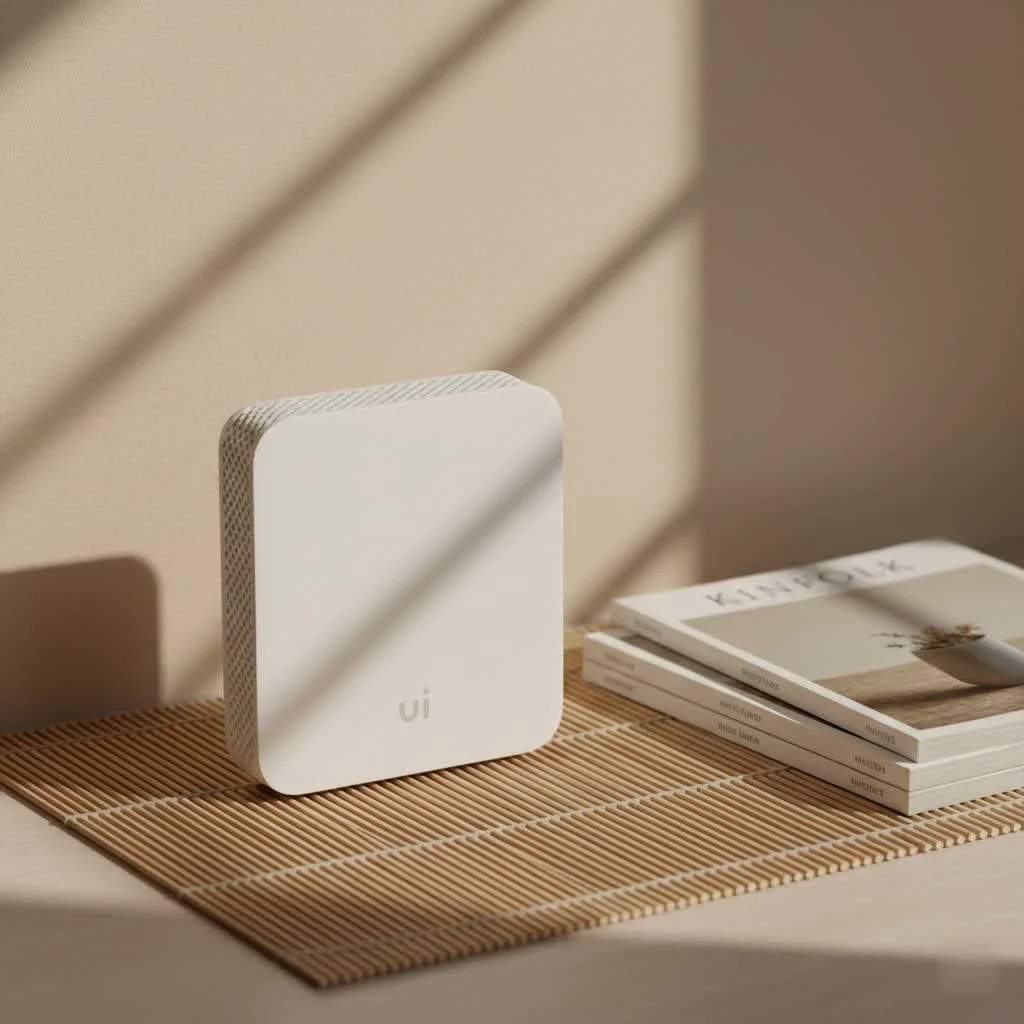
Your home’s WiFi router is the central hub of your digital life, crucial for smooth streaming, clear video calls, and responsive smart home devices. Many homes suffer from sluggish internet due to outdated or inadequate equipment, even with high-speed internet plans. This guide will demystify wireless technology jargon, highlight essential features, and help you select an ideal wifi router for home that significantly enhances your network performance.
Why Your Home WiFi Router is More Crucial Than You Think
Often, the real reason for lagging streams or dropped video calls isn’t just your internet service provider (ISP), but your own wifi router for home. This device manages all data traffic, distributing the internet signal from your modem wirelessly to every connected device, including smartphones, laptops, smart TVs, and gaming consoles. A robust router ensures adequate bandwidth for all devices, while an inadequate one creates bottlenecks, leading to frustrating slowdowns and dead zones.
Common indicators that your current router is underperforming include:
- Frequent buffering: Your favorite shows constantly pausing due to data traffic jams.
- Dead zones: Areas in your home where the WiFi signal is weak or nonexistent.
- Slow speeds, even near the router: Speed tests showing lower-than-expected results, indicating a router bottleneck.
- Constant disconnections: Devices randomly losing their WiFi connection.
- Struggling with multiple devices: Your network slowing down significantly when several users are streaming, gaming, or video conferencing simultaneously.
If these issues sound familiar, upgrading to a more capable wifi router for home is highly recommended.
Understanding WiFi Standards: Wi-Fi 6, Wi-Fi 6E, and Wi-Fi 7
WiFi standards are continually advancing, bringing substantial improvements. You’ll encounter terms like Wi-Fi 6, Wi-Fi 6E, and the latest Wi-Fi 7 (also known as 802.11ax, 802.11axe, and 802.11be, respectively). These standards enhance not only raw speed but also how efficiently your wifi router for home manages multiple devices, resulting in a more robust and responsive network for busy households.
- Wi-Fi 6 (802.11ax): This is the most common standard in new routers and devices, offering faster speeds, improved performance in crowded networks, and better battery life for connected devices. A Wi-Fi 6 wifi router for home is an excellent, budget-friendly choice for future-proofing your network.
- Wi-Fi 6E (802.11axe): The “E” signifies “Extended,” meaning Wi-Fi 6E incorporates all Wi-Fi 6 benefits and adds a new 6 GHz frequency band. This band is significantly less congested than the traditional 2.4 GHz and 5 GHz bands, leading to less interference and potentially much faster speeds for compatible devices. It’s ideal for users with newer devices that support the 6 GHz spectrum.
- Wi-Fi 7 (802.11be – “Extremely High Throughput”): The newest standard, Wi-Fi 7, promises even higher speeds, ultra-low latency, and increased capacity for numerous connected devices. While still premium-priced, a Wi-Fi 7 wifi router for home offers the ultimate in future-proofing, especially for early adopters of modern technology or those with multi-gigabit internet. Full benefits require devices that also support Wi-Fi 7.
All newer WiFi standards are backward compatible, ensuring older devices can still connect, albeit not at the highest possible speeds.
Bandwidth and Frequencies: Dual-Band vs. Tri-Band Routers
|
Our Picks for the Best WiFi Router in 2026
As an Amazon Associate I earn from qualifying purchases.
|
||
| Num | Product | Action |
|---|---|---|
| 1 | TP-Link Dual-Band BE3600 Wi-Fi 7 Router Archer BE230 - 4-Stream - 2×2.5G + 3×1G Ports, USB 3.0, 2.0 GHz Quad Core, 4 Antennas - VPN, EasyMesh, HomeShield, MLO, Private IOT - Free Expert Support |

|
| 2 | Amazon eero 6+ mesh wifi router with 1 month free eero Plus (auto-renews) - Coverage up to 1,500 sq. ft., Connect 75+ devices, 1-pack |
|
| 3 | TP-Link AC1200 Gigabit WiFi Router (Archer A6) - Dual Band MU-MIMO Wireless Internet Router, 4 x Antennas, OneMesh and AP Mode, Long Range Coverage |
|
| 4 | TP-Link Tri-Band BE9300 WiFi 7 Router (Archer BE550) - 6-Stream, Full 2.5G Ports w/ 6 Internal Antennas, Up to 2,000 Sq Ft, Add Easy-Mesh Device for Extended Coverage, VPN Support, Free Expert Support |
|
| 5 | Amazon eero 6 mesh wifi router with 1-month free eero Plus (auto-renews) - Supports internet plans up to 900 Mbps, Coverage up to 1,500 sq. ft., Connect 75+ devices, 1-pack |
|
| 6 | TP-Link AX1800 WiFi 6 Router (Archer AX21) – Dual Band Wireless Internet, Gigabit, Easy Mesh, Works with Alexa - A Certified for Humans Device, Free Expert Support |
|
| 7 | TP-Link AC1200 WiFi Router (Archer A54) - Dual Band Wireless Internet Router, 4 x 10/100 Mbps Fast Ethernet Ports, EasyMesh Compatible, Support Guest WiFi, Access Point Mode, IPv6 & Parental Controls |
|
| 8 | TP-Link AXE5400 Tri-Band WiFi 6E Router (Archer AXE75), 2025 PCMag Editors\' Choice, Gigabit Internet for Gaming & Streaming, New 6GHz Band, 160MHz, OneMesh, Quad-Core CPU, VPN & WPA3 Security |
|
| 9 | RBLHGG-5acD-US LHG 5 ac - 5GHz 802.11ac Wireless Device with 24.5 dBi Dual-Pol Grid Antenna - 716 MHz CPU, 256MB RAM, Gigabit Port, RouterOS L3, PoE, US Version |
|
| 10 | TP-Link Archer BE6500 Dual-Band Wi-Fi 7 Router (Archer BE400) - Dual 2.5 Gbps Ports USB 3.0 - Covers up to 2,400 Sq. ft and 90 Devices - Quad-core CPU- HomeShield, Private IoT, Free Expert Support |
|
Routers are often advertised as “dual-band” or “tri-band,” referring to the number of WiFi frequency bands they operate on. This significantly impacts how your wifi router for home manages network traffic.
- 2.4 GHz Band: This band provides a wider range and better wall penetration, making it suitable for covering larger areas. However, it is slower and more susceptible to interference from devices like microwaves. It’s best for basic browsing, email, and smart home devices with low bandwidth needs.
- 5 GHz Band: Offering much faster speeds and higher data capacity, this band is ideal for 4K streaming, online gaming, and video conferencing. Its drawbacks include a shorter range and reduced ability to penetrate obstacles.
- 6 GHz Band: Exclusive to Wi-Fi 6E and Wi-Fi 7, this band acts as an uncongested highway, delivering the fastest speeds and lowest latency. Its range is even shorter than 5 GHz. It’s perfect for high-bandwidth, latency-sensitive applications with compatible devices.
Dual-band routers utilize both 2.4 GHz and 5 GHz bands, providing a good balance of speed and range for most homes’ everyday use.
Tri-band routers add a second 5 GHz band (or a 6 GHz band with Wi-Fi 6E/7). This additional band significantly increases network capacity and reduces congestion, similar to adding an extra lane to a data highway. For homes with many connected devices, multiple users streaming or gaming, or numerous smart gadgets, a tri-band wifi router for home can noticeably improve performance.
Coverage and Home Size: Traditional Routers vs. Mesh WiFi Systems
Your home’s size and layout are crucial when selecting a wifi router for home, as what suits a small apartment may be insufficient for a multi-story house.
- Traditional Routers: These standalone devices broadcast WiFi from a single point and are generally adequate for small to medium-sized homes (typically up to 1,500-2,000 square feet). Optimal placement is essential, as the signal weakens with distance and through thick walls.
- Mesh WiFi Systems: For larger homes, multi-story residences, or homes with architectural challenges (e.g., brick walls) that create “dead zones,” a mesh WiFi system is often the solution. A mesh system comprises a main router and several satellite “nodes” that communicate to form a single, seamless WiFi network covering every part of your home. This allows you to move freely without signal drops or manual network switching. While more expensive than a single traditional router, a mesh wifi router for home provides unparalleled coverage and reliability for expansive spaces.
The choice between a traditional router and a mesh system depends primarily on your home’s footprint and specific coverage requirements.
Essential Features to Look For in a Home WiFi Router
Beyond core standards and bands, several features can significantly boost the performance and security of your wifi router for home.
- MU-MIMO (Multi-User, Multiple-Input, Multiple-Output): This technology allows your router to communicate with multiple devices simultaneously, unlike older routers that handled one device at a time. This is vital for homes with many connected devices, ensuring a smooth experience for everyone. Look for routers that explicitly support MU-MIMO.
- Quality of Service (QoS): QoS enables you to prioritize specific types of traffic or devices. For example, you can configure your wifi router for home to prioritize gaming consoles or video conference calls, ensuring critical applications receive the necessary bandwidth without lag, even when others are streaming 4K video.
- Beamforming: Beamforming allows your router to direct its WiFi signal precisely towards your connected devices, rather than broadcasting it indiscriminately. This strengthens the signal, improving range and performance, particularly over longer distances.
- Security (WPA2/WPA3): Robust security is paramount for your home network. Opt for routers supporting at least WPA2 encryption, and ideally WPA3, which is the latest and most secure standard. WPA3 offers stronger encryption and enhanced protection against brute-force attacks. Always use a strong, unique password for your network.
- Parental Controls & Guest Networks: Many modern wifi router for home models include parental control features for content filtering, time limits, and pausing internet access for specific devices. A guest network provides a separate, isolated WiFi network for visitors, maintaining the security and privacy of your main network. These features are invaluable for family households.
- Ethernet Ports: Despite focusing on wireless, wired connections remain important. Most routers include several Gigabit Ethernet ports (typically 4-8) for direct connections to devices like desktop PCs, smart TVs, or gaming consoles. Wired connections offer maximum speed and stability, ideal for high-bandwidth activities where latency is unacceptable.
Matching Your Router to Your Internet Speed and Usage
Selecting the correct wifi router for home requires understanding your internet plan and how you use the internet.
First, know your ISP speed. If you subscribe to a 500 Mbps internet plan, your router must be capable of handling those speeds. While many routers advertise combined theoretical maximum speeds (e.g., AX3000), verify individual band speeds and look for “Gigabit Ethernet” ports if you have a gigabit (1000 Mbps) or higher internet connection. Routers with 2.5 Gbps or 10 Gbps WAN/LAN ports are excellent for future-proofing, especially with the growing availability of multi-gigabit fiber internet.
Next, consider your usage scenarios:
- Basic Browsing & Email: A budget-friendly Wi-Fi 5 or basic Wi-Fi 6 router will generally suffice.
- Heavy Streaming (4K/8K) & Casual Gaming: A strong Wi-Fi 6 dual-band or entry-level tri-band wifi router for home is recommended to ensure sufficient bandwidth for high-resolution content.
- Competitive Online Gaming & Large File Transfers: A high-performance Wi-Fi 6E or Wi-Fi 7 tri-band router, ideally with QoS features and multi-gig Ethernet ports, is necessary to minimize lag and maximize throughput.
- Smart Home Ecosystem: For homes with numerous smart lights, thermostats, cameras, and voice assistants, a router with robust multi-device handling (like MU-MIMO) and potentially a tri-band setup can keep all gadgets connected and responsive without network slowdowns.
“Choosing a wifi router for home is really about understanding your own digital footprint,” advises Sarah Chen, a seasoned network architect and Xzike.com contributor. “It’s not just about raw speed; it’s about network efficiency, coverage, and how well it handles your unique mix of devices and activities. A little planning goes a long way.”
Installation and Optimization Tips for Your Home WiFi Router
After selecting your new wifi router for home, these simple steps can significantly enhance its performance:
- Strategic Placement: Position your router in a central, elevated location in your home, away from obstructions and interference sources like microwaves, cordless phones, or large metal objects. Avoid hiding it in cabinets or corners.
- Firmware Updates: Regularly update your router’s firmware. Manufacturers frequently release updates that improve performance, enhance security, and fix bugs. These updates are typically managed through the router’s administration interface or a companion app.
- Secure Your Network: Use WPA3 encryption if available, and always create a strong, unique password for both your WiFi network and the router’s settings. Change default admin credentials immediately.
- Consider Ethernet for Stationary Devices: For devices such as smart TVs, desktop computers, or gaming consoles, a direct Ethernet connection offers superior stability and speed compared to WiFi.
- Utilize Guest Networks: When visitors connect to your internet, use a guest network. This keeps your main network password private and prevents guests from accessing your personal network resources.
Conclusion
Choosing the right wifi router for home is a crucial decision for your digital lifestyle, representing an investment in a seamless, fast, and secure internet experience for everyone in your household. By understanding the latest WiFi standards, the differences between dual-band and tri-band, and prioritizing features like MU-MIMO and robust security, you are well-equipped to make an informed choice.
Do not tolerate frustrating dead zones or sluggish speeds. Empower yourself to create a home network that truly meets your needs, supports your growing array of devices, and keeps you connected without compromise. With this knowledge, you can optimize your home network effectively.
Optimize Your Home WiFi Router Performance
Follow these steps to ensure your new WiFi router delivers the best possible performance and coverage in your home.
Place your router in a central location within your home, ideally elevated, and away from physical obstructions like thick walls or large metal objects. Also, keep it away from interference sources such as microwaves or cordless phones to maximize signal strength and coverage.
Regularly check for and install firmware updates for your router. Manufacturers frequently release updates that improve performance, enhance security, and fix bugs. This process is usually done through the router's web administration interface or a dedicated companion app.
Enable WPA3 encryption if your router supports it, and always create a strong, unique password for your WiFi network. Additionally, change the default administrator credentials for accessing your router's settings immediately after setup to prevent unauthorized access.
For devices that remain in one location, such as desktop computers, smart TVs, or gaming consoles, use a direct Ethernet cable connection. Wired connections offer superior stability, speed, and lower latency compared to WiFi, which is crucial for high-bandwidth activities.
Activate and use the guest network feature for visitors. This creates a separate, isolated WiFi network, keeping your main network password private and preventing guests from accessing your personal network resources and connected devices.
Get our weekly buyer guide
Practical specs, not advice. Unsubscribe anytime.

I was on the fence about a mesh WiFi system but decided to go for it because my house has a lot of walls. The coverage is fantastic now, even in the garage where I used to get zero signal. My only minor complaint is that the initial setup took a little longer than I expected, but once it was running, it’s been rock solid.
Our old router was constantly dropping connections, especially when everyone was home. Switching to a new router that supports more connected devices has been a game-changer. We have so many tablets, phones, and gaming consoles, and now everything just works. No more fighting over who’s hogging the bandwidth!
I bought a new dual-band router hoping to fix my buffering issues, and while it’s better, it didn’t completely eliminate them. I think my internet speed might be the real bottleneck, or maybe I should have gone for a tri-band system for my large family. It’s an improvement, but not the magic bullet I was hoping for.
I finally upgraded to a Wi-Fi 6E router after reading about the benefits, and it’s made a huge difference! My old router just couldn’t handle all our smart home devices and streaming. Now, there are no more dead zones in the back bedroom, and even with two people video conferencing, everything is super smooth. Definitely worth investing in the latest standards.