A mini WiFi router is a compact, portable device that provides a personal wireless network by converting cellular signals (via a SIM card) into a shareable Wi-Fi hotspot, allowing users to stay connected anywhere. These devices are designed for ultimate portability, fitting easily into a pocket or bag, and typically operate on an internal, rechargeable battery for hours of untethered internet access.

What Exactly is a Mini WiFi Router?
A mini WiFi router, often referred to as a portable WiFi router, mobile hotspot, or MiFi device, is essentially a miniature version of a home router, shrunk down for ultimate portability. These devices are engineered to fit in your pocket, providing a personal wireless network wherever you go. Unlike home broadband, which relies on a fixed cable connection, a mini WiFi router primarily taps into mobile data networks using a SIM card, turning cellular signals into a shareable Wi-Fi hotspot.
How Do Mini WiFi Routers Work Their Magic?
The operational principle behind a mini WiFi router is elegantly simple, yet incredibly effective. Most commonly, you’ll insert a SIM card into the device, much like you would in a smartphone. This SIM card connects to available 3G, 4G, or even 5G mobile networks, accessing data from your chosen carrier. Once connected, the mini router broadcasts its own secure Wi-Fi signal, creating a localized network that your devices can easily join.
But their functionality doesn’t stop there. Many mini WiFi routers are remarkably versatile, offering multiple modes to suit various scenarios. You might find one that can connect to an existing Ethernet cable in a hotel room and then convert that wired connection into a private Wi-Fi network. Others can even act as a Wi-Fi repeater, extending the range of an existing network. Powering these little wonders is typically an internal, rechargeable battery, giving you hours of untethered internet access, and they can usually be topped up via a standard USB connection, car charger, or even a power bank.
The Undeniable Benefits of Embracing a Mini WiFi Router
The benefits of carrying a mini WiFi router are extensive, transforming your connectivity experience both at home and abroad.
Unmatched Portability and Convenience
Imagine having reliable internet access tucked neatly in your bag or even your pocket. Mini WiFi routers are designed for exactly this. Their lightweight and compact form factor means they can accompany you anywhere, from a bustling cafe to a remote campsite. Setting them up is typically a breeze – often just a matter of inserting a SIM, turning it on, and connecting your devices with a password. It’s truly instant connectivity on demand.
Your Private, Secure Internet Bubble
|
Our Picks for the Best WiFi Router in 2026
As an Amazon Associate I earn from qualifying purchases.
|
||
| Num | Product | Action |
|---|---|---|
| 1 | TP-Link AXE5400 Tri-Band WiFi 6E Router (Archer AXE75), 2025 PCMag Editors\' Choice, Gigabit Internet for Gaming & Streaming, New 6GHz Band, 160MHz, OneMesh, Quad-Core CPU, VPN & WPA3 Security |

|
| 2 | TP-Link AX1800 WiFi 6 Router (Archer AX21) – Dual Band Wireless Internet, Gigabit, Easy Mesh, Works with Alexa - A Certified for Humans Device, Free Expert Support |
|
| 3 | TP-Link Dual-Band BE3600 Wi-Fi 7 Router Archer BE230 - 4-Stream - 2×2.5G + 3×1G Ports, USB 3.0, 2.0 GHz Quad Core, 4 Antennas - VPN, EasyMesh, HomeShield, MLO, Private IOT - Free Expert Support |
|
| 4 | TP-Link Tri-Band BE9300 WiFi 7 Router (Archer BE550) - 6-Stream, Full 2.5G Ports w/ 6 Internal Antennas, Up to 2,000 Sq Ft, Add Easy-Mesh Device for Extended Coverage, VPN Support, Free Expert Support |
|
| 5 | Amazon eero 6+ mesh wifi router with 1 month free eero Plus (auto-renews) - Coverage up to 1,500 sq. ft., Connect 75+ devices, 1-pack |
|
| 6 | RBLHGG-5acD-US LHG 5 ac - 5GHz 802.11ac Wireless Device with 24.5 dBi Dual-Pol Grid Antenna - 716 MHz CPU, 256MB RAM, Gigabit Port, RouterOS L3, PoE, US Version |
|
| 7 | TP-Link AC1200 Gigabit WiFi Router (Archer A6) - Dual Band MU-MIMO Wireless Internet Router, 4 x Antennas, OneMesh and AP Mode, Long Range Coverage |
|
| 8 | TP-Link Archer BE6500 Dual-Band Wi-Fi 7 Router (Archer BE400) - Dual 2.5 Gbps Ports USB 3.0 - Covers up to 2,400 Sq. ft and 90 Devices - Quad-core CPU- HomeShield, Private IoT, Free Expert Support |
|
| 9 | TP-Link AC1200 WiFi Router (Archer A54) - Dual Band Wireless Internet Router, 4 x 10/100 Mbps Fast Ethernet Ports, EasyMesh Compatible, Support Guest WiFi, Access Point Mode, IPv6 & Parental Controls |
|
| 10 | Amazon eero 6 mesh wifi router with 1-month free eero Plus (auto-renews) - Supports internet plans up to 900 Mbps, Coverage up to 1,500 sq. ft., Connect 75+ devices, 1-pack |
|
Public Wi-Fi networks, while convenient, are notorious for their security vulnerabilities. Using a mini WiFi router provides a much-needed layer of protection. By creating your own private, password-protected network, you significantly reduce the risk of your data being intercepted by malicious actors on unsecured public networks. Many advanced models even come with built-in VPN support, encrypting your traffic and further safeguarding your online activities.
A Lifesaver for Travelers (and Your Wallet!)
One of the biggest headaches for international travelers is the exorbitant cost of data roaming. A mini WiFi router is a major upgrade here. Instead of relying on your home mobile plan’s expensive roaming rates, you can simply purchase a local SIM card at your destination or opt for an international eSIM plan and insert it into an unlocked mini router. This allows you to access fast, affordable local data, saving you a small fortune and ensuring you stay connected without breaking the bank.
Free Your Smartphone’s Battery Life
Using your smartphone as a mobile hotspot is a common workaround, but it comes at a significant cost: your phone’s battery life. Running a hotspot drains a smartphone’s battery at an alarming rate, leaving you with a dead phone when you need it most. A dedicated mini WiFi router handles all the heavy lifting of broadcasting a Wi-Fi signal, preserving your phone’s battery for calls, messages, and navigation. This means uninterrupted internet for your devices and a fully charged phone for essential communication.
Connect All Your Devices, Effortlessly
Whether it’s your laptop, tablet, e-reader, gaming console, or even smartwatches, a mini WiFi router can connect multiple devices simultaneously. Most models support at least 10 to 15 connections, making them perfect for families on vacation, business teams at a conference, or digital nomads with multiple gadgets. You can easily share your secure internet connection with friends, family, or colleagues, eliminating the need for everyone to scramble for their own data plan.
More Than Just a Hotspot: Versatility at Its Best
While primarily known for creating mobile hotspots, many mini WiFi routers offer surprising versatility. As industry veteran Elias Vance from Xzike.com often emphasizes, “These aren’t just one-trick ponies; modern mini routers can transform into access points, extenders, and even serve as a secure gateway for wired connections, making them incredibly adaptable to almost any networking challenge.” This means you can use them to extend your home Wi-Fi into a weak spot, provide a wired connection in a hotel, or even act as a temporary primary router in a small office.
Who Needs a Mini WiFi Router? Common Use Cases
The utility of a mini WiFi router extends across a wide range of users and scenarios:
- Frequent Travelers: Business professionals, leisure travelers, or anyone exploring the world will find reliable and affordable internet invaluable.
- Digital Nomads and Remote Workers: Maintain productivity and security from coffee shops, co-working spaces, or even beachfront bungalows.
- Families on Vacation: Keep everyone’s devices connected for entertainment, navigation, and staying in touch without racking up huge bills.
- Small Businesses and Temporary Setups: Provide internet for pop-up shops, events, or remote teams without needing a fixed broadband installation.
- Backup Internet: A great solution if your home internet goes down or if you live in an area with unreliable service.
- Students and Renters: Ideal for dorms or apartments where installing a traditional router might be cumbersome or restricted.
Choosing the Right Mini WiFi Router: What to Look For
Selecting the perfect mini WiFi router involves considering a few key aspects:
- SIM Card Support: Look for “unlocked” devices if you plan to use local SIM cards from different carriers globally.
- Battery Life: Check the advertised battery duration to ensure it meets your typical usage needs. Longer is always better, especially for long travel days.
- Wi-Fi Standards: Newer standards like Wi-Fi 6 (802.11ax) or even Wi-Fi 7 offer faster speeds and better efficiency, especially in congested environments.
- Security Features: Prioritize models with WPA2/WPA3 encryption and consider those with VPN client support for enhanced privacy.
- Ethernet Ports: If you anticipate needing to connect wired devices or use the router with an existing Ethernet connection, ensure it has the necessary ports.
- Ease of Use: A user-friendly interface and straightforward setup process will make your experience much smoother.
- Budget: Mini WiFi routers come in a range of prices, with features varying accordingly. Determine your essential needs versus nice-to-haves.
Conclusion
The mini WiFi router is more than just a gadget; it’s an enabler of truly portable connectivity, empowering you to stay productive, entertained, and secure wherever life takes you. From safeguarding your data on public networks to saving you money on international roaming, its benefits are clear. So, whether you’re a seasoned traveler or simply seeking to untether your digital life, exploring the world of mini WiFi routers is a smart move. Take control of your connectivity and experience the freedom of a truly mobile internet connection with a reliable mini WiFi router by your side.
Get our weekly buyer guide
Practical specs, not advice. Unsubscribe anytime.
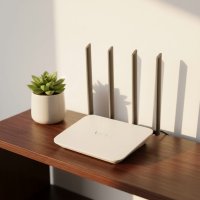
I travel a lot for work and this mini WiFi router has been a game-changer. I used to rely on sketchy hotel Wi-Fi or drain my phone’s data, but now I have my own reliable hotspot. It’s super easy to set up with a SIM card and the battery life is surprisingly good, lasting through most of my workday without needing a recharge. Definitely recommend for anyone who needs consistent internet on the go.
I got a portable WiFi router for my camping trips, hoping to get some work done. It does provide a personal network, which is great, but I found the battery life wasn’t quite as long as I’d hoped for extended off-grid use. I had to carry a power bank to keep it charged, which added another thing to my pack. It’s decent for shorter outings, but for longer trips, plan for extra charging.
This MiFi device is exactly what I needed for my international trips. Instead of buying expensive local SIMs for every country, I just pop in one data SIM and I’m good to go. It fits right in my pocket and provides a strong, shareable Wi-Fi hotspot for all my devices. It’s so much more convenient than tethering from my phone and saves my phone’s battery too.
I picked up one of these for our family road trip and it worked out pretty well. Having a personal wireless network for the kids’ tablets was a lifesaver in the car. My only minor complaint is that sometimes in really remote areas, the cellular signal conversion was a bit slow, but that’s probably more about the cell coverage than the device itself. Overall, it kept everyone happy and connected.