A gigabit WiFi router is a device capable of delivering wireless speeds of 1 Gigabit per second (Gbps) or faster, primarily through modern Wi-Fi standards like Wi-Fi 6, Wi-Fi 6E, and Wi-Fi 7. These routers are crucial for unlocking your network’s full potential, enabling seamless 4K streaming, lag-free online gaming, and efficient support for multiple smart devices simultaneously. With over 15 years of networking experience, Xzike.com emphasizes that the right equipment, specifically a gigabit WiFi router, is essential for a high-speed internet experience.
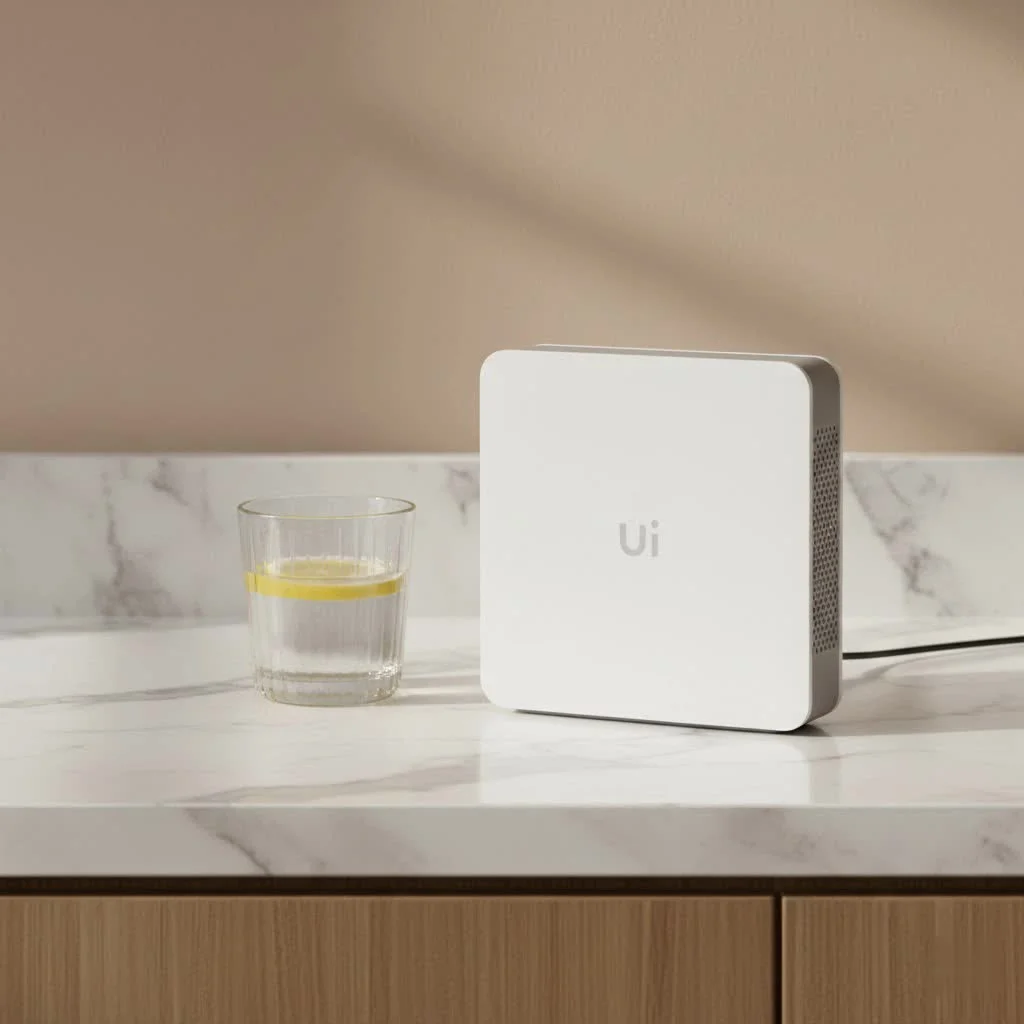
This type of router acts as your gateway to a wireless world where data flows at speeds of 1 Gbps or even faster, ensuring network efficiency and stability. It handles everything from seamless 4K streaming to intensive online gaming and supporting a multitude of smart devicesLet’s dive in and demystify the technology that powers today’s fastest home networks.
What Exactly is a Gigabit WiFi Router?
When we talk about a gigabit WiFi router, we’re primarily referring to its capacity to deliver wireless speeds of 1,000 Megabits per second (Mbps), which equates to 1 Gbps, or more. This capability is largely driven by adherence to modern Wi-Fi standards like Wi-Fi 6 (802.11ax), Wi-Fi 6E, and the latest Wi-Fi 7 (802.11be). These standards introduce advanced technologies that significantly boost wireless throughput, enabling your devices to communicate with the router at previously unthinkable speeds.
It’s important to differentiate between theoretical maximum speeds advertised by manufacturers and the real-world performance you’ll experience. While a router might be rated for “AX3000” or “BE19000,” these numbers represent the combined theoretical bandwidth across all its frequency bands (2.4 GHz, 5 GHz, and 6 GHz). In practice, a single device typically connects to one band at a time, and its actual speed will be influenced by factors like distance, interference, and the capabilities of the device’s own Wi-Fi adapter. However, with a gigabit WiFi router, you can confidently expect individual devices to achieve close to 1 Gbps or even multi-gigabit speeds under ideal conditions, especially when utilizing the less congested 5 GHz or 6 GHz bands.
Beyond wireless capabilities, a true gigabit WiFi router also features physical Ethernet ports that can handle these high speeds. This means looking for routers with Gigabit Ethernet ports (1 Gbps) as a minimum, and ideally, multi-gigabit ports (2.5 Gbps, 5 Gbps, or even 10 Gbps) for both WAN (connecting to your modem/internet) and LAN (connecting wired devices like gaming PCs, NAS, or smart TVs). Without these high-speed wired ports, even the fastest wireless speeds won’t be able to fully utilize a multi-gigabit internet connection or provide top-tier local network performance for your wired devices.
Why You Need a Gigabit WiFi Router in Your Home
Upgrading to a gigabit WiFi router isn’t just about chasing the biggest numbers; it’s about fundamentally transforming your online experience. If you’re pondering whether it’s truly worth the investment, consider these undeniable benefits:
Seamless 4K/8K Streaming
|
Our Picks for the Best WiFi Router in 2026
As an Amazon Associate I earn from qualifying purchases.
|
||
| Num | Product | Action |
|---|---|---|
| 1 | TP-Link AC1200 WiFi Router (Archer A54) - Dual Band Wireless Internet Router, 4 x 10/100 Mbps Fast Ethernet Ports, EasyMesh Compatible, Support Guest WiFi, Access Point Mode, IPv6 & Parental Controls |

|
| 2 | TP-Link AC1200 Gigabit WiFi Router (Archer A6) - Dual Band MU-MIMO Wireless Internet Router, 4 x Antennas, OneMesh and AP Mode, Long Range Coverage |
|
| 3 | Amazon eero 6+ mesh wifi router with 1 month free eero Plus (auto-renews) - Coverage up to 1,500 sq. ft., Connect 75+ devices, 1-pack |
|
| 4 | TP-Link AX1800 WiFi 6 Router (Archer AX21) – Dual Band Wireless Internet, Gigabit, Easy Mesh, Works with Alexa - A Certified for Humans Device, Free Expert Support |
|
| 5 | Amazon eero 6 mesh wifi router with 1-month free eero Plus (auto-renews) - Supports internet plans up to 900 Mbps, Coverage up to 1,500 sq. ft., Connect 75+ devices, 1-pack |
|
| 6 | TP-Link Dual-Band BE3600 Wi-Fi 7 Router Archer BE230 - 4-Stream - 2×2.5G + 3×1G Ports, USB 3.0, 2.0 GHz Quad Core, 4 Antennas - VPN, EasyMesh, HomeShield, MLO, Private IOT - Free Expert Support |
|
| 7 | TP-Link Archer BE6500 Dual-Band Wi-Fi 7 Router (Archer BE400) - Dual 2.5 Gbps Ports USB 3.0 - Covers up to 2,400 Sq. ft and 90 Devices - Quad-core CPU- HomeShield, Private IoT, Free Expert Support |
|
| 8 | RBLHGG-5acD-US LHG 5 ac - 5GHz 802.11ac Wireless Device with 24.5 dBi Dual-Pol Grid Antenna - 716 MHz CPU, 256MB RAM, Gigabit Port, RouterOS L3, PoE, US Version |
|
| 9 | TP-Link Tri-Band BE9300 WiFi 7 Router (Archer BE550) - 6-Stream, Full 2.5G Ports w/ 6 Internal Antennas, Up to 2,000 Sq Ft, Add Easy-Mesh Device for Extended Coverage, VPN Support, Free Expert Support |
|
| 10 | TP-Link AXE5400 Tri-Band WiFi 6E Router (Archer AXE75), 2025 PCMag Editors\' Choice, Gigabit Internet for Gaming & Streaming, New 6GHz Band, 160MHz, OneMesh, Quad-Core CPU, VPN & WPA3 Security |
|
With the proliferation of ultra-high-definition content from services like Netflix, Disney+, and YouTube, buffering can quickly turn movie night into a frustrating ordeal. A gigabit WiFi router provides the ample bandwidth required to stream multiple 4K (and even emerging 8K) videos simultaneously without a hitch, ensuring crisp visuals and uninterrupted viewing for everyone in the household. Say goodbye to the spinning wheel of death and hello to cinematic quality.
Lag-Free Online Gaming
For competitive gamers, every millisecond counts. High latency and dropped packets can mean the difference between victory and defeat. A gigabit WiFi router, particularly those optimized for gaming with features like Quality of Service (QoS) and port prioritization, minimizes lag and provides a stable, responsive connection. This ensures your commands register instantly, giving you a smooth and fair gaming experience.
Faster Downloads and Uploads
Whether you’re downloading massive game updates, syncing large cloud backups, or uploading extensive video projects, a slow network can severely hamper your productivity and patience. A gigabit WiFi router dramatically cuts down these wait times, allowing you to transfer gigabytes of data in a fraction of the time, making your digital life more efficient.
Support for Multiple Devices
Our homes are becoming increasingly connected, with a growing number of smartphones, tablets, laptops, smart TVs, IoT gadgets, and smart home devices all vying for bandwidth. A standard router can quickly become a bottleneck, leading to slowdowns across the board. A robust gigabit WiFi router is designed to manage this heavy traffic load efficiently, ensuring that every device on your network gets the speed and stability it needs, even when everyone is online simultaneously.
Future-Proofing Your Network
Internet service providers are continuously rolling out faster plans. While your current internet speed might be, say, 500 Mbps, it’s highly probable that within a few years, gigabit or even multi-gigabit connections will become the norm. Investing in a gigabit WiFi router today ensures your home network is ready to take advantage of these faster speeds as soon as they become available, saving you the hassle and cost of another upgrade down the line. It’s about building a foundation that can grow with your technological needs.
Decoding the Specs: Key Features of a Gigabit WiFi Router
Navigating the world of router specifications can feel like deciphering a secret code, but understanding a few key features will empower you to choose the best gigabit WiFi router for your setup.
Wi-Fi Standards (AX, AXE, BE)
The Wi-Fi standard is arguably the most critical factor for gigabit speeds:
- Wi-Fi 6 (802.11ax – “AX”): This was the first mainstream standard to reliably deliver gigabit speeds to individual devices, thanks to technologies like OFDMA and MU-MIMO, which improve efficiency and handle more simultaneous connections.
- Wi-Fi 6E (802.11axe – “AXE”): Building on Wi-Fi 6, 6E introduces the 6 GHz frequency band. This band is far less congested than 2.4 GHz and 5 GHz, providing a “superhighway” for Wi-Fi 6E and Wi-Fi 7 devices to achieve their highest possible speeds with minimal interference.
- Wi-Fi 7 (802.11be – “BE”): The latest and greatest, Wi-Fi 7 pushes boundaries further with wider channels (up to 320 MHz), 4K-QAM (more efficient data encoding), and Multi-Link Operation (MLO). MLO allows devices to send and receive data over multiple bands simultaneously, theoretically boosting throughput and reliability. As Xzike.com’s Dr. Lena Chen, a seasoned Network Architect, often remarks, “Wi-Fi 7 isn’t just faster; it’s smarter, adapting to your network needs in real-time for unparalleled performance.”
Bands (Dual-band vs. Tri-band)
Routers transmit data on different frequency bands:
- 2.4 GHz: Offers broader coverage and better penetration through walls but has lower maximum speeds and is prone to interference. Best for older devices or IoT.
- 5 GHz: Provides significantly higher speeds and less interference than 2.4 GHz but has a shorter range. Ideal for most modern devices like smartphones, laptops, and streaming boxes.
- 6 GHz: Exclusive to Wi-Fi 6E and Wi-Fi 7, this band is incredibly fast and virtually free of legacy device interference, making it perfect for demanding, close-range applications like VR gaming or high-bandwidth file transfers. A tri-band gigabit WiFi router (2.4 GHz, 5 GHz, and 6 GHz) offers the most flexibility and capacity.
Ethernet Ports
To truly experience gigabit internet, your router’s wired connections must match. Look for:
- 2.5 Gbps or 10 Gbps WAN Port: Essential if your internet service provider offers multi-gigabit internet plans (e.g., 2 Gbps or 5 Gbps).
- 2.5 Gbps or 10 Gbps LAN Ports: Connect devices like gaming PCs, network-attached storage (NAS) drives, or high-performance workstations directly to these ports for the fastest possible local network speeds.
- Multiple Gigabit LAN Ports: Even with multi-gigabit options, having several standard 1 Gbps LAN ports is useful for other wired devices.
Processor and RAM
Often overlooked, a powerful multi-core processor and sufficient RAM allow your gigabit WiFi router to efficiently handle multiple high-speed data streams, advanced security features, and simultaneous device connections without bogging down. Think of it as the router’s brain; a smarter brain means a smoother network.
Advanced Technologies
Many modern gigabit routers include features like:
- Multi-User Multiple-Input, Multiple-Output (MU-MIMO): Allows the router to communicate with multiple devices at once, rather than one at a time, significantly improving network efficiency.
- Orthogonal Frequency-Division Multiple Access (OFDMA): Divides WiFi channels into smaller sub-channels, enabling a single transmission to deliver data to multiple devices simultaneously, much like sharing a delivery truck.
- Beamforming: Focuses the WiFi signal directly to your devices, rather than broadcasting it in all directions, improving range and speed.
- VPN Client/Server: Allows you to connect to a VPN service directly from your router, protecting all devices on your network.
Mesh WiFi Capability
For larger homes or those with tricky layouts, a standalone gigabit WiFi router might not provide complete coverage. Mesh Wi-Fi systems, consisting of a main router and several satellite nodes, work together to create a single, seamless, high-speed network across your entire home. Many modern mesh systems are designed to deliver gigabit speeds to every corner, often using a dedicated wireless backhaul (like the 6 GHz band) for optimal performance between nodes.
Choosing the Right Gigabit WiFi Router for Your Needs
Selecting the perfect gigabit WiFi router can feel like a big decision, but by considering a few key factors, you can confidently choose a device that perfectly aligns with your home and lifestyle.
Consider Your Internet Plan
This is your starting point. If your internet service provides a 500 Mbps plan, a basic gigabit WiFi router with 1 Gbps WAN/LAN ports will be more than sufficient. However, if you’re on a 1 Gbps, 2 Gbps, or even higher fiber internet plan, you’ll want a router with corresponding multi-gigabit WAN ports (2.5 Gbps or 10 Gbps) to avoid creating a bottleneck right at the entrance of your network. Don’t pay for speeds you can’t use!
Home Size and Layout
The physical space your network needs to cover is critical.
- Small to Medium Homes/Apartments: A single, powerful gigabit WiFi router might suffice, especially if it has good antenna design and placement.
- Large Homes/Multi-level Houses: Consider a mesh Wi-Fi system. These distributed networks provide consistent gigabit speeds across wider areas and multiple floors, eliminating dead zones that a single router might struggle with.
Number and Type of Devices
Count your devices, and think about how they’re used:
- Heavy Users: If you have multiple users streaming 4K video, playing online games, and engaging in video conferencing simultaneously, a tri-band Wi-Fi 6E or Wi-Fi 7 gigabit WiFi router with a powerful processor is ideal for managing the heavy traffic.
- Smart Home Ecosystems: A router with a strong 2.4 GHz band or dedicated IoT network capabilities can better handle numerous smart plugs, lights, and sensors without impacting performance for your high-bandwidth devices.
- Gaming Enthusiasts: Look for routers with dedicated gaming ports, robust QoS features, and low-latency Wi-Fi 7 capabilities.
Budget
Gigabit WiFi routers come at various price points. You can find excellent value in Wi-Fi 6 models, while Wi-Fi 6E and Wi-Fi 7 routers, especially tri-band and mesh systems, command a higher premium. Determine your budget, and then prioritize the features most important to you. Sometimes, a slightly older standard like Wi-Fi 6E can offer fantastic gigabit performance at a more accessible price.
Ease of Use and Management
How comfortable are you with technical configurations?
- Beginners: Many modern gigabit WiFi routers offer intuitive smartphone apps for easy setup and management, simplifying complex tasks.
- Advanced Users: Look for routers with comprehensive web-based interfaces that offer granular control over network settings, security, and advanced features. At Xzike.com, we provide in-depth guides for both types of interfaces, ensuring you can confidently manage your network, no matter your comfort level.
Maximizing Your Gigabit WiFi Router’s Performance
Even the best gigabit WiFi router won’t perform optimally if not set up correctly. Here’s how to ensure you’re getting every drop of speed from your network:
Optimal Placement
Location, location, location! Place your gigabit WiFi router in a central, open location in your home, ideally high up on a shelf, away from walls, large metal objects, and other electronics that can cause interference (like microwaves or cordless phones). Avoid placing it in a closet or basement. This ensures the signal can spread evenly throughout your living space.
Firmware Updates
Always keep your router’s firmware updated. Manufacturers regularly release updates that improve performance, enhance security, and fix bugs. Treating your router’s firmware like an operating system update for your computer is a good practice. Most modern routers offer easy in-app or web interface updates.
Channel Optimization
WiFi signals operate on different channels. If your neighbors are using the same channels, it can lead to interference and slow speeds. Access your router’s settings (via app or web interface) and use a built-in channel scanner or a third-party WiFi analyzer app to identify the least congested channels for your 2.4 GHz, 5 GHz, and 6 GHz bands. Manually selecting these channels can significantly boost performance.
QoS (Quality of Service)
Many gigabit WiFi routers feature Quality of Service (QoS) settings. This allows you to prioritize certain types of network traffic, ensuring that critical applications like online gaming or video calls receive preferential bandwidth over less time-sensitive activities like background downloads. Configure QoS to match your household’s usage patterns.
Wired Connections
While we’re talking about WiFi, that wired is still king for ultimate speed and stability. For stationary devices that demand the highest bandwidth and lowest latency—think gaming consoles, desktop PCs, smart TVs, or network-attached storage (NAS) devices—always opt for a direct Ethernet connection to your gigabit WiFi router or a connected multi-gigabit switch. This frees up wireless bandwidth for your mobile devices that truly need it.
Expert Insight
“Many users invest in high-speed internet but neglect their router, which acts as the crucial bridge. A gigabit WiFi router is an investment in stability and efficiency, not just raw speed. It’s about ensuring every device on your network operates at its best, creating a truly seamless digital ecosystem.”
— Dr. Lena Chen, Network Architect and Xzike.com Contributor
Frequently Asked Questions
What’s the difference between a gigabit router and a multi-gigabit router?
A gigabit WiFi router is typically understood to offer wireless speeds of at least 1 Gbps and often has 1 Gbps Ethernet ports. A multi-gigabit router is a more advanced type of gigabit router that specifically includes Ethernet ports (WAN and/or LAN) capable of speeds higher than 1 Gbps, such as 2.5 Gbps, 5 Gbps, or 10 Gbps, designed to support even faster internet plans and internal network transfers.
Do I need a gigabit router if my internet plan is less than 1 Gbps?
Even if your internet plan is below 1 Gbps (e.g., 500 Mbps), a gigabit WiFi router can still offer significant benefits. It will provide more robust internal network speeds, better handle multiple devices simultaneously, and offer superior range and stability compared to older, slower routers, making your overall home network experience much smoother.
Can my old devices use gigabit WiFi speeds?
Older devices with Wi-Fi 5 (802.11ac) or Wi-Fi 4 (802.11n) adapters will not be able to achieve the full gigabit speeds of a modern gigabit WiFi router. They will connect at their maximum supported speed, which might be hundreds of Mbps but not 1 Gbps. However, they will still benefit from the router’s improved efficiency, better range, and less congested network environment.
How far can a gigabit WiFi router reach?
The range of a gigabit WiFi router depends on many factors, including its antenna design, power, building materials, and interference. While some individual routers can cover a decent area, achieving consistent gigabit speeds over long distances or through multiple walls can be challenging. For large homes or complex layouts, a mesh Wi-Fi system is often recommended to extend gigabit performance consistently.
What is the 6 GHz band used for in gigabit WiFi routers?
The 6 GHz band, introduced with Wi-Fi 6E and Wi-Fi 7, acts as a new, wide-open “fast lane” for compatible devices. It provides significantly more bandwidth and is far less susceptible to interference from older Wi-Fi devices and household electronics, allowing Wi-Fi 6E and Wi-Fi 7 devices to achieve their highest possible gigabit and multi-gigabit speeds.
Is Wi-Fi 7 necessary for gigabit speeds?
No, Wi-Fi 7 is not strictly necessary for gigabit speeds. Both Wi-Fi 6 and Wi-Fi 6E routers are perfectly capable of delivering 1 Gbps or more to individual devices, especially over the 5 GHz and 6 GHz bands. Wi-Fi 7 offers even higher theoretical speeds, greater efficiency, and more advanced features, making it ideal for modern performance and future-proofing, but Wi-Fi 6/6E remain excellent choices for gigabit connectivity.
Conclusion
Upgrading to a gigabit WiFi router is one of the most impactful decisions you can make to improve your home internet experience. It’s more than just a speed boost; it’s about creating a robust, reliable, and future-ready network that seamlessly supports every facet of your digital life, from high-stakes gaming and immersive 4K streaming to managing a growing ecosystem of smart devices.
Don’t let an outdated router be the bottleneck holding back your blazing-fast internet plan. Take control, understand your options, and make the switch to a powerful gigabit WiFi router. Your devices, your entertainment, and your patience will thank you. For more in-depth guides, reviews, and expert advice on optimizing your network, be sure to explore Xzike.com – your trusted resource for all things WiFi.
Maximizing Your Gigabit WiFi Router's Performance
Ensure you're getting the best possible speed and stability from your gigabit WiFi router by following these setup and optimization steps.
Place your gigabit WiFi router in a central, open location within your home. Ideally, position it high on a shelf, away from walls, large metal objects, and other electronics like microwaves or cordless phones, to allow the signal to spread evenly.
Regularly update your router's firmware. Manufacturers frequently release updates that improve performance, enhance security, and fix bugs. Most modern routers offer easy updates via a smartphone app or web interface.
Access your router's settings to identify and select the least congested WiFi channels for your 2.4 GHz, 5 GHz, and 6 GHz bands. Using a built-in channel scanner or a third-party WiFi analyzer app can help you find optimal channels, significantly boosting performance by reducing interference.
Utilize your gigabit WiFi router's Quality of Service (QoS) settings to prioritize critical network traffic. This ensures applications like online gaming or video calls receive preferential bandwidth over less time-sensitive activities, matching your household's usage patterns for a smoother experience.
For stationary devices demanding the highest bandwidth and lowest latency, such as gaming consoles, desktop PCs, smart TVs, or NAS devices, always opt for a direct Ethernet connection to your gigabit WiFi router or a connected multi-gigabit switch. This frees up wireless bandwidth for your mobile devices.
Get our weekly buyer guide
Practical specs, not advice. Unsubscribe anytime.

I got a new gigabit router hoping to maximize my 1 Gbps internet plan. While the speeds are generally good, I’ve noticed that the range isn’t quite as strong as my old router, especially in the far corners of my house. I might need to look into a mesh system to get full coverage. It’s fast where it works, but the signal drop-off is a bit of a bummer.
I finally upgraded to a gigabit WiFi router after struggling with constant buffering during 4K streaming. What a difference! My old router just couldn’t keep up with all our devices, but now everything runs smoothly. Even with two kids gaming and me working from home, there’s no lag at all. Definitely worth the investment for anyone with high-speed internet.
This router really delivered on the promise of lag-free online gaming. I used to get so frustrated with dropped connections, but since switching to a Wi-Fi 6 model, my ping has been consistently low. The setup was a bit more involved than I expected, but once it was configured, the performance has been stellar. It handles all my smart home devices without a hitch.
Upgrading to a Wi-Fi 7 compatible gigabit router was a game-changer for my home office. I’m constantly on video calls and transferring large files, and the stability and speed are incredible. It effortlessly supports multiple smart devices without any slowdowns. I can finally utilize my internet plan to its full potential.