In today’s fast-paced world, staying connected isn’t just a luxury—it’s a necessity. We rely on the internet for everything from work and entertainment to navigation and keeping in touch with loved ones. But let’s face it, public Wi-Fi can be a frustrating gamble, often slow, insecure, or simply unavailable when you need it most. Imagine a world where your internet is always fast, secure, and ready to go, no matter where your adventures take you. This is precisely where a personal WiFi router steps in, offering you a private, reliable internet bubble on demand. Think of it as your portable, pocket-sized internet hero, designed to bring seamless connectivity directly to you.
What Exactly is a Personal WiFi Router?
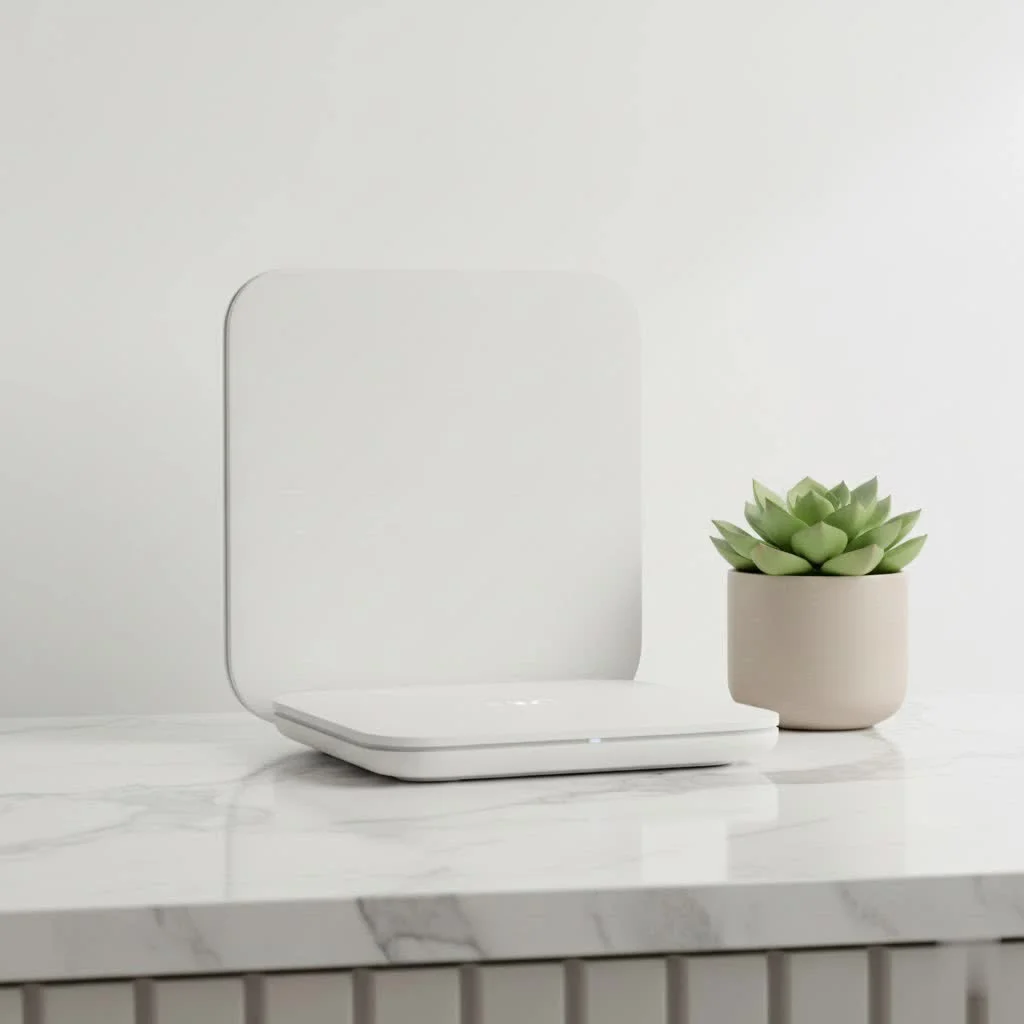
At its core, a personal WiFi router is a compact device that creates its own private wireless network by tapping into cellular data. You might hear it called a “mobile hotspot,” “travel router,” or even a “Mi-Fi device,” but the concept remains the same: it’s your very own Wi-Fi generator, untethered from fixed broadband lines. For browse all home articles on this site.
How does it work its magic? Much like your smartphone, these clever gadgets house a SIM card (or an embedded eSIM). This allows them to connect to 3G, 4G LTE, or even blazing-fast 5G mobile networks. Once connected to the cellular network, the personal WiFi router then broadcasts a Wi-Fi signal, just like your home router, allowing multiple devices—your laptop, tablet, phone, and more—to connect simultaneously to a secure, private network. Unlike a traditional home router that needs a cable modem, these devices are built for mobility, turning a cellular signal into a shareable Wi-Fi experience. It’s truly a personal touch to your internet access, giving you a dedicated connection wherever cellular service is available.
The Freedom of Connectivity: Key Benefits of Owning Your Own Personal WiFi Router
Ditching unreliable public Wi-Fi and opting for a personal WiFi router offers a wealth of advantages, fundamentally changing how you experience connectivity, especially when you’re on the move.
Enhanced Security That Travels With You
Public Wi-Fi networks in cafes, airports, and hotels are notoriously insecure. They’re often open invitations for cybercriminals to snoop on your data, making your personal and financial information vulnerable. With your own personal WiFi router, you’re creating a private, encrypted network, often protected by robust WPA2 or WPA3 security protocols. This means your data is significantly safer from prying eyes, giving you peace of mind whether you’re checking emails or making online purchases. As cybersecurity expert Dr. Anya Sharma often says, “Treating public Wi-Fi as truly private is a grave mistake; your personal router is your digital fortress on the go.”
Connect Multiple Devices, Effortlessly
|
Our Picks for the Best WiFi Router in 2026
As an Amazon Associate I earn from qualifying purchases.
|
||
| Num | Product | Action |
|---|---|---|
| 1 | TP-Link Dual-Band BE3600 Wi-Fi 7 Router Archer BE230 - 4-Stream - 2×2.5G + 3×1G Ports, USB 3.0, 2.0 GHz Quad Core, 4 Antennas - VPN, EasyMesh, HomeShield, MLO, Private IOT - Free Expert Support |

|
| 2 | Amazon eero 6 mesh wifi router with 1-month free eero Plus (auto-renews) - Supports internet plans up to 900 Mbps, Coverage up to 1,500 sq. ft., Connect 75+ devices, 1-pack |
|
| 3 | TP-Link AXE5400 Tri-Band WiFi 6E Router (Archer AXE75), 2025 PCMag Editors\' Choice, Gigabit Internet for Gaming & Streaming, New 6GHz Band, 160MHz, OneMesh, Quad-Core CPU, VPN & WPA3 Security |
|
| 4 | TP-Link AC1200 WiFi Router (Archer A54) - Dual Band Wireless Internet Router, 4 x 10/100 Mbps Fast Ethernet Ports, EasyMesh Compatible, Support Guest WiFi, Access Point Mode, IPv6 & Parental Controls |
|
| 5 | TP-Link AC1200 Gigabit WiFi Router (Archer A6) - Dual Band MU-MIMO Wireless Internet Router, 4 x Antennas, OneMesh and AP Mode, Long Range Coverage |
|
| 6 | TP-Link Tri-Band BE9300 WiFi 7 Router (Archer BE550) - 6-Stream, Full 2.5G Ports w/ 6 Internal Antennas, Up to 2,000 Sq Ft, Add Easy-Mesh Device for Extended Coverage, VPN Support, Free Expert Support |
|
| 7 | TP-Link AX1800 WiFi 6 Router (Archer AX21) – Dual Band Wireless Internet, Gigabit, Easy Mesh, Works with Alexa - A Certified for Humans Device, Free Expert Support |
|
| 8 | Amazon eero 6+ mesh wifi router with 1 month free eero Plus (auto-renews) - Coverage up to 1,500 sq. ft., Connect 75+ devices, 1-pack |
|
| 9 | TP-Link Archer BE6500 Dual-Band Wi-Fi 7 Router (Archer BE400) - Dual 2.5 Gbps Ports USB 3.0 - Covers up to 2,400 Sq. ft and 90 Devices - Quad-core CPU- HomeShield, Private IoT, Free Expert Support |
|
| 10 | RBLHGG-5acD-US LHG 5 ac - 5GHz 802.11ac Wireless Device with 24.5 dBi Dual-Pol Grid Antenna - 716 MHz CPU, 256MB RAM, Gigabit Port, RouterOS L3, PoE, US Version |
|
Are you traveling with family or colleagues, or simply juggling a laptop, tablet, and smartphone yourself? A personal WiFi router typically supports connecting anywhere from 5 to 15 devices simultaneously. No more agonizing over who gets the phone hotspot or paying per-device fees at hotels. Everyone can enjoy a stable connection, keeping the peace and productivity flowing. It’s like having a mini internet hub in your pocket, ready to power all your gadgets.
Cost-Effectiveness on the Go
Roaming charges can quickly turn a fantastic trip into a financial headache. Many hotels also charge exorbitant daily fees for Wi-Fi, often per device. A personal WiFi router can be a budget superhero. By using a local SIM card in the country you’re visiting or opting for a global data plan, you can drastically reduce your internet costs. This smart approach to connectivity means more money for experiences, not just for getting online.
Reliable Internet, Practically Anywhere
Picture this: you’re in a remote location, a coffee shop with spotty Wi-Fi, or even just stuck in traffic. With a personal WiFi router, as long as there’s a cellular signal, you’ve got internet. This translates to consistent, stable connectivity for everything from video calls to streaming your favorite shows, ensuring you’re never truly disconnected from what matters. This reliability is a game-changer for remote workers, digital nomads, and anyone who can’t afford to miss a beat.
Preserve Your Smartphone’s Battery Life
Using your smartphone as a mobile hotspot is a quick fix, but it’s a notorious battery drainer. The dual task of connecting to a cellular network and broadcasting Wi-Fi quickly depletes your phone’s power. A dedicated personal WiFi router handles all the heavy lifting, freeing up your phone for calls, photos, and other essential tasks. It’s a small change that makes a big difference in how long your phone stays charged throughout the day.
Full Control Over Your Network
Unlike public Wi-Fi or even some ISP-provided home routers, owning a personal WiFi router grants you complete control over your network settings. You can easily customize your network name (SSID), set strong passwords, enable advanced security features like a firewall, and even configure a Virtual Private Network (VPN) directly on the router. This level of customization ensures your network behaves exactly how you want it to, enhancing both security and performance. It’s about being the boss of your own internet connection.
Choosing Your Perfect Portable Companion: What to Look For
Selecting the right personal WiFi router means considering a few crucial features to match your specific needs. Here’s what to keep an eye out for:
- Connectivity (4G LTE/5G): For the fastest speeds and future-proofing, look for devices that support 5G. If 5G isn’t widely available in your areas of travel, a robust 4G LTE router will still offer excellent performance.
- Battery Life: This is paramount for a portable device. Look for routers offering at least 8-10 hours of active use, with some high-end models providing 16 hours or more.
- Wi-Fi Standards (Wi-Fi 6, 6E, 7): Newer standards like Wi-Fi 6 (802.11ax) and Wi-Fi 6E offer faster speeds, better efficiency, and improved performance in congested environments. Wi-Fi 7 is the latest, providing cutting-edge capabilities, though devices are still emerging.
- SIM Card vs. eSIM Support: Routers with a physical SIM card slot offer flexibility to swap local SIMs. eSIM support provides even greater convenience, allowing you to activate data plans digitally without needing a physical card.
- Ethernet Ports: While designed for wireless, some portable routers include an Ethernet port. This can be incredibly useful for connecting wired devices or for using the router in “repeater” mode to extend an existing Wi-Fi signal (like in a hotel room).
- Security Features: Ensure the router supports WPA2 or, ideally, WPA3 encryption. Features like a built-in firewall, guest network capabilities, and VPN client support add significant layers of security.
- Size and Weight: For true portability, a compact, lightweight design that easily fits into a pocket or small bag is ideal.
- Brand Reputation: Stick with reputable brands known for quality and customer support, such as GL.iNet, Netgear Nighthawk, ASUS, and TP-Link. These brands often offer intuitive mobile apps for easy management.
Setting Up Your Personal WiFi Router: A Quick Start Guide
Getting your personal WiFi router up and running is surprisingly straightforward, usually involving just a few simple steps. You don’t need to be a network engineer to enjoy instant connectivity.
First, if your device uses a physical SIM, insert your SIM card into the designated slot. Make sure it’s inserted correctly according to the device’s instructions. If it uses an eSIM, you’ll typically activate the data plan through the manufacturer’s app or website.
Next, power on your router. Most devices have a simple power button. Give it a moment to boot up and establish a connection to the cellular network; indicator lights will usually show you its status.
Once powered on, your router will broadcast a Wi-Fi network. On your laptop, smartphone, or tablet, search for available Wi-Fi networks. You’ll see your router’s unique network name (SSID), which is usually printed on a sticker on the device itself or in the quick start guide. Select your network and enter the default password (also found on the sticker).
For basic configuration, like changing the default network name and password (highly recommended for security!), you’ll typically access the router’s admin panel. Open a web browser on a connected device and type in the router’s default IP address (e.g., 192.168.1.1 or 192.168.0.1). You’ll then be prompted to log in using the default username and password (again, usually on the sticker). From here, you can customize your network to your heart’s content, update firmware, and enable advanced features.
Real-World Scenarios: Where a Personal WiFi Router Shines
A personal WiFi router isn’t just a gadget; it’s a solution that enhances various aspects of your connected life.
For business travelers, it’s a non-negotiable tool. Imagine conducting a sensitive video conference from a hotel room, knowing your connection is secure and stable, free from the glitches of shared Wi-Fi. It ensures constant productivity and secure access to company resources, no matter where your work takes you.
On family vacations, these routers are sanity savers. Instead of relying on patchy amusement park Wi-Fi or struggling with multiple hotel logins, your kids can stream their favorite cartoons or play online games, and you can upload vacation photos without a hitch. Everyone stays entertained, and you stay connected.
Digital nomads and remote workers find immense value in the flexibility a personal router offers. Whether you’re working from a bustling cafe in Lisbon, a quiet Airbnb in Bali, or a co-working space, you can maintain a high-speed, secure internet connection that keeps your projects on track and your clients happy. “My personal WiFi router is my mobile office,” shares travel blogger and remote worker, Clara Jensen. “It gives me the freedom to work from anywhere with confidence.”
Even for outdoor adventures or as a home internet backup, its utility is clear. From having reliable GPS and emergency communication in remote areas to ensuring you’re not left in the dark during a home internet outage, a personal router offers peace of mind.
Frequently Asked Questions (FAQ)
Is a personal WiFi router the same as a mobile hotspot?
Yes, the terms “personal WiFi router” and “mobile hotspot” are often used interchangeably. They both refer to portable devices that use a cellular connection to create a Wi-Fi network for multiple devices.
Can I use my personal WiFi router internationally?
Absolutely! This is one of their biggest benefits. If you have an unlocked device, you can purchase local SIM cards in different countries for cost-effective data, or use an international eSIM plan to stay connected globally.
How secure is a personal WiFi router?
Generally, a personal WiFi router is much more secure than public Wi-Fi. Since you’re creating a private network with a password, your connection is encrypted. Most modern devices support WPA2 or WPA3 encryption, offering robust protection against unauthorized access.
What’s the typical battery life of a personal WiFi router?
Battery life varies significantly by model and usage, but most good quality personal WiFi routers offer between 8 to 16 hours of continuous use on a single charge. Many can also be powered via USB or an AC adapter.
Do I need a separate data plan for it?
Yes, a personal WiFi router requires a data plan, similar to a smartphone. You can use a dedicated data SIM card from a mobile network provider, or an eSIM plan. Some devices come with pre-loaded data, but generally, you’ll need to purchase a plan that suits your usage.
Your Internet, Your Rules
In a world that demands constant connectivity, relying on unpredictable public Wi-Fi is a gamble you don’t have to take. Investing in a personal WiFi router empowers you with the freedom, security, and control you need to stay connected on your own terms. Whether you’re a globetrotter, a remote professional, or simply someone who values reliable internet, a personal router is a smart, essential tool for navigating the digital landscape. Take charge of your connectivity, explore the possibilities, and experience the seamless internet experience you deserve.
Get our weekly buyer guide
Practical specs, not advice. Unsubscribe anytime.
