Are you looking to supercharge your home internet experience? In today’s hyper-connected world, a reliable and fast wireless network isn’t just a luxury – it’s a necessity. If you’re a Spectrum internet customer, understanding the capabilities of the Spectrum WiFi 6 router is key to unlocking optimal performance. This advanced piece of technology is designed to handle the demands of modern households, from intense 4K streaming and competitive online gaming to managing a plethora of smart home devices. Let’s explore how this router, often integrated with Spectrum’s “Advanced WiFi” service, can transform your digital life, offering not just speed, but also enhanced security and seamless control.
Understanding Spectrum’s WiFi 6 Router: More Than Just Speed
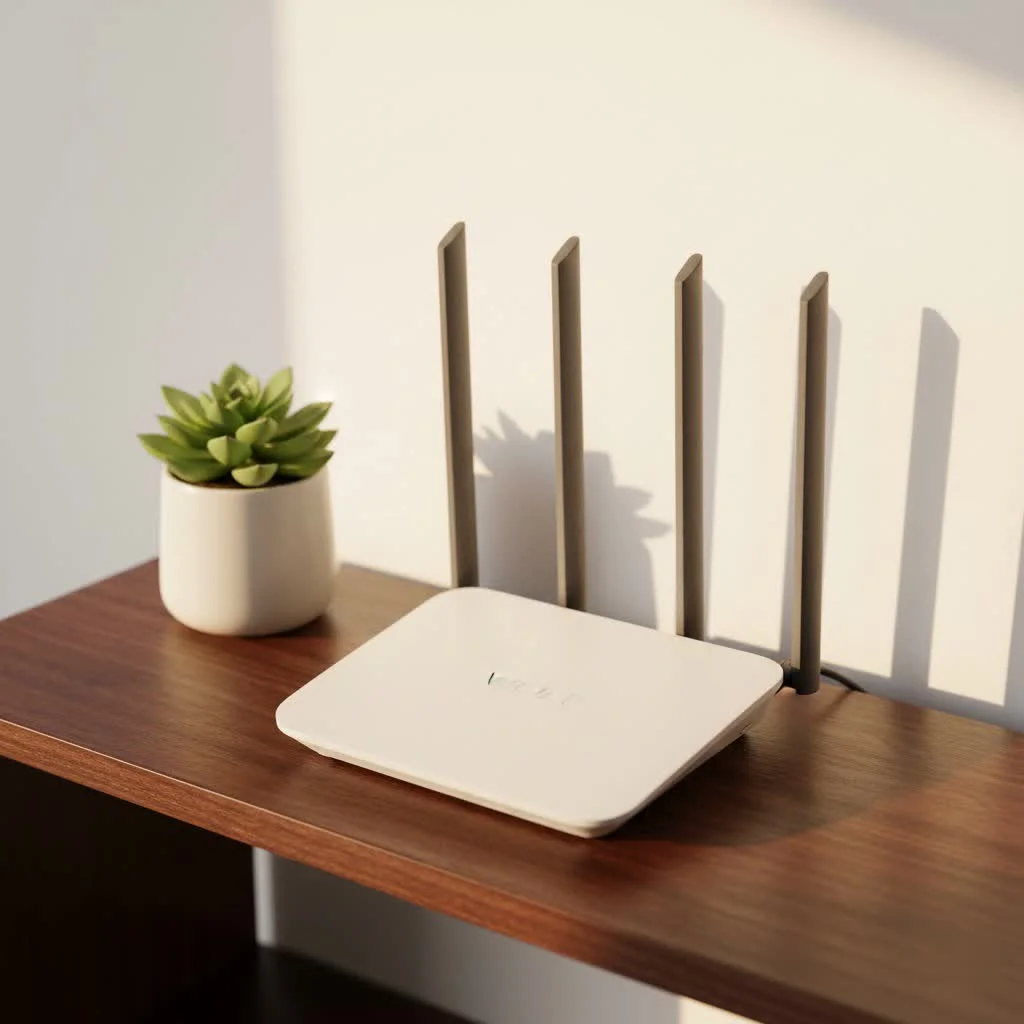
The Spectrum WiFi 6 router represents a significant leap forward in wireless technology. Based on the 802.11ax standard, WiFi 6 is engineered to deliver a more efficient and robust network experience, particularly in environments with numerous connected devices. Unlike previous generations that focused primarily on raw speed for a single connection, WiFi 6 excels at managing multiple simultaneous data streams, making it perfect for busy homes where everyone is online at once.
Spectrum bundles its latest router technology under the umbrella of “Advanced WiFi,” which can include not only WiFi 6 but also newer iterations like WiFi 6E and even WiFi 7, depending on your service tier and location. These routers are equipped with cutting-edge technologies like Orthogonal Frequency Division Multiple Access (OFDMA) and Multi-User, Multiple-Input, Multiple-Output (MU-MIMO). Imagine OFDMA as a highly efficient delivery truck that can carry multiple small packages to different destinations in a single trip, rather than making separate trips for each package. MU-MIMO allows the router to communicate with several devices simultaneously, rather than one at a time. This results in significantly reduced latency and improved overall network efficiency, ensuring a smooth and responsive experience for every device.
Security is paramount in modern networking, and the Spectrum WiFi 6 router incorporates the latest encryption standards, including WPA3. This advanced security protocol offers robust protection against unauthorized access, safeguarding your personal data and connected devices from potential threats.
Unleashing Performance: Speed, Coverage, and Connectivity
When you connect to a Spectrum WiFi 6 router, you’re tapping into a network built for peak performance. Whether you’re a hardcore gamer, a binge-watcher of 4K content, or someone who relies on a stable connection for remote work, this router is designed to deliver.
Blazing Fast Speeds for Demanding Tasks
|
Our Picks for the Best WiFi Router in 2026
As an Amazon Associate I earn from qualifying purchases.
|
||
| Num | Product | Action |
|---|---|---|
| 1 | TP-Link AC1200 Gigabit WiFi Router (Archer A6) - Dual Band MU-MIMO Wireless Internet Router, 4 x Antennas, OneMesh and AP Mode, Long Range Coverage |

|
| 2 | TP-Link Archer BE6500 Dual-Band Wi-Fi 7 Router (Archer BE400) - Dual 2.5 Gbps Ports USB 3.0 - Covers up to 2,400 Sq. ft and 90 Devices - Quad-core CPU- HomeShield, Private IoT, Free Expert Support |
|
| 3 | TP-Link AX1800 WiFi 6 Router (Archer AX21) – Dual Band Wireless Internet, Gigabit, Easy Mesh, Works with Alexa - A Certified for Humans Device, Free Expert Support |
|
| 4 | TP-Link Dual-Band BE3600 Wi-Fi 7 Router Archer BE230 - 4-Stream - 2×2.5G + 3×1G Ports, USB 3.0, 2.0 GHz Quad Core, 4 Antennas - VPN, EasyMesh, HomeShield, MLO, Private IOT - Free Expert Support |
|
| 5 | RBLHGG-5acD-US LHG 5 ac - 5GHz 802.11ac Wireless Device with 24.5 dBi Dual-Pol Grid Antenna - 716 MHz CPU, 256MB RAM, Gigabit Port, RouterOS L3, PoE, US Version |
|
| 6 | TP-Link AXE5400 Tri-Band WiFi 6E Router (Archer AXE75), 2025 PCMag Editors\' Choice, Gigabit Internet for Gaming & Streaming, New 6GHz Band, 160MHz, OneMesh, Quad-Core CPU, VPN & WPA3 Security |
|
| 7 | TP-Link Tri-Band BE9300 WiFi 7 Router (Archer BE550) - 6-Stream, Full 2.5G Ports w/ 6 Internal Antennas, Up to 2,000 Sq Ft, Add Easy-Mesh Device for Extended Coverage, VPN Support, Free Expert Support |
|
| 8 | Amazon eero 6 mesh wifi router with 1-month free eero Plus (auto-renews) - Supports internet plans up to 900 Mbps, Coverage up to 1,500 sq. ft., Connect 75+ devices, 1-pack |
|
| 9 | TP-Link AC1200 WiFi Router (Archer A54) - Dual Band Wireless Internet Router, 4 x 10/100 Mbps Fast Ethernet Ports, EasyMesh Compatible, Support Guest WiFi, Access Point Mode, IPv6 & Parental Controls |
|
| 10 | Amazon eero 6+ mesh wifi router with 1 month free eero Plus (auto-renews) - Coverage up to 1,500 sq. ft., Connect 75+ devices, 1-pack |
|
The promise of WiFi 6 is faster speeds, and the Spectrum WiFi 6 router lives up to that expectation. While advertised speeds for plans like the 1 Gigabit per second tier are theoretical maximums, real-world testing often shows impressive download speeds, frequently in the range of 500 Mbps or higher, even over wireless connections. This kind of bandwidth is more than sufficient for streaming multiple 4K videos simultaneously, engaging in graphics-intensive online gaming, and handling large file downloads without a hitch.
One of the often-overlooked benefits of a WiFi 6 router is its impact on latency – the delay before data transfer begins. For gamers, low latency is as crucial as high speed. The advanced processing power and efficient data handling of the Spectrum WiFi 6 router significantly reduce ping times, leading to a much more responsive and enjoyable gaming experience.
Extensive Coverage and Smart Signal Management
Nobody wants dead zones in their home. The Spectrum WiFi 6 router employs advanced techniques like beamforming, which intelligently focuses the WiFi signal directly towards your connected devices. This targeted approach results in stronger signal strength and more consistent coverage throughout your home or office, even in larger spaces or through walls.
Spectrum’s Advanced WiFi routers also utilize a single SSID (network name) across all frequency bands (2.4 GHz, 5 GHz, and, for WiFi 6E/7 models, 6 GHz). This means you don’t have to manually switch between networks; the router’s adaptive steering technology intelligently moves your devices to the best available frequency band and channel based on proximity and network congestion.
- 2.4 GHz: Offers the widest range and better penetration through obstacles, ideal for smart home devices and distant connections where raw speed isn’t critical.
- 5 GHz: Provides faster speeds with less range, perfect for high-bandwidth activities like streaming and gaming in closer proximity to the router.
- 6 GHz (WiFi 6E/7 only): Delivers the fastest speeds over the shortest distances, operating on an uncongested band for devices that support it, offering an almost wired-like experience wirelessly.
For truly expansive homes or properties with challenging layouts, Spectrum also offers WiFi Pods. These additional access points work seamlessly with your Spectrum WiFi 6 router to extend coverage and ensure a consistent, strong signal in every corner.
Connecting More Devices with Ease
Modern homes are filled with internet-connected gadgets – smartphones, tablets, smart TVs, gaming consoles, smart speakers, security cameras, and more. A traditional router can struggle to maintain performance when juggling so many devices. The high capacity of the Spectrum WiFi 6 router is designed precisely for this scenario. With technologies like OFDMA and MU-MIMO working in tandem, your router can efficiently manage data flow to hundreds of devices simultaneously without a noticeable drop in speed or responsiveness for individual users. This ensures that every member of your household enjoys a smooth online experience, regardless of how many devices are connected.
Setting Up Your Spectrum WiFi 6 Router: A Breeze with the My Spectrum App
One of the great advantages of using Spectrum’s provided equipment is the simplified setup process. Gone are the days of complex manual configurations; Spectrum has streamlined installation, making it user-friendly even for those who aren’t tech-savvy.
Here’s a quick guide to self-installing your Spectrum WiFi 6 router:
- Connect the Modem: First, ensure your Spectrum modem is correctly connected to your cable outlet and powered on. Wait for the online light on the modem to turn solid blue or green, indicating it’s connected to the internet.
- Connect the Router: Use the provided Ethernet cable to connect the WAN (Internet) port on your Spectrum WiFi 6 router to the Ethernet port on your modem.
- Power On: Plug the power adapter into your router and then into an electrical outlet. The router will begin to boot up. The WiFi status light on the front panel will typically flash blue and then turn solid blue or green when it’s ready. This can take up to 10 minutes.
- Download the My Spectrum App: On your smartphone or tablet, download and install the My Spectrum App from your device’s app store.
- Activate and Personalize: Log in to the My Spectrum App with your Spectrum account credentials. The app will guide you through the activation process, often by scanning a QR code located on the back label of your router. Follow the prompts to set your desired WiFi network name (SSID) and a strong password.
Pro Tip: For optimal WiFi coverage and speed, place your Spectrum WiFi 6 router in a central, open location in your home. Avoid placing it behind large electronics, in closets, or near major appliances like microwaves, which can interfere with the signal.
Advanced Features for a Secure and Controlled Network
Beyond raw performance, the Spectrum WiFi 6 router comes packed with advanced features designed to give you greater control and peace of mind over your home network.
Robust Security with Security Shield
With cyber threats constantly evolving, a secure network is non-negotiable. Spectrum’s Advanced WiFi includes Security Shield, an automatically enabled feature that provides a comprehensive layer of protection for all devices connected to your network. Security Shield actively monitors your internet traffic, detecting and blocking malicious websites, phishing scams, malware, and other internet-originated attacks before they can reach your devices. This means every smartphone, tablet, computer, and smart home device on your network benefits from enhanced security, giving you confidence in your online activities.
Effortless Network Management via the My Spectrum App
The My Spectrum App is your command center for your Advanced WiFi network. This intuitive app allows you to:
- View and Manage Devices: See all devices currently connected to your network, assign nicknames, and group them for easier management.
- Parental Controls: Take charge of screen time by pausing WiFi access for specific devices or groups of devices instantly, or by setting custom schedules.
- Guest Network: Easily create a separate guest network for visitors, keeping your main network secure and your password private.
- Troubleshooting & Optimization: Run speed tests, identify potential issues, and receive suggestions for optimizing your WiFi channels directly from the app.
While Spectrum’s routers prioritize ease of use with features like a single SSID and automatic band steering, advanced users should note that the level of manual configuration might be more limited compared to third-party routers. However, for most users, the streamlined management offered by the My Spectrum App is a significant advantage.
Spectrum Mobile Speed Boost
If you’re also a Spectrum Mobile customer, your Spectrum WiFi 6 router offers an additional benefit: Speed Boost. When your Spectrum Mobile devices are connected to your home’s Advanced WiFi network, they receive even faster data speeds. This not only enhances your mobile experience but can also help conserve your mobile data plan when you’re at home.
Is the Spectrum WiFi 6 Router Right for You? Weighing the Pros and Cons
Deciding whether to stick with the Spectrum WiFi 6 router or opt for a third-party alternative is a common dilemma. Here’s a balanced look to help you make an informed choice.
Advantages:
- Ease of Use: Simple self-installation and management through the My Spectrum App.
- Strong Performance: Delivers excellent speeds, low latency, and good coverage for most homes, especially with WiFi 6, 6E, or 7 capabilities.
- Advanced Features Included: Security Shield, parental controls, and adaptive steering are all part of the package with Advanced WiFi.
- Seamless Integration: Designed to work perfectly with Spectrum’s internet service, and offers Speed Boost for mobile customers.
- Provider Support: Direct support from Spectrum for their equipment simplifies troubleshooting.
Considerations:
- Rental Fee: While Advanced WiFi is included with Gig plans, it usually incurs a monthly rental fee (e.g., $10/month) for other plans. This can add up over time.
- Separate Modem: Spectrum typically provides a separate modem and router, meaning two devices instead of a single gateway, which might lead to more cables and clutter.
- Limited Wired Ports: Some Spectrum WiFi 6 router models might only offer three Gigabit Ethernet LAN ports, which can be limiting for users with many wired devices like gaming consoles, PCs, and smart TVs.
- Less Manual Control: Advanced users accustomed to customizing every network setting might find Spectrum’s routers less flexible due to the single SSID and automatic band/channel steering.
- Upload Speed Limitations: While download speeds are robust, Spectrum’s upload speeds can sometimes be a bottleneck (e.g., 12-13 Mbps on a 1 Gbps plan), regardless of the router’s capabilities.
Expert Insights: Maximizing Your WiFi 6 Experience
“The Spectrum WiFi 6 router is a powerful tool for modern connectivity, especially for families with many devices,” says Dr. Evelyn Reed, Lead Network Architect at Xzike.com. “While its automatic features simplify management for most users, understanding its core strengths—like OFDMA and WPA3 security—empowers you to truly get the most out of your Spectrum internet plan. Always remember to place your router optimally and leverage the My Spectrum App for quick diagnostics and parental controls. It’s about smart utilization, not just raw power.”
Frequently Asked Questions (FAQ)
What is the difference between WiFi 6 and older WiFi standards?
WiFi 6 (802.11ax) is the latest generation of WiFi, offering faster speeds, greater capacity for multiple devices, and improved efficiency in crowded network environments compared to older standards like WiFi 5 (802.11ac). It’s designed to handle the increasing number of connected devices in today’s homes.
Do I need to buy a Spectrum WiFi 6 router, or is it provided?
Spectrum typically provides their Advanced WiFi router, which includes WiFi 6 (and sometimes 6E or 7) capabilities, to customers. It’s often included with Gig internet plans or available for a monthly rental fee with other plans.
Can I use my own router with Spectrum internet?
Yes, you can generally use your own router with Spectrum internet. However, Spectrum’s “Advanced WiFi” features, including Security Shield and app-based management, are exclusive to Spectrum-issued routers. Spectrum also provides limited support for self-owned equipment.
How do I change my WiFi name and password on the Spectrum WiFi 6 router?
You can easily change your WiFi network name (SSID) and password using the My Spectrum App. Simply log in to the app, navigate to the WiFi settings, and follow the prompts to customize your network credentials.
What are Spectrum WiFi Pods, and do I need them?
Spectrum WiFi Pods are optional mesh WiFi extenders that work with your Spectrum router to expand your wireless coverage. You might need them if you have a large home, experience dead zones, or want to ensure consistent speeds in every corner of your property.
Does the Spectrum WiFi 6 router support WPA3 encryption?
Yes, the Spectrum WiFi 6 router supports the latest WPA3 encryption standard, providing enhanced security for your wireless network and better protection against unauthorized access compared to older WPA2 protocols.
What does “Adaptive Steering” mean on my Spectrum router?
Adaptive Steering is a feature that automatically optimizes your device’s connection. It intelligently guides your connected devices to the best available WiFi frequency band (2.4 GHz, 5 GHz, or 6 GHz) and channel, ensuring optimal performance and stability without you needing to manually switch.
Conclusion
The Spectrum WiFi 6 router is an indispensable tool for any Spectrum internet subscriber looking to optimize their home network. With its advanced WiFi 6 capabilities, integrated security features like Security Shield, and seamless management via the My Spectrum App, it delivers a powerful, secure, and user-friendly internet experience. While considerations like the rental fee and customization options exist, the benefits of faster speeds, improved coverage, and robust device management often outweigh them for most households. By understanding how to leverage your Spectrum WiFi 6 router, you can confidently navigate the digital world, enjoying lag-free entertainment, smooth productivity, and a reliably connected smart home. It’s time to embrace the future of connectivity and truly make the most of your Spectrum internet service.
Get our weekly buyer guide
Practical specs, not advice. Unsubscribe anytime.
