Picture this: you’re trying to stream your favorite show, join a crucial video call, or simply browse the web, but your internet keeps dropping or crawling to a halt the moment you step out of the living room. Annoying, right? This common frustration, often due to poor WiFi coverage, highlights why a long range WiFi router isn’t just a luxury—it’s a necessity for modern homes. In a world where every corner of our living space is connected, achieving consistent, high-speed internet everywhere can feel like a quest for the holy grail. But fear not, for understanding the capabilities of a long range WiFi router and implementing strategic optimization techniques can transform your home network from patchy to perfect.
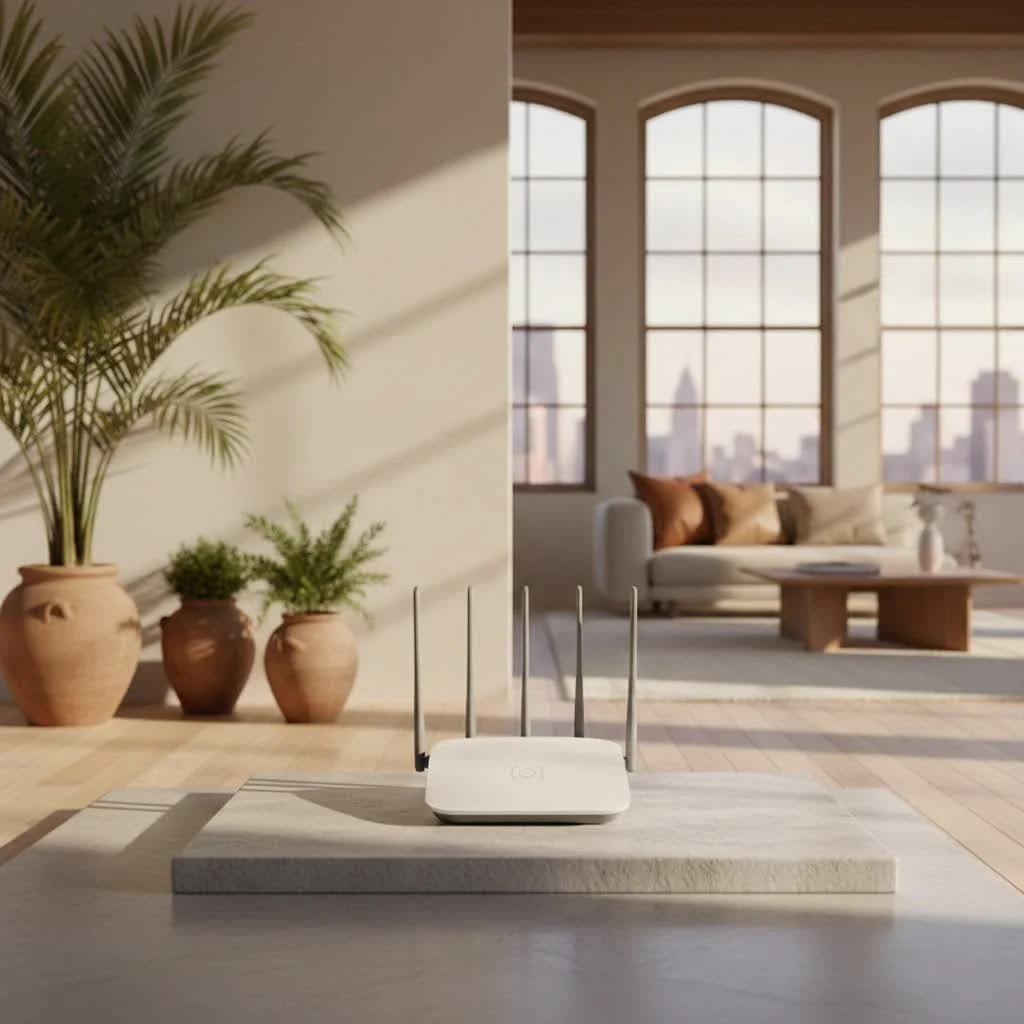
What Exactly is a Long Range WiFi Router?
When we talk about a long range WiFi router, we’re not necessarily discussing devices that can beam signals across miles, like specialized point-to-point wireless systems used for distant outdoor connections. Instead, a long range WiFi router is designed to provide robust, extended coverage within a larger home or office environment. These routers achieve their impressive reach not just through raw power, which is often limited by regulatory standards, but through a combination of sophisticated hardware and intelligent software. For complete home library on this site.
Key components that enable a router to deliver extended range include:
- Advanced Antennas: High-gain antennas, whether external and adjustable or internal within a sleek design, are crucial. They effectively focus and direct the WiFi signal, overcoming obstacles more efficiently.
- Multi-Band Support: Most long range routers operate on multiple frequency bands—typically 2.4GHz, 5GHz, and sometimes the newer 6GHz with Wi-Fi 6E and Wi-Fi 7. The 2.4GHz band offers a wider reach and better penetration through walls, making it ideal for distant devices, while the 5GHz and 6GHz bands provide faster speeds for closer, high-bandwidth activities.
- Beamforming Technology: This intelligent feature allows the router to detect where your devices are located and direct a stronger, more focused WiFi signal directly towards them, rather than broadcasting it indiscriminately in all directions.
- MIMO and OFDMA: Modern Wi-Fi standards like Wi-Fi 6 and Wi-Fi 7 incorporate technologies such as Multiple-Input, Multiple-Output (MIMO) and Orthogonal Frequency-Division Multiple Access (OFDMA). MIMO allows multiple data streams simultaneously, improving efficiency, while OFDMA efficiently segments channels to allow multiple devices to communicate at once, reducing latency and boosting overall network performance, especially in congested environments.
According to Dr. Evelyn Reed, a renowned network architect, “A truly long range WiFi router isn’t about raw wattage, it’s about smart signal management. It’s the harmonious interplay of antenna design, frequency allocation, and intelligent beamforming that delivers reliable connectivity where you need it most.”
The Science of Signal: Factors Affecting Your WiFi Range
Before diving into solutions, it’s essential to understand what stands between your devices and a flawless WiFi signal. Numerous factors can diminish your router’s reach and speed:
Frequency Bands: The Trade-off Between Reach and Speed
|
Our Picks for the Best WiFi Router in 2026
As an Amazon Associate I earn from qualifying purchases.
|
||
| Num | Product | Action |
|---|---|---|
| 1 | TP-Link Archer BE6500 Dual-Band Wi-Fi 7 Router (Archer BE400) - Dual 2.5 Gbps Ports USB 3.0 - Covers up to 2,400 Sq. ft and 90 Devices - Quad-core CPU- HomeShield, Private IoT, Free Expert Support |

|
| 2 | Amazon eero 6 mesh wifi router with 1-month free eero Plus (auto-renews) - Supports internet plans up to 900 Mbps, Coverage up to 1,500 sq. ft., Connect 75+ devices, 1-pack |
|
| 3 | RBLHGG-5acD-US LHG 5 ac - 5GHz 802.11ac Wireless Device with 24.5 dBi Dual-Pol Grid Antenna - 716 MHz CPU, 256MB RAM, Gigabit Port, RouterOS L3, PoE, US Version |
|
| 4 | TP-Link Tri-Band BE9300 WiFi 7 Router (Archer BE550) - 6-Stream, Full 2.5G Ports w/ 6 Internal Antennas, Up to 2,000 Sq Ft, Add Easy-Mesh Device for Extended Coverage, VPN Support, Free Expert Support |
|
| 5 | TP-Link AXE5400 Tri-Band WiFi 6E Router (Archer AXE75), 2025 PCMag Editors\' Choice, Gigabit Internet for Gaming & Streaming, New 6GHz Band, 160MHz, OneMesh, Quad-Core CPU, VPN & WPA3 Security |
|
| 6 | TP-Link AC1200 WiFi Router (Archer A54) - Dual Band Wireless Internet Router, 4 x 10/100 Mbps Fast Ethernet Ports, EasyMesh Compatible, Support Guest WiFi, Access Point Mode, IPv6 & Parental Controls |
|
| 7 | Amazon eero 6+ mesh wifi router with 1 month free eero Plus (auto-renews) - Coverage up to 1,500 sq. ft., Connect 75+ devices, 1-pack |
|
| 8 | TP-Link AX1800 WiFi 6 Router (Archer AX21) – Dual Band Wireless Internet, Gigabit, Easy Mesh, Works with Alexa - A Certified for Humans Device, Free Expert Support |
|
| 9 | TP-Link Dual-Band BE3600 Wi-Fi 7 Router Archer BE230 - 4-Stream - 2×2.5G + 3×1G Ports, USB 3.0, 2.0 GHz Quad Core, 4 Antennas - VPN, EasyMesh, HomeShield, MLO, Private IOT - Free Expert Support |
|
| 10 | TP-Link AC1200 Gigabit WiFi Router (Archer A6) - Dual Band MU-MIMO Wireless Internet Router, 4 x Antennas, OneMesh and AP Mode, Long Range Coverage |
|
As mentioned, WiFi operates on different frequency bands.
- 2.4GHz Band: This band boasts a longer wavelength, allowing it to travel further and penetrate solid objects like walls more effectively. This makes it excellent for covering larger areas and reaching devices far from the router. However, it’s more susceptible to interference from other household devices (microwaves, cordless phones, Bluetooth) and offers slower maximum speeds.
- 5GHz and 6GHz Bands: These higher frequency bands provide significantly faster speeds and less interference, making them ideal for high-bandwidth tasks like 4K streaming and online gaming. The trade-off is a much shorter range and poorer penetration through walls and floors.
Physical Obstacles: The Silent Signal Killers
Your home’s construction materials are significant culprits in hindering WiFi signals. Thick walls made of concrete, brick, or stone, as well as metal objects (appliances, filing cabinets, even mirrors with metallic backing) can absorb or reflect WiFi signals, creating frustrating dead zones. Even dense wood and water (like large fish tanks) can attenuate signals.
Interference: Unseen Disruptors
Your WiFi signal isn’t alone in the air. Other electronic devices operating on similar frequencies, such as cordless phones, baby monitors, and even your neighbor’s WiFi networks, can cause interference, leading to slower speeds and reduced range.
Antenna Design and Placement
The type and orientation of your router’s antennas greatly impact signal distribution. External antennas, when positioned strategically, can direct signals effectively. However, if all antennas point straight up, the signal often spreads horizontally in a donut shape, meaning areas directly above or below the router might suffer. Internal antennas, commonly found in mesh systems, aim for more spherical coverage, better for multi-story homes.
Unleashing Maximum Coverage: Essential Tips for Boosting Your WiFi Signal
Even with a top-tier long range WiFi router, optimal performance requires smart setup and maintenance. Here are some actionable steps to maximize your signal:
1. Optimal Router Placement is Key
This is arguably the most crucial, and often free, step.
- Central Location: Place your router as close to the center of your home as possible to distribute the signal evenly.
- Elevated Position: WiFi signals tend to spread downwards. Placing your router on a shelf or high on a wall helps the signal project over obstacles and reach further.
- Clear Line of Sight: Keep your router away from large physical obstructions like thick walls, metal objects, and electronic appliances (microwaves, cordless phones). Avoid hiding it in cabinets or behind TVs.
2. Regular Firmware Updates Keep Your Router in Top Shape
Router manufacturers frequently release firmware updates to improve performance, enhance security, and fix bugs. Outdated firmware can lead to instability and reduced efficiency. Most modern routers offer automatic updates, but it’s wise to periodically check your router’s administration page or manufacturer’s website for manual updates.
3. Choose the Right Band & Channel
If your router is dual-band or tri-band, leverage the strengths of each frequency:
- For Range: Connect devices far from the router or needing to penetrate walls (e.g., smart home devices in the garage) to the 2.4GHz band.
- For Speed: Connect devices closer to the router that require high bandwidth (e.g., gaming consoles, streaming devices) to the 5GHz or 6GHz bands.
Consider giving each band a unique name (SSID) so you can manually select the best one for each device.
Furthermore, WiFi channels can get congested, especially in densely populated areas. Use a WiFi analyzer app (available for smartphones and computers) to identify less crowded channels (for 2.4GHz, channels 1, 6, and 11 are often recommended as they don’t overlap) and manually switch your router to one for better performance.
4. Leverage Modern WiFi Technologies
If you’re upgrading, consider a router with Wi-Fi 6 (802.11ax), Wi-Fi 6E, or the latest Wi-Fi 7 (802.11be). These standards introduce features like OFDMA and Beamforming, which significantly improve efficiency, especially in homes with many connected devices, thus enhancing the perceived range and speed.
Beyond the Single Box: Advanced Solutions for Whole-Home WiFi
Sometimes, even the best standalone long range WiFi router isn’t enough to cover every nook and cranny of a sprawling or multi-story home. That’s where advanced solutions come into play.
Mesh WiFi Systems: Seamless Coverage
Mesh WiFi systems use multiple access points (nodes) that communicate with each other to create a single, unified wireless network throughout your home. Unlike traditional extenders, mesh nodes work together seamlessly, allowing your devices to switch between them without dropping the connection. This provides exceptional, consistent coverage for large or multi-story homes, eliminating dead zones entirely. They are generally more expensive but offer superior performance and ease of management.
WiFi Extenders & Repeaters: Targeted Boosts
WiFi extenders (also known as repeaters or boosters) capture your router’s signal and rebroadcast it, effectively extending its range. They are a more budget-friendly option for tackling specific small dead zones. However, they can sometimes lead to reduced speeds and may require manual reconnection when moving between the main router and the extender’s signal. For optimal results, place the extender roughly halfway between your main router and the weak signal area, ensuring it still receives a strong signal from the main router.
Powerline Adapters: Connectivity Through Your Walls
Powerline adapters use your home’s existing electrical wiring to transmit network data. You plug one adapter into an outlet near your router and connect it via Ethernet, then plug a second adapter into an outlet in the area needing coverage. The second adapter can then provide an Ethernet port or broadcast a new WiFi signal. This solution is excellent for bypassing physical obstacles like thick walls that WiFi struggles to penetrate, offering reliable connectivity over long distances within your electrical grid.
Dedicated Access Points: Robust Wired Extensions
For areas requiring exceptionally strong and stable connections (e.g., a home office or media room far from the main router), a dedicated wireless access point (AP) can be a robust solution. An AP connects to your main router via an Ethernet cable (preferably a long run through walls or floors) and then broadcasts its own powerful WiFi signal. This essentially creates a new WiFi hotspot with a direct, high-speed wired connection to your network, avoiding wireless signal degradation.
Selecting Your Champion: Top Long Range WiFi Routers for 2025-2026
When choosing a long range WiFi router, consider your home size, internet speed, budget, and specific needs (e.g., gaming, smart home devices).
- For Ultimate Coverage and Performance (Mesh Systems): The Netgear Orbi 970 stands out, offering massive coverage (up to 10,000 sq ft for a three-pack) with Wi-Fi 7 speeds, ideal for large, multi-level homes. The TP-Link Deco XE75 Pro is another excellent mesh option, offering great speeds and features, especially with its dedicated backhaul for node-to-node communication.
- For Powerful Standalone Performance: The TP-Link Archer AX11000 is a fantastic overall choice, balancing performance, features (like free security), and value. For unparalleled speed and range from a single unit, the NETGEAR Nighthawk RAXE500 offers impressive throughput even at extreme distances, utilizing Wi-Fi 6E.
- For Gamers: The ASUS ROG Rapture GT-AX11000 provides high-end performance with gaming-specific features and robust long-range capabilities.
- For Budget-Conscious Users: The Reyee RG-E5 delivers excellent long-range speeds for its price, and the TP-Link Deco Mesh AC1900 provides an affordable entry into whole-home mesh networking.
When evaluating potential candidates, always look for:
- Latest Wi-Fi Generation Support: Wi-Fi 6, 6E, or 7 for future-proofing and advanced features.
- Multiple Bands: Tri-band is preferable for managing traffic across many devices.
- Robust Ethernet Ports: Crucial for high-bandwidth wired connections to PCs, gaming consoles, or network-attached storage (NAS).
- Intuitive Administrative Controls: User-friendly apps and web interfaces make managing your network, including parental controls and security settings, much easier.
- Expandability: The option to add more nodes (for mesh systems) or compatible extenders/access points is a significant plus for growing needs.
Security and Performance: Keeping Your Extended Network Safe and Fast
Extending your WiFi range also means extending your network’s reach, potentially increasing its visibility to outsiders. Therefore, robust security practices are paramount:
- Strong Encryption: Always use WPA2 or, preferably, WPA3 encryption. Avoid older, less secure protocols like WEP or WPA.
- Unique, Complex Passwords: Use strong, unique passwords for your WiFi network and your router’s administration interface. Change default passwords immediately.
- Keep All Devices Updated: Ensure your router, mesh nodes, extenders, and access points are always running the latest firmware. These updates often include critical security patches.
- Monitor for “WiFi Thieves”: Periodically check your router’s connected devices list in the admin panel. If you see unfamiliar devices, disconnect them and change your WiFi password.
- Guest Network: Utilize a guest network feature for visitors to keep your main network isolated and more secure.
“Expanding your network is fantastic for coverage, but don’t forget that every new access point is a potential doorway,” advises Dr. Reed. “Prioritize strong WPA3 encryption and regular security updates across all your network hardware to keep your digital fortress impenetrable.”
Frequently Asked Questions (FAQ)
Q: How far can I extend my WiFi range?
A: The maximum range depends on many factors like frequency band, router hardware, and environmental obstacles. Generally, the 2.4 GHz band can reach up to 100-150 feet indoors and up to 300 feet outdoors under ideal conditions. Higher frequency bands (5GHz, 6GHz) offer faster speeds but shorter ranges, typically up to 50-75 feet indoors. Advanced mesh systems can cover 5,000 to 10,000 square feet or more, creating a much larger unified network.
Q: Mesh WiFi vs. Extender: Which is better for long range?
A: For truly comprehensive, seamless long range WiFi coverage, especially in large or multi-story homes, a mesh WiFi system is generally superior. It creates a single, unified network with intelligent handoffs between nodes. WiFi extenders are more cost-effective for addressing smaller, specific dead zones, but can sometimes lead to reduced speeds and less seamless roaming.
Q: Do WiFi 6/7 routers have better range?
A: While Wi-Fi 6, Wi-Fi 6E, and Wi-Fi 7 introduce technologies like OFDMA and Beamforming that improve efficiency and signal direction, they don’t inherently increase the absolute maximum range of the signal in terms of raw distance compared to older standards on the same frequency band. However, they significantly improve the quality and speed of the signal at extended ranges, making the effective coverage much more reliable and performant. The 6GHz band in Wi-Fi 6E/7 offers extremely fast speeds but has the shortest range and weakest penetration.
Q: Is 2.4 GHz or 5 GHz better for range?
A: The 2.4 GHz band is better for range and penetrating solid objects like walls due to its longer wavelength. The 5 GHz band offers faster speeds and less interference but has a shorter range and struggles more with obstacles. For maximum range, especially through walls, 2.4 GHz is the go-to, while 5 GHz is preferred for speed in closer proximity.
Q: What are the risks of extending WiFi range?
A: Extending your WiFi range can increase the physical area your network covers, potentially making it accessible from outside your property. If not properly secured with strong WPA2/WPA3 encryption and unique, complex passwords, this extended reach could become an entry point for unauthorized access. It’s crucial to ensure all network devices (router, extenders, mesh nodes) are regularly updated and protected.
Optimize Your Connection, Empower Your Home
Achieving seamless, long range WiFi coverage throughout your home is well within your grasp. By understanding the core technologies that drive powerful routers, implementing smart placement strategies, and considering advanced solutions like mesh systems, you can eliminate frustrating dead zones and enjoy a truly connected living experience. Remember, a robust home network isn’t just about speed; it’s about reliable reach and consistent performance that empowers every device and every user. So, take charge of your WiFi, apply these expert insights, and confidently transform your network into a beacon of seamless connectivity!
Get our weekly buyer guide
Practical specs, not advice. Unsubscribe anytime.
