A portable WiFi router is a compact, battery-powered device that uses a SIM card to connect to cellular networks (3G, 4G LTE, or 5G) and then broadcasts its own private Wi-Fi signal, allowing multiple devices to access the internet simultaneously. This dedicated device offers enhanced security over public Wi-Fi, preserves smartphone battery life by offloading hotspot duties, and provides reliable connectivity for travelers, remote workers, and as a home internet backup.
What Exactly is a Portable WiFi Router?
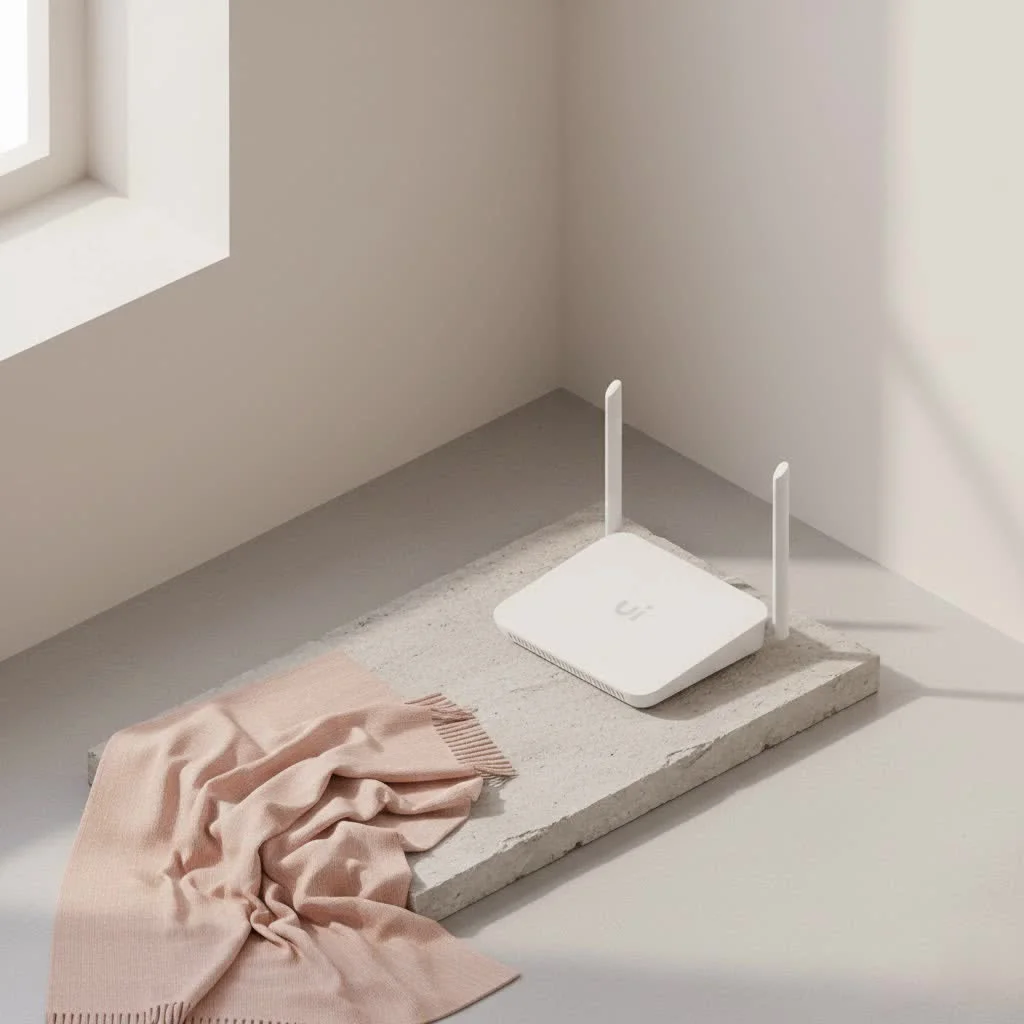
At its core, a portable WiFi router, often dubbed a mobile hotspot or pocket WiFi, is a compact, battery-powered device that acts like your home internet router but without the need for a physical cable. Instead, it uses a SIM card, much like your smartphone, to tap into cellular networks – be it 3G, 4G LTE, or the blazing-fast 5G. Once connected to the mobile network, this clever little device broadcasts its own private Wi-Fi signal, creating a personal internet bubble around you. This allows multiple devices – your laptop, tablet, camera, and even your friend’s phone – to connect to the internet simultaneously, sharing that single cellular data connection. Think of it as carrying your own reliable internet provider in your pocket. For home buying guides on this site.
Why You Need a Portable WiFi Router: Beyond Just Travel
While the name suggests “portable,” the benefits of these devices extend far beyond just globe-trotting. They offer a versatile solution for a multitude of scenarios where traditional internet might be unreliable or non-existent.
Reliable Connectivity On-the-Go
For digital nomads, business travelers, or anyone constantly on the move, a portable WiFi router ensures you’re never truly offline. Whether you’re stuck in an airport lounge, working from a client’s office, or simply enjoying a remote cabin getaway, having your own dedicated internet connection means consistent access when you need it most. It eliminates the frustration of searching for free Wi-Fi spots or dealing with sluggish, overloaded public networks.
Enhanced Security Over Public WiFi
Public Wi-Fi networks in hotels, cafes, or airports are notoriously insecure. They’re often unencrypted, leaving your personal data vulnerable to cyber threats. A portable WiFi router creates a private, password-protected network, encrypting your data and shielding you from potential eavesdroppers. This peace of mind is invaluable, especially when handling sensitive information or online banking.
Preserving Your Smartphone’s Battery Life
Using your smartphone as a hotspot is convenient for quick tasks, but it’s a notorious battery killer. Your phone has to work overtime, maintaining a cellular connection, broadcasting a Wi-Fi signal, and running all your apps simultaneously. A dedicated portable WiFi router shoulders this heavy lifting, leaving your phone’s battery charged for calls, navigation, and capturing memories. It’s like having a separate power plant just for your internet needs.
Superior Performance and Device Support
|
Our Picks for the Best WiFi Router in 2026
As an Amazon Associate I earn from qualifying purchases.
|
||
| Num | Product | Action |
|---|---|---|
| 1 | TP-Link AXE5400 Tri-Band WiFi 6E Router (Archer AXE75), 2025 PCMag Editors\' Choice, Gigabit Internet for Gaming & Streaming, New 6GHz Band, 160MHz, OneMesh, Quad-Core CPU, VPN & WPA3 Security |

|
| 2 | RBLHGG-5acD-US LHG 5 ac - 5GHz 802.11ac Wireless Device with 24.5 dBi Dual-Pol Grid Antenna - 716 MHz CPU, 256MB RAM, Gigabit Port, RouterOS L3, PoE, US Version |
|
| 3 | TP-Link AC1200 WiFi Router (Archer A54) - Dual Band Wireless Internet Router, 4 x 10/100 Mbps Fast Ethernet Ports, EasyMesh Compatible, Support Guest WiFi, Access Point Mode, IPv6 & Parental Controls |
|
| 4 | TP-Link Dual-Band BE3600 Wi-Fi 7 Router Archer BE230 - 4-Stream - 2×2.5G + 3×1G Ports, USB 3.0, 2.0 GHz Quad Core, 4 Antennas - VPN, EasyMesh, HomeShield, MLO, Private IOT - Free Expert Support |
|
| 5 | TP-Link Tri-Band BE9300 WiFi 7 Router (Archer BE550) - 6-Stream, Full 2.5G Ports w/ 6 Internal Antennas, Up to 2,000 Sq Ft, Add Easy-Mesh Device for Extended Coverage, VPN Support, Free Expert Support |
|
| 6 | TP-Link AC1200 Gigabit WiFi Router (Archer A6) - Dual Band MU-MIMO Wireless Internet Router, 4 x Antennas, OneMesh and AP Mode, Long Range Coverage |
|
| 7 | Amazon eero 6 mesh wifi router with 1-month free eero Plus (auto-renews) - Supports internet plans up to 900 Mbps, Coverage up to 1,500 sq. ft., Connect 75+ devices, 1-pack |
|
| 8 | TP-Link Archer BE6500 Dual-Band Wi-Fi 7 Router (Archer BE400) - Dual 2.5 Gbps Ports USB 3.0 - Covers up to 2,400 Sq. ft and 90 Devices - Quad-core CPU- HomeShield, Private IoT, Free Expert Support |
|
| 9 | TP-Link AX1800 WiFi 6 Router (Archer AX21) – Dual Band Wireless Internet, Gigabit, Easy Mesh, Works with Alexa - A Certified for Humans Device, Free Expert Support |
|
| 10 | Amazon eero 6+ mesh wifi router with 1 month free eero Plus (auto-renews) - Coverage up to 1,500 sq. ft., Connect 75+ devices, 1-pack |
|
Dedicated portable WiFi routers often boast stronger, more powerful antennas than those found in smartphones. This translates to better signal reception in areas with weaker coverage and generally faster, more stable data speeds for all your connected devices. While a phone hotspot might struggle with more than one or two connections, a quality portable WiFi router can easily handle 10 or more devices without a significant drop in performance. This is crucial for families, small teams, or anyone with multiple gadgets.
Backup Internet for Home or Office
Even at home, unexpected internet outages can be a major headache. A portable WiFi router can serve as an excellent backup solution, ensuring you stay connected during broadband interruptions. It’s a lifesaver for remote work, online learning, or simply keeping your smart home devices online when your primary connection falters.
Key Features to Look for When Choosing Your Portable WiFi Router
Selecting the right portable WiFi router can feel overwhelming with so many options available. Here’s what to prioritize to ensure you get the best device for your needs:
Network Compatibility: Powering Your Adventures
The speed of your connection hinges on the cellular network technology the router supports. While 4G LTE devices are still popular and cost-effective, offering decent speeds for most tasks, 5G portable WiFi routers deliver lightning-fast speeds and significantly lower latency. If you stream 4K video, engage in online gaming, or frequently transfer large files, 5G is the way to go. Also, if you plan to travel internationally, check for global band support to ensure compatibility with local cellular networks worldwide.
Battery Life: Powering Your Adventures
For true mobility, battery life is paramount. Some portable WiFi routers offer a modest 4-6 hours, while others can last an impressive 24 hours on a single charge. Consider your typical usage and trip duration. If you’ll be away from power outlets for extended periods, investing in a router with a long-lasting battery is a major upgrade. Look for models that offer efficient power management and quick charging capabilities.
Device Capacity: How Many Connections Can It Handle?
Think about how many devices you’ll realistically need to connect simultaneously. Most portable WiFi routers can support between 5 and 15 devices, but high-end models can often handle even more. If you’re traveling with family or colleagues, ensure the router can comfortably accommodate everyone’s gadgets without compromising speed.
Unlocked vs. Locked: The Freedom to Choose
An “unlocked” portable WiFi router means you can use any compatible SIM card from any carrier in the world. This is incredibly beneficial for travelers, as you can purchase local data SIMs in different countries, often at much lower rates than international roaming. “Locked” devices, on the other hand, are tied to a specific carrier, limiting your options and potentially increasing costs. Always opt for an unlocked model for maximum flexibility and cost savings.
Display and User Interface: Ease of Management
A built-in screen on your portable WiFi router can be incredibly helpful. It allows you to monitor data usage, check signal strength, view the Wi-Fi password, and even manage settings directly from the device. A user-friendly interface, whether on the device itself or via a companion mobile app, simplifies setup and ongoing management.
Extra Perks: Ethernet Ports, Power Bank Functionality, VPN Support
- Ethernet Ports: Useful for connecting wired devices like laptops or desktop PCs for a more stable connection.
- Power Bank Functionality: Some models can double as a power bank, allowing you to charge your smartphone or other devices on the go.
- VPN Support: For an added layer of security, certain routers offer built-in VPN client support, allowing you to secure all connected devices with a single VPN connection.
- SD Card Storage: Some devices even include an SD card slot, turning your router into a portable media server.
Setting Up Your Portable WiFi Router: A Quick Guide
Getting your portable WiFi router up and running is usually a straightforward process. You don’t need to be a network engineer to get connected.
1. Inserting Your SIM/eSIM
First, ensure your portable WiFi router is fully charged. Then, locate the SIM card slot (usually on the side or under the battery cover) and carefully insert your activated SIM card with a suitable data plan. If your device supports eSIM, you might activate it digitally through the device’s interface or a companion app.
2. Powering On and Connecting
Turn on your portable WiFi router according to the manufacturer’s instructions. The device will typically display its Wi-Fi network name (SSID) and password on a screen or a sticker. On your laptop, phone, or tablet, search for available Wi-Fi networks, select your router’s SSID, and enter the password. Within seconds, you should be online!
3. Configuring Basic Settings
While many routers work out of the box, you might want to customize settings like changing the default Wi-Fi password for better security or setting up a guest network. Most devices allow you to do this via a web browser interface by typing the router’s IP address (often 192.168.1.1 or 192.168.0.1) into your browser, or through a dedicated mobile app.
“In today’s interconnected world, a portable WiFi router isn’t just a convenience; it’s an empowerment tool. It gives you control over your connectivity, ensuring privacy and reliability wherever life takes you,” says John Peterson, a seasoned network architect and Xzike.com’s lead WiFi specialist. “Investing in a quality device means investing in your freedom to work, learn, and explore without interruption.”
Frequently Asked Questions (FAQ) About Portable WiFi Routers
What’s the difference between a portable WiFi router and a phone hotspot?
While both share an internet connection, a portable WiFi router is a dedicated device designed for this purpose. It generally offers better battery life, stronger signal reception due to superior antennas, and can support more devices simultaneously without performance degradation compared to a smartphone acting as a hotspot.
Do I need a SIM card for a portable WiFi router?
Yes, most portable WiFi routers require a SIM card (or eSIM) with an active data plan to connect to cellular networks. Some models, like cloud-based hotspots, come with pre-loaded data or allow you to purchase data plans directly through the device without a physical SIM.
How secure is a portable WiFi router?
A portable WiFi router provides a much more secure connection than public Wi-Fi. It creates a private, password-protected network, encrypting your data and significantly reducing the risk of cyber threats associated with open networks. Always use a strong, unique password for your router’s Wi-Fi network.
Can I use a portable WiFi router internationally?
Absolutely! An unlocked portable WiFi router with global band support is ideal for international travel. You can insert a local SIM card from the country you’re visiting to access data at local rates, which is often much more cost-effective than international roaming charges from your home carrier.
How fast is portable WiFi?
The speed of a portable WiFi router depends on several factors: the cellular network generation it supports (4G vs. 5G), the strength of the cellular signal in your location, and your data plan’s speed limits. 5G portable WiFi routers can offer speeds comparable to home broadband connections, making them suitable for high-bandwidth activities.
Conclusion
The portable WiFi router is more than just a piece of tech; it’s your gateway to uninterrupted connectivity, enhanced security, and true digital freedom. Whether you’re a globetrotter, a remote worker, or simply someone who values reliable internet access wherever you are, this compact device is an invaluable addition to your tech arsenal. By understanding its capabilities and choosing a model that aligns with your specific needs, you can confidently navigate the digital world without being tethered to physical connections or compromising your privacy. Embrace the power of portable WiFi and unlock a world of possibilities, staying connected and productive on your own terms.
Frequently Asked Questions
What is the main difference between a portable WiFi router and a phone hotspot?
A portable WiFi router is a dedicated device offering superior battery life, stronger signal reception, and the ability to support more devices (typically 10+) simultaneously without performance issues, unlike a smartphone hotspot.
Is a SIM card necessary for a portable WiFi router to function?
Yes, most portable WiFi routers require an activated SIM card or eSIM with a data plan to connect to cellular networks. Some cloud-based hotspots may offer pre-loaded data or direct data plan purchases without a physical SIM.
How does a portable WiFi router enhance internet security?
A portable WiFi router creates a private, password-protected network, encrypting your data and significantly reducing the cyber threats associated with unencrypted public Wi-Fi networks found in cafes or airports. Always use a strong, unique password.
Can I use my portable WiFi router when traveling to other countries?
Yes, an unlocked portable WiFi router with global band support is ideal for international travel. You can insert a local SIM card from the country you are visiting to access data at local rates, which is often more cost-effective than international roaming.
What factors determine the speed of a portable WiFi connection?
The speed of a portable WiFi connection depends on the cellular network generation (e.g., 4G vs. 5G), the strength of the local cellular signal, and the speed limits of your specific data plan. 5G routers can deliver speeds comparable to home broadband.
Set Up Your Portable WiFi Router
Follow these simple steps to get your portable WiFi router up and running quickly, ensuring you have internet access wherever you go.
Ensure your portable WiFi router is fully charged. Locate the SIM card slot, usually on the side or under the battery cover, and carefully insert your activated SIM card with a data plan. If your device supports eSIM, activate it digitally through the device's interface or a companion app.
Turn on your portable WiFi router according to the manufacturer's instructions. The device will display its Wi-Fi network name (SSID) and password. On your laptop, phone, or tablet, search for available Wi-Fi networks, select your router's SSID, and enter the password to connect.
For enhanced security or customization, you may want to change the default Wi-Fi password or set up a guest network. Access these settings via a web browser interface by typing the router's IP address (e.g., 192.168.1.1) into your browser, or use a dedicated mobile app if available.
Get our weekly buyer guide
Practical specs, not advice. Unsubscribe anytime.
I got one of these for our family road trips and it’s been a lifesaver for keeping the kids entertained. Being able to use a SIM card for 5G connectivity means we get decent speeds even in some rural areas. It’s so much better than everyone trying to use their own data plans, and it saves my phone battery too.
This device is exactly what I needed for my remote work setup. I often work from different locations, and the enhanced security over public WiFi is a huge plus for me. It’s compact, easy to set up, and provides a consistent internet connection that I can rely on for video calls and large file transfers. Definitely recommend it for digital nomads.
I travel a lot for work and this portable WiFi router has been a game-changer. I used to rely on my phone’s hotspot, but it drained my battery so fast. Now I can keep my phone charged and still have a super reliable connection for my laptop and tablet. It’s especially great for those times I’m working from a coffee shop and don’t trust their public WiFi.
The mobile hotspot works pretty well for basic browsing and email, but I did notice some slowdowns when I tried to stream HD video on a couple of devices at once. It’s definitely better than nothing when I’m on the road, but I was hoping for something a bit more robust for multiple users. Still, it’s handy to have as a backup.