Apple officially exited the dedicated Wi-Fi router market in 2018, discontinuing popular products like the AirPort Extreme and AirPort Time Capsule. Despite this, Apple users can still achieve robust, high-performance home Wi-Fi by choosing modern mesh Wi-Fi systems or traditional high-performance routers that support Wi-Fi 6/6E, WPA3 encryption, and offer app-based management for seamless integration with their Apple ecosystem.
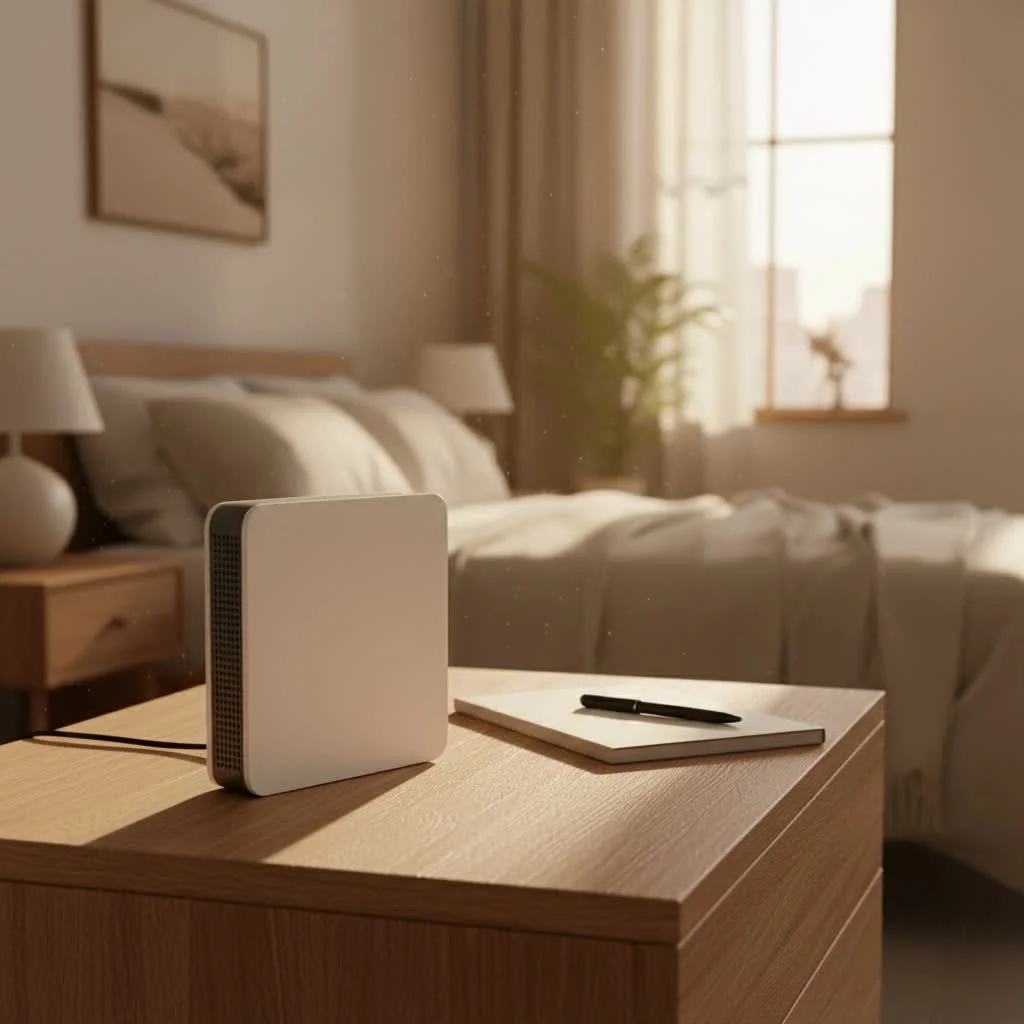
A Fond Farewell: The Apple AirPort Lineup
Apple’s venture into wireless networking began with the original AirPort Base Station, evolving into a beloved line of routers that prioritized user experience. At their peak, the AirPort Express, AirPort Extreme, and AirPort Time Capsule offered distinct functionalities tailored for different needs. For expert home reviews on this site.
What Were Apple AirPort Routers?
The AirPort Express was a compact, plug-in device, famous for its ability to extend Wi-Fi networks and stream music via AirPlay to connected speakers. It was simplicity personified, often serving as an easy way to bring wireless audio to any room.
The AirPort Extreme, a more powerful residential gateway, combined the functions of a router, network switch, and wireless access point. Its minimalist tower design housed advanced features like simultaneous dual-band 802.11ac (now commonly known as Wi-Fi 5) technology and beamforming antennas. This meant faster speeds and a stronger, clearer signal across your home. Setting it up was a breeze, often just a few taps from an iPhone or Mac.
Then there was the AirPort Time Capsule, essentially an AirPort Extreme with a built-in network-attached hard drive. This innovative device provided effortless, automatic wireless backups for your Mac computers using Apple’s Time Machine feature, making data security almost invisible. All these devices were celebrated for their “set it and forget it” reliability and how seamlessly they integrated with the Apple ecosystem, from Macs to iPhones and Apple TVs.
Why Did Apple Discontinue Its Routers?
In 2018, Apple formally announced the discontinuation of its AirPort product line, a decision that surprised and disappointed many loyal users. The move was part of a broader strategy by Apple to sharpen its focus on its core consumer products that generate the bulk of its revenue. Development on the AirPort lineup had reportedly ceased even earlier, with engineers reassigned to other projects. While Apple continued to provide service and parts for existing AirPort devices for a period, the company made it clear there would be no new hardware revisions. As network specialist Anya Sharma from Xzike.com often says, “Apple’s AirPort routers were ahead of their time in user-friendliness, but the market shifted rapidly towards more specialized networking hardware. It’s crucial for users to understand these changes to maintain optimal home networks.”
Navigating the Post-AirPort Era: What Apple Users Need
The departure of Apple from the router market doesn’t mean you’re left without excellent options. In fact, the landscape of Wi-Fi routers has exploded with innovation, offering more powerful, flexible, and feature-rich solutions than ever before. The key is knowing what to look for, especially when your digital life revolves around Apple devices.
Understanding Apple’s Wi-Fi Recommendations Today
|
Our Picks for the Best WiFi Router in 2026
As an Amazon Associate I earn from qualifying purchases.
|
||
| Num | Product | Action |
|---|---|---|
| 1 | Amazon eero 6 mesh wifi router with 1-month free eero Plus (auto-renews) - Supports internet plans up to 900 Mbps, Coverage up to 1,500 sq. ft., Connect 75+ devices, 1-pack |

|
| 2 | TP-Link AXE5400 Tri-Band WiFi 6E Router (Archer AXE75), 2025 PCMag Editors\' Choice, Gigabit Internet for Gaming & Streaming, New 6GHz Band, 160MHz, OneMesh, Quad-Core CPU, VPN & WPA3 Security |
|
| 3 | TP-Link Dual-Band BE3600 Wi-Fi 7 Router Archer BE230 - 4-Stream - 2×2.5G + 3×1G Ports, USB 3.0, 2.0 GHz Quad Core, 4 Antennas - VPN, EasyMesh, HomeShield, MLO, Private IOT - Free Expert Support |
|
| 4 | TP-Link Archer BE6500 Dual-Band Wi-Fi 7 Router (Archer BE400) - Dual 2.5 Gbps Ports USB 3.0 - Covers up to 2,400 Sq. ft and 90 Devices - Quad-core CPU- HomeShield, Private IoT, Free Expert Support |
|
| 5 | TP-Link AC1200 WiFi Router (Archer A54) - Dual Band Wireless Internet Router, 4 x 10/100 Mbps Fast Ethernet Ports, EasyMesh Compatible, Support Guest WiFi, Access Point Mode, IPv6 & Parental Controls |
|
| 6 | TP-Link Tri-Band BE9300 WiFi 7 Router (Archer BE550) - 6-Stream, Full 2.5G Ports w/ 6 Internal Antennas, Up to 2,000 Sq Ft, Add Easy-Mesh Device for Extended Coverage, VPN Support, Free Expert Support |
|
| 7 | RBLHGG-5acD-US LHG 5 ac - 5GHz 802.11ac Wireless Device with 24.5 dBi Dual-Pol Grid Antenna - 716 MHz CPU, 256MB RAM, Gigabit Port, RouterOS L3, PoE, US Version |
|
| 8 | TP-Link AX1800 WiFi 6 Router (Archer AX21) – Dual Band Wireless Internet, Gigabit, Easy Mesh, Works with Alexa - A Certified for Humans Device, Free Expert Support |
|
| 9 | TP-Link AC1200 Gigabit WiFi Router (Archer A6) - Dual Band MU-MIMO Wireless Internet Router, 4 x Antennas, OneMesh and AP Mode, Long Range Coverage |
|
| 10 | Amazon eero 6+ mesh wifi router with 1 month free eero Plus (auto-renews) - Coverage up to 1,500 sq. ft., Connect 75+ devices, 1-pack |
|
Even without their own routers, Apple continues to provide guidance for optimal Wi-Fi performance with its products. For the best security, speed, and reliability with your iPhones, iPads, Macs, and Apple TVs, consider routers that support:
- Modern Wi-Fi Standards: Look for routers compatible with Wi-Fi 5 (802.11ac) at a minimum, though Wi-Fi 6 (802.11ax) or even Wi-Fi 6E and Wi-Fi 7 (802.11be) are now the gold standard. Newer standards offer significant speed improvements, better efficiency in crowded network environments, and support for more concurrent devices.
- Simultaneous Dual-Band or Tri-Band Support: Most modern routers operate on both the 2.4 GHz and 5 GHz frequency bands simultaneously. Tri-band routers add a second 5 GHz band, or a 6 GHz band for Wi-Fi 6E/7, providing even more bandwidth and reducing congestion, which is perfect for homes with many streaming devices and smart home gadgets.
- WPA2/WPA3 Personal Encryption: Always ensure your router uses WPA2 AES or the newer, more secure WPA3 encryption for robust network security.
- MIMO/MU-MIMO Technology: Multi-User Multiple-Input, Multiple-Output (MU-MIMO) allows the router to communicate with multiple devices at once, rather than one by one, drastically improving network efficiency and speed for all connected gadgets.
- Consistent Network Naming (SSID): Apple recommends that all bands on your router use the same network name (SSID). If you name your 2.4 GHz and 5 GHz bands differently, your Apple devices might not connect as reliably or efficiently.
Top Alternatives to Apple AirPort Routers
Replacing your trusted AirPort router is an opportunity to upgrade to a system that meets today’s demanding Wi-Fi needs. Here are the types of systems and features to consider:
Mesh Wi-Fi Systems: The Modern Solution for Whole-Home Coverage
For larger homes, multi-story residences, or spaces with thick walls and tricky layouts, a mesh Wi-Fi system is often the ideal choice. These systems consist of multiple units (a main router and several satellite nodes) that work together to create a single, unified Wi-Fi network, eliminating dead zones and providing consistent coverage everywhere.
Key players in the mesh Wi-Fi market include:
- Eero: Known for its incredible simplicity, sleek design, and robust performance. Eero systems are very user-friendly, with app-based setup and management that will feel familiar to former AirPort users. They offer excellent whole-home coverage and reliable speeds.
- Linksys Velop: Another strong contender, offering tri-band options and a sleek, tower-like design reminiscent of the AirPort Extreme. Velop systems provide great coverage and often feature advanced controls via their intuitive mobile app.
- Google Wi-Fi / Nest Wi-Fi: These systems prioritize ease of use and smart home integration. They offer solid performance for average-sized homes and are managed through a straightforward app.
- Netgear Orbi: Often praised for its powerful performance and dedicated backhaul band (a separate wireless channel for communication between mesh units), which ensures maximum speed to your devices. Orbi systems are excellent for larger homes with high bandwidth demands.
- Ubiquiti AmpliFi HD: Blends performance with a unique aesthetic, often featuring a small display on the main router for status updates. It’s a great choice for those who want both power and a distinctive look.
These mesh systems typically offer features like robust parental controls, guest networks, and easy device prioritization, all managed through a simple smartphone app.
Traditional High-Performance Routers
If you live in a smaller apartment or home, or prefer a single, powerful device, a traditional standalone router can still be an excellent choice. These routers pack a punch, offering advanced features for power users.
Look for models from brands like:
- Netgear Nighthawk series: These routers are renowned for their powerful processors, extensive feature sets, and often aggressive, gaming-oriented designs. They excel in raw speed and customization.
- Asus RT-series: Asus routers are favored by enthusiasts for their comprehensive firmware, often including advanced QoS (Quality of Service), VPN server capabilities, and robust security features.
- Synology RT-series: Synology, known for its NAS devices, also offers routers with strong network management features and often includes a USB port that can be leveraged for network storage.
When choosing a traditional router, consider features like the number of Gigabit Ethernet ports, USB ports for external storage or printer sharing, and advanced settings for traffic management.
Specific Considerations for Apple Users
As an Apple user, you might have specific requirements inherited from the AirPort experience:
- Time Machine Backups: Since AirPort Time Capsule is no longer available, consider routers with USB ports that support connecting an external hard drive for network sharing. Alternatively, a dedicated Network Attached Storage (NAS) device is an excellent long-term solution, offering far more flexibility and advanced features for all your backup and media streaming needs.
- AirPlay Compatibility: While some routers might have AirPlay capabilities, it’s more common and often more reliable to use dedicated AirPlay-enabled speakers or devices like the HomePod mini or Apple TV for audio streaming. Most modern networks will support AirPlay functionality without specific router features.
- Ease of Setup and Management: Many modern mesh systems and even some traditional routers now offer intuitive mobile apps for quick setup and ongoing management, closely mirroring the user-friendly experience Apple users came to appreciate.
Setting Up Your New Router for Optimal Performance with Apple Devices
Once you’ve chosen your new router, a proper setup ensures you get the most out of your investment, especially with your Apple devices.
Best Practices for Wi-Fi Configuration
- Firmware Updates: Always update your router’s firmware immediately after setup. Manufacturers frequently release updates for security and performance improvements.
- Unique SSIDs: While Apple recommends consistent naming across bands, ensure your overall network name is unique and not a generic default (e.g., “Linksys” or “Netgear”). This helps prevent interference.
- Strong Security: Enable WPA2 AES or WPA3 encryption with a strong, unique password. Never use WEP or WPA/WPA Personal (TKIP) as they are outdated and vulnerable.
- Optimal Placement: Position your router in a central, elevated location in your home, away from obstructions and sources of interference like microwaves, cordless phones, and large metal objects. For mesh systems, strategically place nodes to maximize coverage.
- Consistent Channel Settings: While many modern routers excel at auto-selecting the best Wi-Fi channels, if you experience interference, you might manually adjust 2.4 GHz channels (1, 6, 11 are usually best) and select less congested 5 GHz channels.
Could Apple Re-enter the Router Market?
While Apple officially exited the dedicated Wi-Fi router market, there’s been intriguing speculation about a potential, albeit unconventional, return. Rumors suggest Apple is developing highly sophisticated Wi-Fi and Bluetooth chips that could theoretically allow devices like future Apple TV or HomePod models to function as wireless access points. This would mark a significant shift, embedding network capabilities directly into smart home devices rather than offering standalone routers. While this possibility remains unconfirmed, it highlights Apple’s continued interest in seamless connectivity within its ecosystem and the potential for innovative approaches to home networking. Only time will tell if we’ll see Apple-branded “Wi-Fi access points” in a new form factor.
In the changing world of Wi-Fi, Apple’s AirPort routers hold a special place for their elegance and simplicity. While they may be a thing of the past, the spirit of seamless connectivity and intuitive control lives on in a new generation of powerful networking devices. By understanding your needs and leveraging the advanced features of today’s mesh systems and high-performance routers, you can build a robust and reliable home network that perfectly supports all your Apple devices and beyond. We at Xzike.com are always here to help you navigate these choices, ensuring your Wi-Fi is fast, secure, and ready for anything.
Frequently Asked Questions
Frequently Asked Questions
Are Apple AirPort routers still functional for Wi-Fi connectivity today?
Yes, existing Apple AirPort routers can still provide Wi-Fi connectivity. However, they no longer receive software updates, which can pose security risks and limit support for the latest Wi-Fi standards or speeds.
What made Apple's AirPort routers unique for users of Apple devices?
Apple AirPort routers were renowned for their exceptionally easy setup process and seamless integration with macOS and iOS devices. Specific models offered features like AirPlay streaming with the AirPort Express and automatic Time Machine backups with the AirPort Time Capsule.
What features should I prioritize in a new router for Apple devices?
For optimal performance with Apple devices, prioritize routers supporting modern Wi-Fi standards like Wi-Fi 5 or Wi-Fi 6/6E, simultaneous dual-band/tri-band operation, WPA2/WPA3 encryption, and MU-MIMO technology. Routers with intuitive app-based setup and management also enhance the user experience.
Can I still perform Time Machine backups wirelessly without an AirPort Time Capsule?
Yes, wireless Time Machine backups are still possible. You can connect an external hard drive to a compatible router's USB port for network storage, or invest in a dedicated Network Attached Storage (NAS) device, which offers more flexibility and advanced features for centralized backups.
What is the main advantage of a mesh Wi-Fi system compared to a traditional router?
Mesh Wi-Fi systems excel at providing seamless, whole-home coverage by utilizing multiple interconnected units. This approach eliminates dead zones and ensures consistent speeds across larger homes or those with architectural challenges that a single traditional router might struggle to cover effectively.
Get our weekly buyer guide
Practical specs, not advice. Unsubscribe anytime.

I was so bummed when Apple stopped making the AirPort Extreme. This post really helped me find a great alternative. I ended up going with a Wi-Fi 6E mesh system and the difference is incredible. My whole house now has strong, consistent signal, even in the backyard. Setup was surprisingly easy too, which was a huge relief.
I appreciate the info on WPA3 encryption, but I found that some of the recommended traditional routers were a bit pricier than I expected. I was hoping for something a little more budget-friendly to replace my old AirPort Time Capsule. It works, but the cost was a bit of a sting.
I’ve been holding onto my AirPort Extreme for ages, dreading the day I’d have to replace it. This guide made the transition so much smoother. I picked a system that integrates well with my existing Apple devices, and the seamless experience has been fantastic. No more dead zones in my home office!
My old AirPort Express finally bit the dust, and I needed a replacement that could still handle AirPlay. The suggestions for modern mesh systems with app-based management were spot on. It’s not quite the same as the old Apple interface, but it’s close enough and the performance boost is definitely worth it for streaming music throughout the house.