In our increasingly connected world, reliable internet access is no longer a luxury – it’s a necessity. From remote work to streaming your favorite shows on vacation, staying connected on the go is paramount. That’s where the mobile WiFi router steps in, offering a robust and secure solution to keep you online wherever your adventures take you. Forget the frustration of sluggish public Wi-Fi or draining your phone’s battery with a tethered connection; a dedicated mobile hotspot is your key to unlocking truly portable and powerful internet.
What Exactly is a Mobile WiFi Router and How Does It Work?
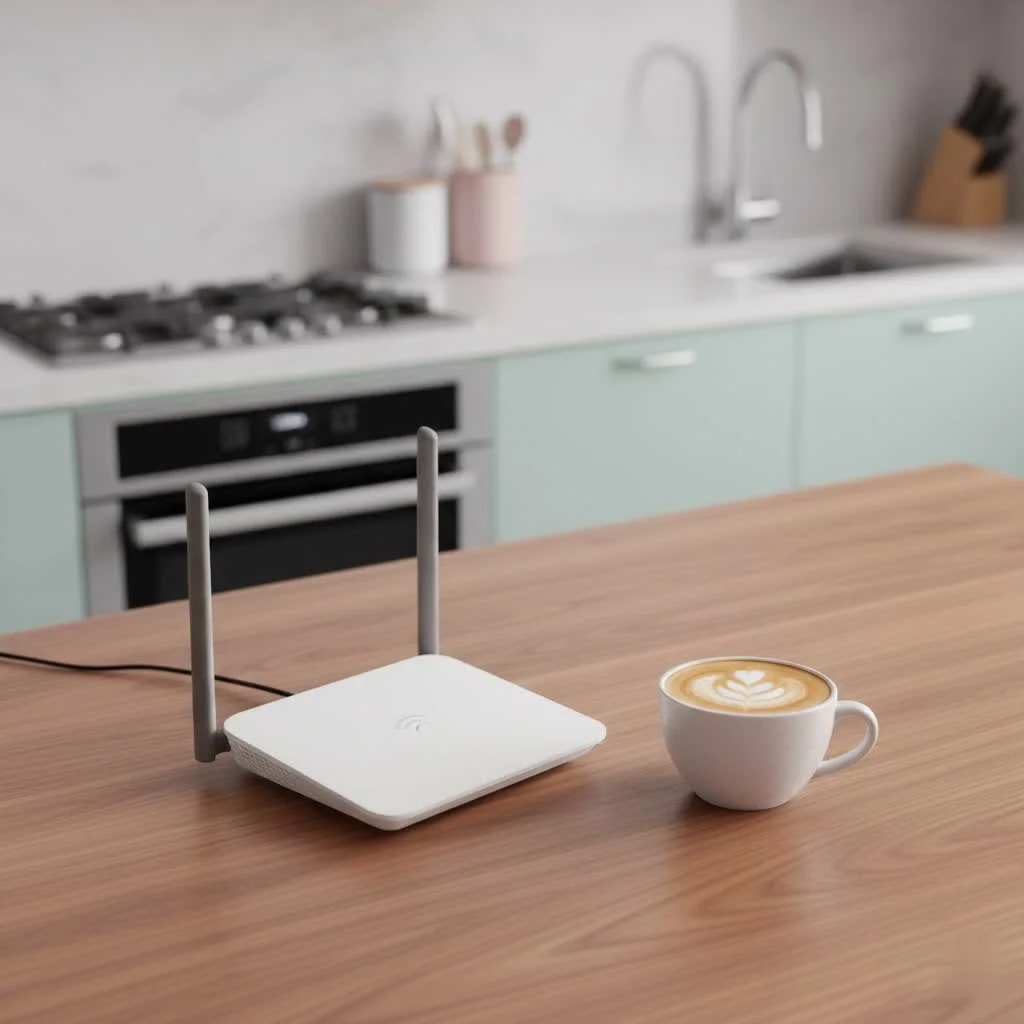
A mobile WiFi router, often called a mobile hotspot, is essentially a mini, portable version of the router you have at home. But instead of connecting to a cable or fiber optic line, it uses a cellular data connection – just like your smartphone. Inside these compact devices, you’ll find a SIM card slot (or embedded SIM), a cellular modem, and Wi-Fi antennas. This allows the router to pick up a mobile network signal (4G LTE or even the blistering fast 5G), convert it into a private Wi-Fi network, and then broadcast that network for your devices to connect to. Think of it as your own personal internet bubble that travels with you, providing reliable internet access wherever there’s cell service.
Why Choose a Mobile WiFi Router Over Your Smartphone’s Hotspot?
Many people wonder why they would need a separate mobile WiFi router when their smartphone can also function as a hotspot. While convenient in a pinch, a dedicated mobile router offers significant advantages that make it a superior choice for consistent, high-quality connectivity.
More Devices, Better Performance
Your smartphone is designed primarily for making calls and running apps, not as a robust Wi-Fi hub. Most phones can only handle a handful of connected devices before performance starts to degrade. A quality mobile WiFi router, however, is built to support a greater number of simultaneous connections – often 10 to 30 devices, and some advanced models even support up to 64. This dedicated hardware also provides better signal stability and faster speeds, ensuring a smoother experience for everyone connected.
Extended Battery Life
One of the biggest downsides of using your phone as a hotspot is the rapid battery drain. It’s a power-intensive task that can leave you scrambling for a charger. Mobile WiFi routers are engineered with larger, more powerful batteries, frequently offering 13 hours or more of active use on a single charge. This means your phone’s battery is preserved for essential calls and apps, while your mobile router handles the internet heavy lifting. Some even double as power banks to give your phone a quick boost.
Enhanced Security and Network Management
|
Our Picks for the Best WiFi Router in 2026
As an Amazon Associate I earn from qualifying purchases.
|
||
| Num | Product | Action |
|---|---|---|
| 1 | Amazon eero 6+ mesh wifi router with 1 month free eero Plus (auto-renews) - Coverage up to 1,500 sq. ft., Connect 75+ devices, 1-pack |

|
| 2 | TP-Link AC1200 Gigabit WiFi Router (Archer A6) - Dual Band MU-MIMO Wireless Internet Router, 4 x Antennas, OneMesh and AP Mode, Long Range Coverage |
|
| 3 | TP-Link Archer BE6500 Dual-Band Wi-Fi 7 Router (Archer BE400) - Dual 2.5 Gbps Ports USB 3.0 - Covers up to 2,400 Sq. ft and 90 Devices - Quad-core CPU- HomeShield, Private IoT, Free Expert Support |
|
| 4 | TP-Link AC1200 WiFi Router (Archer A54) - Dual Band Wireless Internet Router, 4 x 10/100 Mbps Fast Ethernet Ports, EasyMesh Compatible, Support Guest WiFi, Access Point Mode, IPv6 & Parental Controls |
|
| 5 | TP-Link Tri-Band BE9300 WiFi 7 Router (Archer BE550) - 6-Stream, Full 2.5G Ports w/ 6 Internal Antennas, Up to 2,000 Sq Ft, Add Easy-Mesh Device for Extended Coverage, VPN Support, Free Expert Support |
|
| 6 | TP-Link AXE5400 Tri-Band WiFi 6E Router (Archer AXE75), 2025 PCMag Editors\' Choice, Gigabit Internet for Gaming & Streaming, New 6GHz Band, 160MHz, OneMesh, Quad-Core CPU, VPN & WPA3 Security |
|
| 7 | TP-Link AX1800 WiFi 6 Router (Archer AX21) – Dual Band Wireless Internet, Gigabit, Easy Mesh, Works with Alexa - A Certified for Humans Device, Free Expert Support |
|
| 8 | TP-Link Dual-Band BE3600 Wi-Fi 7 Router Archer BE230 - 4-Stream - 2×2.5G + 3×1G Ports, USB 3.0, 2.0 GHz Quad Core, 4 Antennas - VPN, EasyMesh, HomeShield, MLO, Private IOT - Free Expert Support |
|
| 9 | Amazon eero 6 mesh wifi router with 1-month free eero Plus (auto-renews) - Supports internet plans up to 900 Mbps, Coverage up to 1,500 sq. ft., Connect 75+ devices, 1-pack |
|
| 10 | RBLHGG-5acD-US LHG 5 ac - 5GHz 802.11ac Wireless Device with 24.5 dBi Dual-Pol Grid Antenna - 716 MHz CPU, 256MB RAM, Gigabit Port, RouterOS L3, PoE, US Version |
|
Public Wi-Fi networks are notoriously insecure, leaving your personal and business data vulnerable. A mobile WiFi router creates a private, password-protected network, offering a secure Wi-Fi connection that you control. Beyond basic security, many models include advanced network management features like guest networks, MAC filtering, and even parental controls, giving you greater command over who connects and what they access. This is a level of data protection and control that smartphone hotspots typically can’t match.
Flexibility with Unlocked Devices and International Roaming
If you’re a frequent international traveler or simply like the freedom to choose your cellular provider, an unlocked mobile WiFi router is a game-changer. These devices aren’t tied to a specific carrier, meaning you can easily swap out SIM cards to take advantage of local data plans in different countries or switch between carriers at home for the best coverage or deals. For instance, an unlocked device like the Netgear Nighthawk M6 offers impressive carrier flexibility, making international travel less of a connectivity headache.
Key Features to Look For in a Mobile WiFi Router
When you’re ready to invest in a mobile WiFi router, several key features can significantly impact your experience.
5G and Wi-Fi 6/6E/7 Support
For the fastest possible speeds and future-proofing your investment, look for a mobile WiFi router that supports 5G cellular technology. Coupled with the latest Wi-Fi standards like Wi-Fi 6, Wi-Fi 6E, or even Wi-Fi 7, you’ll experience lower latency, greater capacity, and superior efficiency, especially in crowded environments. These advancements translate to smoother streaming, faster downloads, and more responsive online gaming, even when multiple devices are connected.
Battery Capacity
As discussed, battery life is crucial for portable devices. Check the advertised battery life in hours and consider models that offer all-day power. Some advanced mobile WiFi routers not only last longer but also feature a power bank function, allowing you to charge other devices like your smartphone or tablet on the go.
Ethernet Port
While mobile WiFi routers are primarily wireless, some high-end models, like the Orbic Speed 5G UW or Netgear Nighthawk M7 Pro, include an Ethernet port. This feature is incredibly useful for connecting devices that require a stable wired connection, such as a laptop for critical work tasks or a game console, bypassing potential Wi-Fi interference and often achieving even higher speeds.
External Antenna Ports (TS9)
For those times when you find yourself in areas with weak cellular signals, external antenna ports (typically TS9 connectors) can be a lifesaver. These allow you to attach an external antenna to boost signal strength, significantly improving your connection speed and reliability. This feature is more common on 4G and sub-6GHz 5G hotspots, as mmWave 5G hotspots generally do not have them.
Display Screen
A clear, intuitive display screen on your mobile WiFi router provides at-a-glance information about crucial metrics. You can easily check signal strength, current data usage, battery level, network name, and even the Wi-Fi password without needing to log into an app or web interface. This convenience makes managing your portable internet solution much easier.
Mobile WiFi Routers for Specific Needs
Mobile WiFi routers serve a diverse range of users, each with unique connectivity demands.
The Road Warrior and Digital Nomad: For professionals constantly on the move, a mobile WiFi router provides a consistent and secure connection for video conferences, large file transfers, and accessing cloud-based applications from anywhere with cell service.
Vacation Homes and RVs: When enjoying a getaway in a vacation home or an RV, a mobile router can be an excellent way to provide temporary, reliable internet for the whole family, avoiding the hassle of setting up new traditional broadband services.
Small Businesses on the Go: Food trucks, pop-up shops, and other mobile businesses can rely on mobile hotspots to power their point-of-sale (POS) systems, take online orders, and manage inventory, ensuring seamless operations.
Replacing Home Internet (with caveats): While not typically designed to fully replace traditional home broadband due to data caps and cost per gigabyte, a mobile WiFi router can be a viable alternative for users with light internet usage who cannot access traditional fixed-line services or for backup purposes. It’s important to distinguish this from dedicated wireless home internet solutions, which use larger, less portable routers and often offer unlimited data plans.
Expert Insight: Choosing Your Next Mobile WiFi Router
“In my fifteen years of working with network solutions, the evolution of mobile WiFi routers has been truly transformative,” says Dr. Elena Petrova, a veteran network architect at Xzike Labs. “The key isn’t just speed; it’s about the entire ecosystem – battery life, security features, and carrier flexibility. Always assess your primary use case. Are you traveling internationally, or do you need a robust connection for a small team on a remote job site? Your needs will dictate the ideal feature set, but prioritizing 5G and Wi-Fi 6/6E/7 ensures you’re ready for whatever the future of mobile connectivity holds.”
FAQs
What is the difference between a mobile WiFi router and a data dongle?
A mobile WiFi router creates a Wi-Fi network that multiple devices can connect to wirelessly. A data dongle, typically a USB device, usually provides internet to a single computer by plugging directly into its USB port.
Can I use a mobile WiFi router internationally?
Yes, many mobile WiFi routers are “unlocked” and support various international bands. You can often purchase a local SIM card in your destination country and insert it into the router for more affordable data rates.
How much data do I need for a mobile WiFi router?
Data needs vary widely based on usage. Streaming video, online gaming, and frequent video calls consume a lot of data. For light use, 10-20GB might suffice, but for heavy use or multiple users, 100GB or more could be necessary.
Are mobile WiFi routers secure?
Yes, when properly configured with a strong password, mobile WiFi routers create a private and secure network, making them a much safer option than connecting to open public Wi-Fi hotspots.
Can a mobile WiFi router replace my home internet?
While possible for very light internet users, mobile WiFi routers are generally not ideal replacements for home internet due to data caps and higher costs per gigabyte compared to traditional broadband or dedicated wireless home internet plans.
How many devices can a mobile WiFi router support?
Most mobile WiFi routers can support between 10 to 30 devices simultaneously, with advanced models capable of connecting up to 64 devices without significant performance drops.
What are “unlocked” mobile WiFi routers?
An “unlocked” mobile WiFi router is not tied to a specific cellular carrier, allowing you the flexibility to use a SIM card from any compatible network provider. This is particularly useful for changing carriers or using local SIMs when traveling.
Conclusion
In an era where constant connectivity is vital, a mobile WiFi router stands out as an indispensable tool for anyone seeking reliable, secure, and high-performance internet access beyond the confines of a traditional home network. Whether you’re a digital nomad, a frequent traveler, or simply looking for a robust backup internet solution, investing in a quality mobile hotspot offers unparalleled freedom and peace of mind. Take control of your connectivity and experience the liberation of a fast, private Wi-Fi network in your pocket, ready to empower your digital life wherever you go.
Get our weekly buyer guide
Practical specs, not advice. Unsubscribe anytime.
